Get an estimate for your video project in less than a minute.

Get an estimate for your video project in less than a minute.
The principles of animation are the basics of animation. They are practical rules for making movement feel believable and easy to read. This page covers the 12 principles of animation with examples from simple everyday actions and business videos. It also covers where the principles came from and why they remain useful for drawn characters, three-dimensional models and moving text on a screen of any size.
| What are the 12 principles of animation? The 12 principles of animation are squash and stretch, anticipation, staging, straight ahead and pose to pose, follow through and overlapping action, slow in and slow out, arcs, secondary action, timing, exaggeration, solid drawing and appeal. Disney animators Ollie Johnston and Frank Thomas set them out in their 1981 book The Illusion of Life. |
If you want to become a successful animator, understanding the basic principles of animation gives you a strong foundation. Learning the software helps you create movement, but knowing how timing, spacing, anticipation, and weight work helps you make that movement feel believable and intentional.
As an animator, I can often tell when those principles are missing, even if I can’t immediately explain what feels wrong. A character might lift a heavy object as though it weighs nothing. A jump might feel weak because there’s no preparation before takeoff. An expression might change so quickly that the audience misses the emotion. The animation moves, but the action doesn’t fully connect.
From a producer’s perspective, these details affect how clearly a scene communicates. The audience needs to understand where to look, what is happening, and how a character feels. Good staging directs attention. Anticipation prepares viewers for an action. Timing gives that action energy, personality, and meaning. Sometimes, holding a pose a little longer does more for a scene than adding more movement.
These principles also give you a practical way to improve your work. Instead of saying, “Something feels off,” you can ask more useful questions: Does the movement have enough weight? Is the pose clear? Does the action need more preparation? Are all the parts stopping at once when some should continue moving?
The goal isn’t to apply every principle as strongly as possible in every shot. It’s to understand what each one contributes and decide what the scene needs. A restrained character performance and an exaggerated cartoon action can look very different while drawing on the same fundamentals.
As you gain experience, those decisions become more instinctive. You spend less time simply making things move and more time shaping a performance the audience can understand and feel.
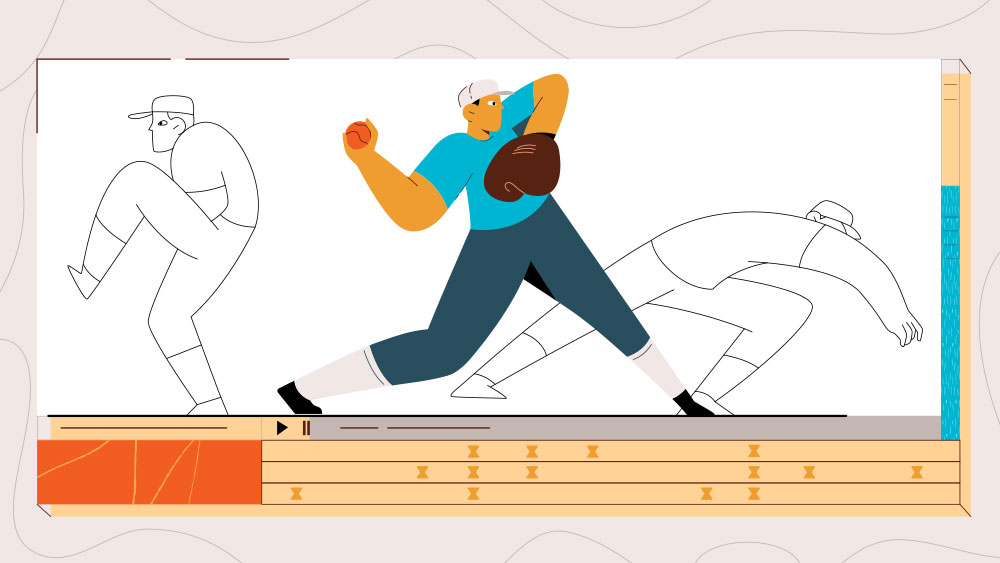
The 12 basic principles of animation are guidelines for creating readable action, convincing weight and clear character performance.
Disney animators Ollie Johnston and Frank Thomas set them out in their 1981 book The Illusion of Life. It is still widely listed among the best books on animation principles. The principles described practices developed through character animation. They gave animators a shared way to discuss why a movement felt clear or awkward.
They are often called Disney’s 12 principles of animation, the 12 rules of animation or the 12 steps of animation. Their usefulness extends beyond a particular studio or drawing style. A simple moving icon still needs timing. A product entering the frame still needs clear staging. A character can look weightless if its motion ignores how a body starts and stops.
These are guides for making choices rather than a checklist that every shot must display equally. A restrained technical animation may need very little exaggeration. A comic character may depend on it. The point is to understand what each principle contributes and use it in proportion to the scene.
As the saying goes, you have to understand the rules in order to break them. Everyday i see the animation principles being broken by what looks like an animator who doesn’t know the rules. If you apply some of these very simple principles or animation, you’ll elevate your work and set yourself apart from the rest. I wish I had done this earlier in my career.
Below are a few videos that use animation principles effectively. They demonstrate how an animation can tell an interesting story when animation principles are applied.
Each principle describes a different way to make an animated action clearer and more convincing.
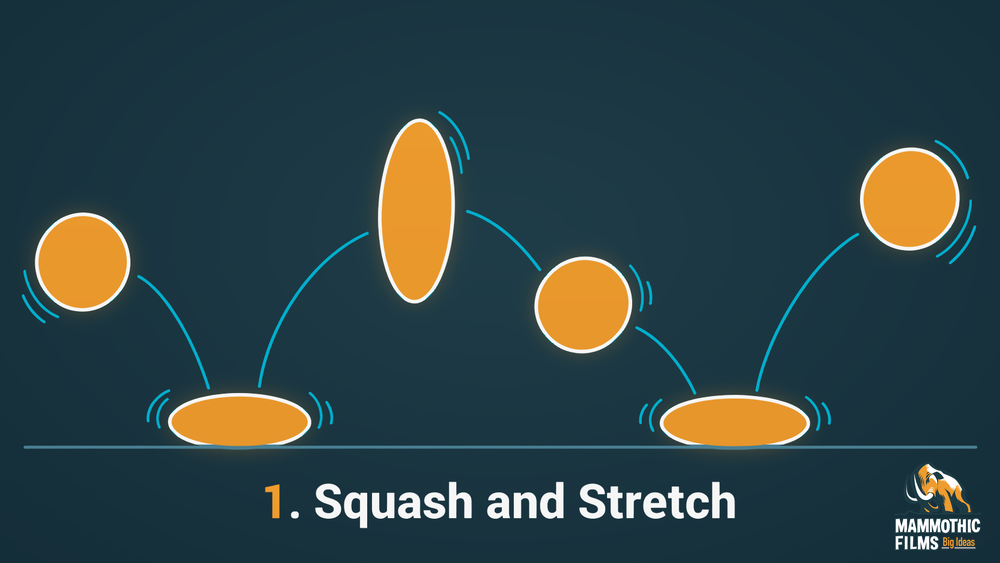
Squash and stretch changes a shape to express force, flexibility or weight. A soft ball flattens on impact and lengthens as it leaves the ground. Its apparent volume should remain consistent so it feels compressed rather than replaced by a different object. The amount of deformation tells you something about the material. A rubber object can change more than a rigid box. In a business video we can use a restrained version on an icon to suggest a soft landing. A realistic product needs more care. Its shape should not distort in a way that misrepresents what the physical item can do.
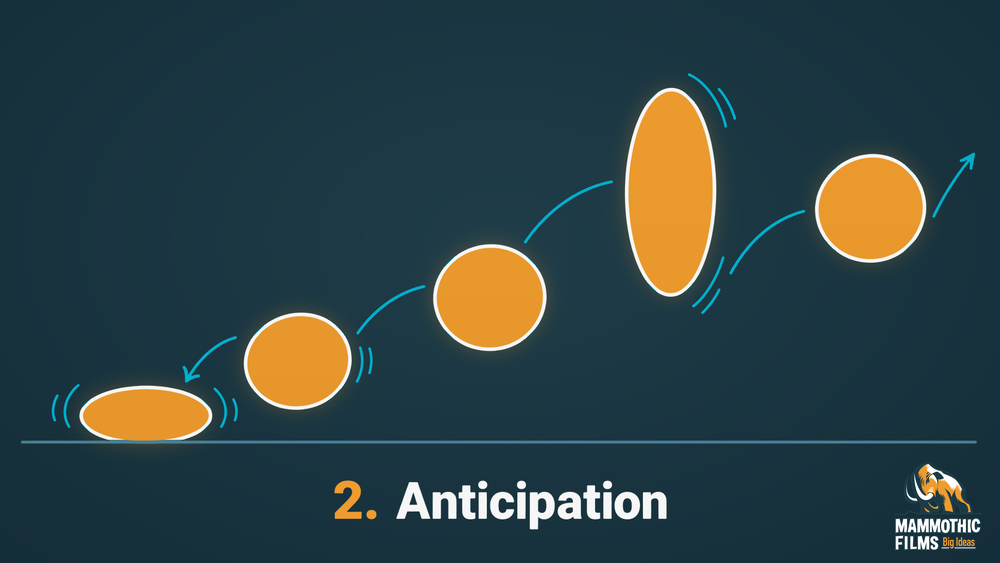
Anticipation prepares the viewer for an action before it happens. A person bends their knees before jumping. That preparation makes the upward movement easier to follow and gives it a source of effort. Without it the person may seem to lift off without weight. Anticipation can be small. A hand drawing back can prepare a throw. A glance can direct attention before a turn. In a business video a brief preparatory movement can signal that a graphic is about to change. We keep it subordinate to the main action so the preparation does not become a distraction or an unnecessary delay.
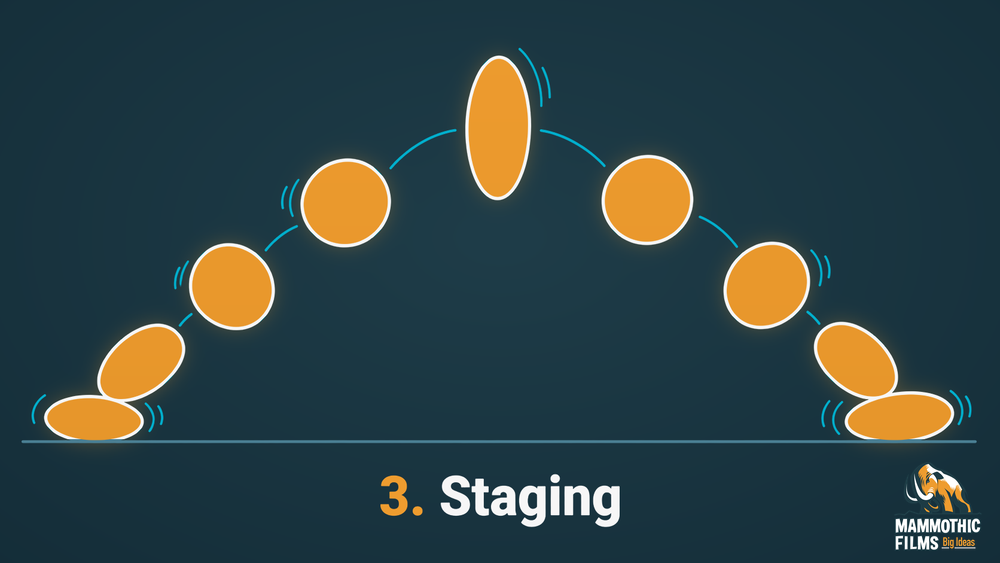
Staging arranges a scene so its main idea is immediately understandable. A person reaching for a cup needs a clear relationship between the hand and the object. Another moving shape in front of that action can make it difficult to read. Composition, contrast and timing all contribute. The viewer should not have to search for the part that matters. In a business video we stage a diagram so the current step receives attention before the next one appears. A simple scene can communicate more effectively than a busy one. The principle concerns clarity of intent rather than the amount of decoration in the frame.
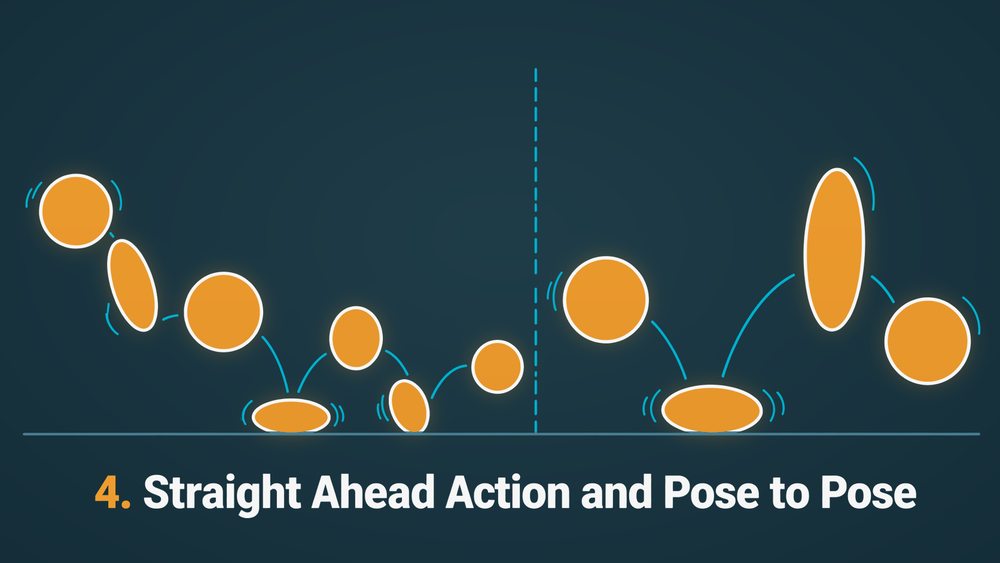
Straight ahead action builds movement sequentially while pose to pose establishes key positions before filling the gaps. Drawing a flame as it develops can suit the first approach. Planning a character’s takeoff and landing can suit the second. Sequential work can produce fluid surprises. Key poses help preserve structure and timing. Animators can combine the methods within a shot. The choice follows the kind of action rather than a rule that one approach is always better. In a business video we can plan important character poses first while allowing smaller flowing details to develop around them. That keeps the message clear without making every movement rigid.
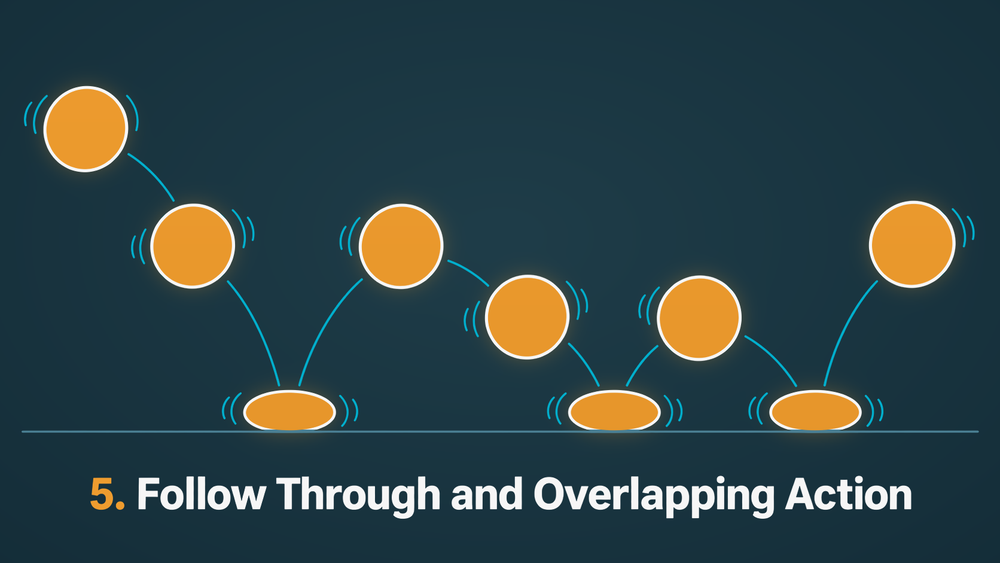
Follow through and overlapping action describe parts of a subject continuing or changing movement at different times. A person’s coat may keep moving after the body stops. The arms and torso do not always start a turn together. These differences make the figure feel connected without behaving like one solid block. The timing needs to follow the relationship between the parts. A loose sleeve behaves differently from a firm handle. In a business video a character’s clothing can settle after a gesture. We use that secondary movement to support the action. It should not continue so long that it draws attention away from the next idea.
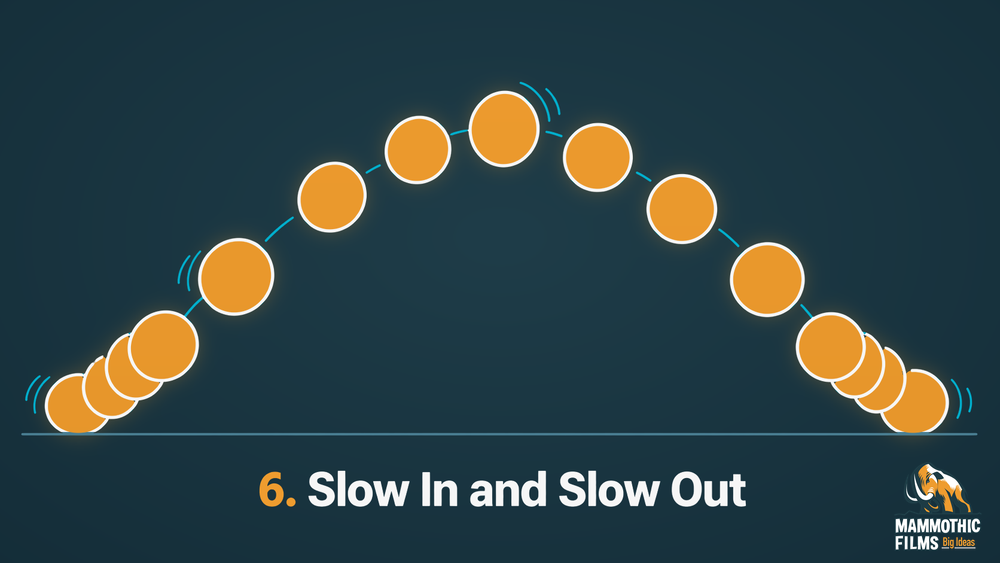
Slow in and slow out means movement usually gains and loses speed rather than changing instantly. A person starting a walk does not immediately reach a constant pace. A hand approaching a cup may slow before contact. In animation the spacing between positions controls that change. Close positions create slower apparent movement. Larger gaps create faster movement. The result needs to suit the material and action. A sudden impact should not be softened without reason. In a business video we can let a title settle into position gradually. This makes its arrival feel controlled and gives the viewer a clear moment to begin reading.
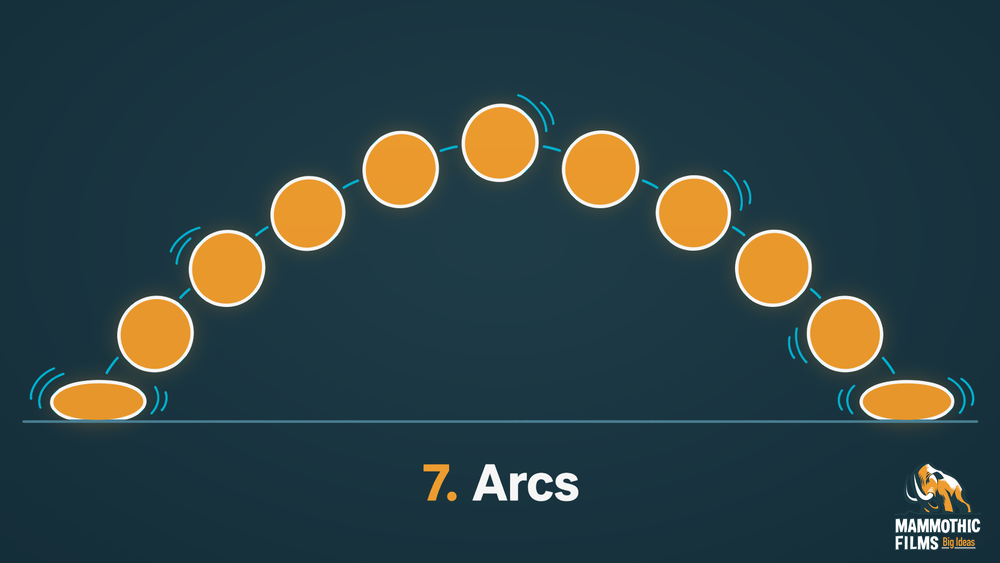
Arcs describe the curved paths that many natural movements follow. A hand waving from the shoulder travels around a joint rather than moving in a perfectly straight line. A thrown ball also follows a changing path. Keeping those paths coherent helps the movement feel connected. An accidental kink can make the action seem to catch or change direction without cause. Not everything needs a curve. A mechanical slider may travel straight. In a business video we consider arcs in character gestures and moving graphic elements. The path should support the action being shown rather than add a decorative loop that makes the message harder to follow.
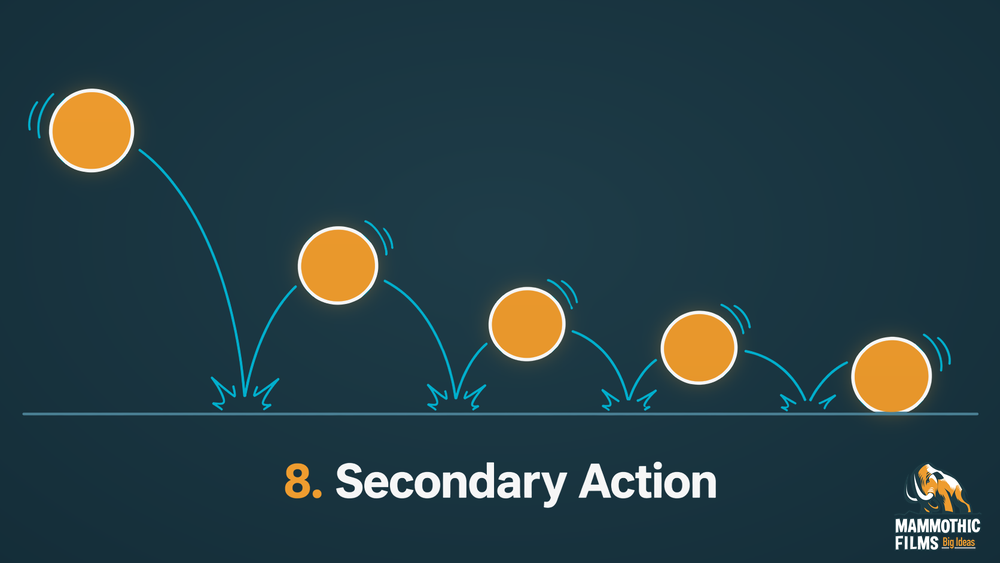
Secondary action supports the main action without replacing it as the focus. A person walking nervously might also rub their hands. The walk remains the primary action. The hand movement adds information about the person’s state. If that smaller action becomes too large or busy, the viewer may stop reading the intended main movement. The relationship matters more than the number of moving parts. In a business video a character can glance at a document while handing it over. The glance supports the exchange. We would avoid adding unrelated gestures merely to keep the character moving while the important information is being delivered.
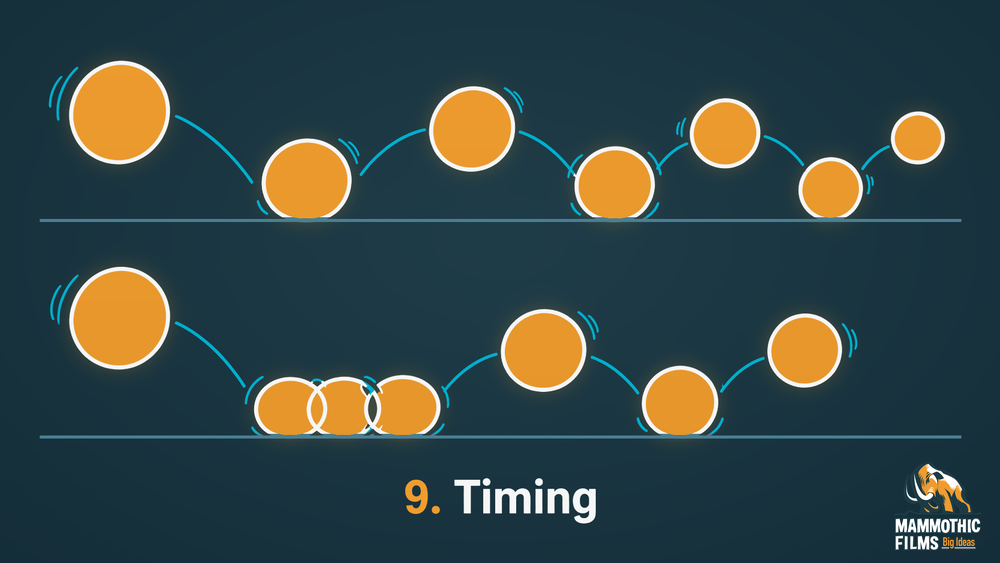
Timing determines how long an action takes and how long the viewer has to understand it. A heavy object usually needs a different movement rhythm from a light one. The same pose change can suggest hesitation or confidence depending on its duration. Pauses are part of timing too. A held expression can give the viewer time to register a reaction. In a business video we time a diagram around the information it carries. A label needs enough time to be read before the scene moves on. The aim is a pace that supports understanding rather than constant movement for its own sake.
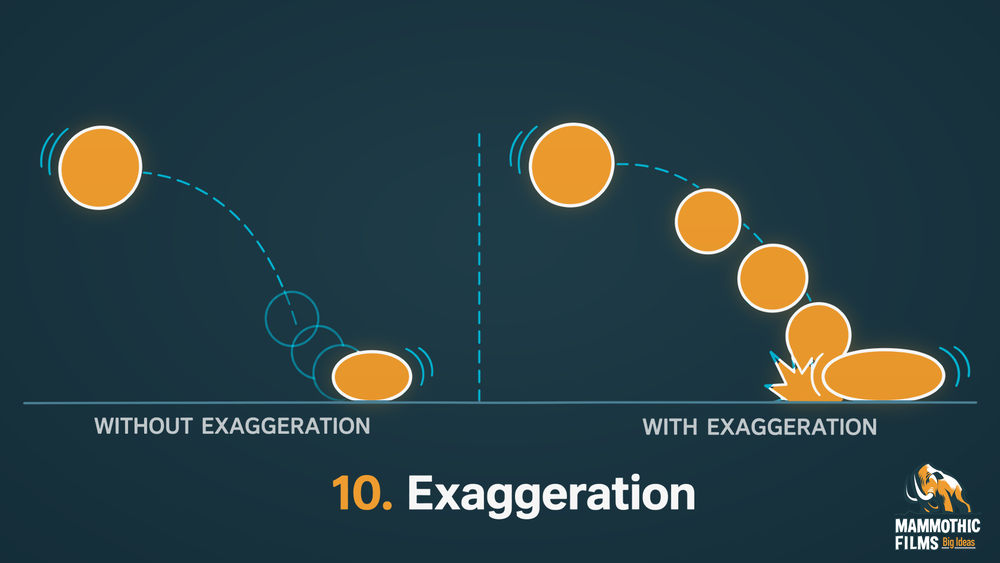
Exaggeration makes the important part of an action more visible while preserving its underlying meaning. A surprised character may open their eyes wider than a real person would. That change helps the reaction read quickly. It does not require every feature to become extreme. Selective exaggeration can be more effective than pushing the whole scene equally. The intended tone sets the limit. In a business video we might strengthen a character’s disappointed posture so the problem is clear. We would keep a product demonstration accurate. A movement that falsely enlarges a product’s performance is a different issue from making a fictional expression easier to read.
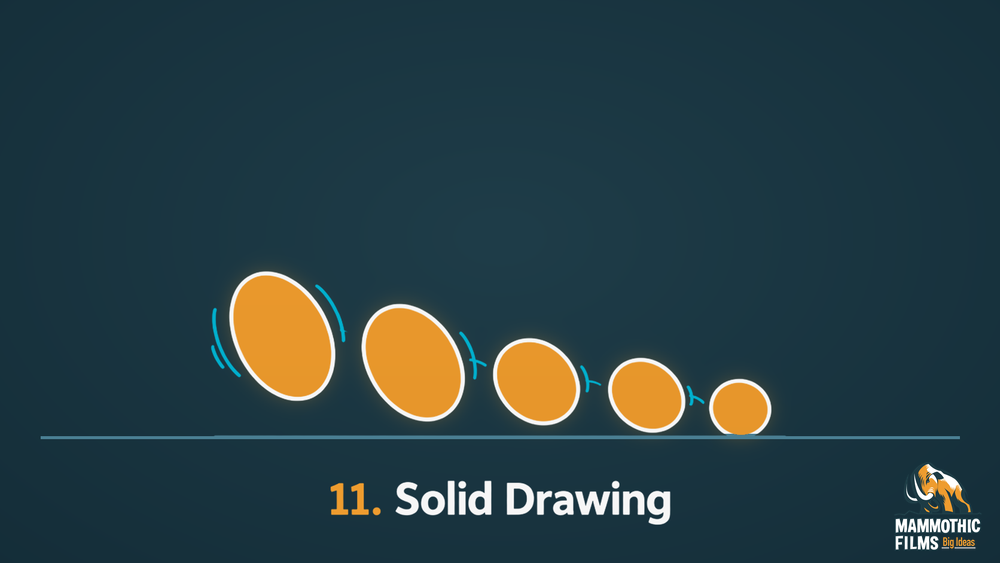
Solid drawing gives a drawn form a convincing sense of volume, balance and weight. A character leaning forward needs a pose that suggests how the body is supported. Its parts should relate consistently even when the drawing is simplified. This does not require photographic detail. A simple figure can feel solid through clear construction and a readable centre of weight. The idea also helps with models and graphic forms. In a business video we want a character carrying a box to appear connected to its load. Consistent proportions and contact points keep the movement believable without needing extra lines or surface detail.
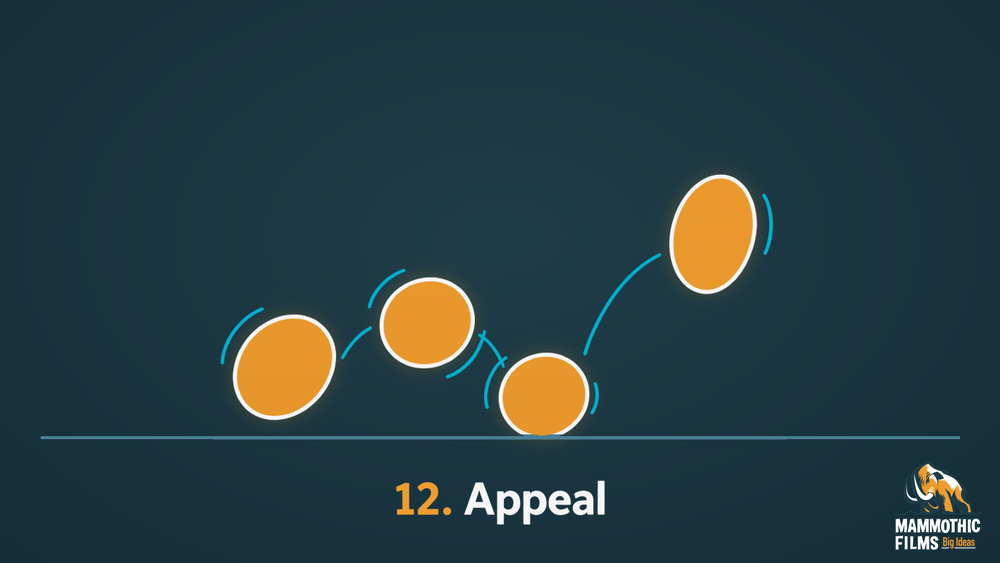
Appeal makes a character or image clear and interesting enough to hold attention. It does not mean every character must be cute or friendly. A stern figure can still have a strong silhouette and a readable expression. Shape, proportion and visual clarity contribute to how easily the viewer understands the design. Unnecessary details can weaken that reading. In a business video we aim for characters and graphics that suit the audience and the message. The design should feel intentional at the size it will be viewed. A clear face or symbol often does more useful work than a complicated design with no obvious focus.
Yes, the principles apply to 3D animation and motion graphics because modeled objects and moving text still need clear timing and readable action. A digital model does not automatically move convincingly. Its body needs to prepare for a jump and settle after a landing. Connected parts should respond according to their weight and flexibility. The software can move a shape between positions. The animator decides how that movement should feel.
The same thinking applies to motion graphics. A logo can ease into place instead of stopping abruptly. Easing means changing speed as the movement starts or ends. A small preparatory motion can tell the viewer that a graphic is about to transform.

Text needs staging as well as motion. The important word should remain readable while nearby elements change. A moving interface can guide attention toward a new state without making every control compete for notice.
The basic principles of animation are tools for those decisions. They do not require a title to bounce like a cartoon character. A restrained business video may use very subtle easing and clear holds. The result can feel natural precisely because the viewer does not notice the animation choices as separate effects.
There are later teaching frameworks with additional principles. But the original twelve principles of animation remain the familiar reference set. You may encounter discussions of thirteen or twenty-one principles. Those lists usually reflect another teacher’s additions or a different way of grouping ideas. They should not automatically be treated as revisions to the original set.
The useful question is what a proposed addition explains. Some terms describe a particular design practice. Others divide an existing principle into smaller parts. A larger number does not necessarily make a framework more complete for your project.
For a production discussion we would use the established terms where they help identify a problem. A scene may need clearer staging or better timing. Naming that issue accurately is more useful than deciding how many principles a list should contain.
We use timing, staging and appeal to make short brand videos clear before adding extra movement. Timing starts with the information. A viewer needs a moment to read a phrase or recognize a change. We would let the scene hold where that understanding happens. Cutting the hold simply to make the piece faster can weaken the message.
Staging decides where your eye goes. We place the important action where it can be seen without competing movement. A diagram should reveal its relationships in a sensible order. The viewer should not have to reconstruct the explanation after the scene ends.
Appeal keeps the design readable and appropriate to the subject. We look for a clear silhouette and a consistent graphic language. More detail is only useful when it adds information or character.
A pause can give a character’s reaction time to register. A clearer composition can make a process step understandable on its first viewing. Those practical changes are where the animation rules earn their place in the film.
These principles apply across all animation styles. You can see examples of each style on our styles page.
These answers explain how the principles relate to everyday animation decisions.
The principles are squash and stretch, anticipation, staging, straight ahead action and pose to pose, follow through and overlapping action, slow in and slow out, arcs, secondary action, timing, exaggeration, solid drawing and appeal. They describe ways to make movement and design readable. They work together rather than operating as isolated effects added to a finished scene.
Ollie Johnston and Frank Thomas set out the principles in their 1981 book The Illusion of Life. They described practices developed through Disney character animation. Their contribution gave those practices a clear shared framework. The principles remain useful beyond that studio because timing, weight and visual clarity matter across many kinds of moving images.
No single principle is the most important in every scene. Staging can determine whether the viewer understands the action at all. Timing can determine whether that action feels heavy or rushed. The priority follows the problem. A clear storyboard can help identify what the scene needs before finished movement is built.
Squash and stretch changes an object’s shape to suggest impact or flexibility. A soft ball can flatten as it lands and lengthen as it leaves the surface. Its apparent volume should remain believable. The effect needs to suit the material. A rigid product should not bend like rubber unless the chosen style clearly calls for that treatment.
Timing is how long an action takes while spacing is the distance between its successive positions. Two actions can last equally long but feel different because their positions are distributed differently. Close spacing can show a slow start. Wider spacing can show acceleration. The animator uses both to control the movement’s pace and physical character.
Yes, 3D characters still need clear poses, convincing weight and purposeful timing. A model provides shape but does not automatically provide a good performance. These fundamentals of animation help the animator choose how it starts, moves and stops. They also guide the camera’s view of the action so the important movement stays readable in the scene.
Some teachers use expanded lists with those numbers. They are different frameworks rather than a universally agreed replacement for the original twelve. Extra terms may separate or extend existing ideas. For your video the useful task is identifying what improves the scene. A longer list does not automatically produce clearer movement or better communication.
The principles give us a practical language for making movement clear. Timing controls how an action reads. Staging directs attention. The other principles support weight, expression and design. You do not need every effect pushed to its limit. Use the amount the scene needs so the viewer understands the action and the message without having to think about the technique behind them.


Larry is the Founder and Producer at Mammothic Films, with more than 15 years of production experience. He leads a team that creates story-driven videos for businesses and brands. A marketer, designer, and animator, Larry has overseen the production of more than 1,500 videos for Fujitsu, Logitech, Warner Brothers, NFL, Blockdaemon, Astronomer, Canonical, and 370+ other companies in Canada, the United States, and around the world.
Larry is a devout Christian who believes in placing God first, and that everything else is a blessing that comes from serving Him. When he’s not working, he’s hanging out with his wife and three kids, playing the piano, or sightseeing.
We use cookies to improve your experience on our site.
Manage your cookie preferences below:
Essential cookies enable basic functions and are necessary for the proper function of the website.
