Get an estimate for your project in 60 seconds. No email required.

Get an estimate for your project in 60 seconds. No email required.
 By
Larry Mutenda
By
Larry Mutenda | What makes nonprofit video marketing work? Nonprofit video marketing works when each video speaks to one audience and asks for one action, such as volunteering, giving or signing up. Tell one person’s story instead of leading with statistics. Make a short cut for social feeds and caption every video. Then measure one result per video. |
Nonprofit video marketing has one job. It gets a specific person to take a specific action. That might be volunteering, giving, signing a petition, going to a meeting or calling a helpline.
We have made over 100 nonprofit videos in more than 15 years of nonprofit video production. The tips below come from that work and from published research. Each tip is shown through one example video, and the text explains what that video does.
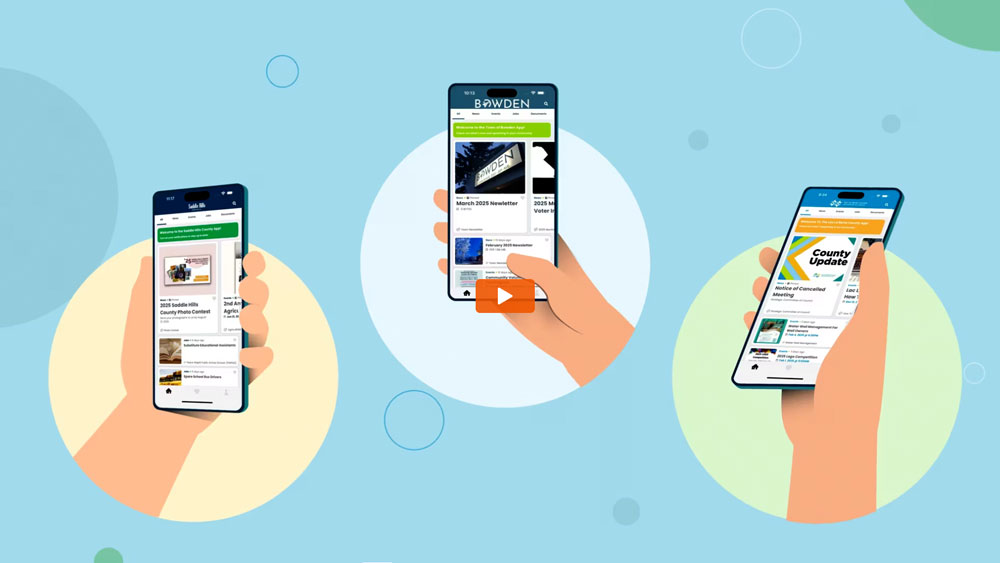
We kept tips that change how a nonprofit plans, writes, cuts or publishes a video. Seven of the examples are videos we produced, and we describe them from their scripts. Four come from the organizations’ own channels, and any result we cite comes from that organization. Where a tip rests on research, we link to the study.
| # | Tip | Example video | Format |
|---|---|---|---|
| 1 | Start with one audience and one action | Makers Making Change | Animation |
| 2 | Let supporters carry the message | The ALS Association | Live action |
| 3 | Explain what you do in plain words | Family Caregiver Alliance | Animation |
| 4 | Tell one person’s story | charity: water | Live action |
| 5 | Use animation for sensitive subjects | CLAS BC | Animation |
| 6 | Make a 30-second social cut | Espior Society | Live action |
| 7 | Make one clear advocacy ask | IISD | Animation |
| 8 | Caption every video | National Deaf Children’s Society | Animation |
| 9 | Build a series | Manitoba Nurses Union | Animation |
| 10 | Publish each video where supporters already are | Habitat for Humanity | Live action |
| 11 | Measure one result per video | Disability Rights Oregon | Animation |
Good nonprofit video marketing starts with one audience and one thing you want that audience to do. A video for volunteers should not also try to win donors, funders and board members.
Client: Makers Making Change.
Project type: 2D animation, 0:56.
Communication challenge: Turn a volunteer sign-up into a clear set of choices, in under a minute.
Creative approach: The script names the problem in one line. The cost of assistive technology is often a barrier. Then it lists the ways to help. Volunteers can build and design devices, attend events or promote the mission.
The build path gets the most detail because it is the main ask. Volunteers browse requests on the platform and tell the user they can build the device. They agree on design details, timelines and how part costs will be reimbursed. Then they build. The video ends on one web address.
Our guide on how to write a video script walks through how to narrow a message down this far.
Ice Bucket Challenge: Thank You is a one-minute video from The ALS Association, and it shows how a nonprofit can let supporters carry the message and then close the loop. The association posted it on its own channel in September 2014.
It followed the ALS Ice Bucket Challenge, in which people filmed themselves pouring ice water over their heads and nominated others to do the same. The association did not make those videos. Its supporters did.
This video has a different job. It thanks the people who took part. Plan it alongside the main video, so it is ready when supporters need to hear that their part mattered.
By the numbers: The ALS Association reports that more than 17 million people took part in the summer of 2014 and that the challenge raised $115 million for the association.
People need to know what your organization does before they give or volunteer, so say it in the words a supporter would use.
Client: Family Caregiver Alliance.
Project type: 2D animation, 2:27.
Communication challenge: Show caregivers and supporters everything one nonprofit offers, without turning the video into a list.
Creative approach: The script opens on the size of the problem. Nearly 38 million people give 36 billion hours of free care to adult family and friends. Then it asks a plain question. Why support caregivers?
From there the video walks through the services. Caregiver assessment, care planning, counselling, respite care, support groups and legal help each get a line. A client’s own words sit in the middle. The one-on-one help from a social worker made them feel less alone. The script closes on reach and on resources offered in four languages.
That answer to “what do you do?” is the core job of the nonprofit explainer video examples we break down in a separate list.
Rachel’s Story: Where It All Began is a charity: water video that tells a whole fundraising story through one girl and her family. It is a live-action short documentary of just under five minutes, posted on the charity’s own channel in July 2012.
Rachel Beckwith was nine. She had set up a charity: water fundraising page with a goal of $300 and raised $220. After she died in a car accident in July 2011, thousands of people gave to her page.
The video follows what happened next. A year after the accident, her mother Samantha and her grandparents Richard and Roseanne travel to Ethiopia with charity: water. They meet some of the people Rachel’s page helped. The crew filmed the whole day. The viewer meets the result through those people, not through a chart.
Research supports building a video this way. In a study published in Organizational Behavior and Human Decision Processes, people who read about one girl gave more than twice as much as people who read statistics about millions of children. When her story came with the statistics, giving dropped. That is one study in one setting, not a rule for every video. It is still a good reason to build your script around one person. Use big numbers sparingly, or save them for the donation page, as many of the fundraising video examples we have collected do.
By the numbers: charity: water reports that Rachel’s page raised $1.2 million within a month and that the projects it funded serve more than 37,000 people in Ethiopia.
Animation lets a nonprofit explain a hard subject without putting a survivor, patient or child on camera.
Client: CLAS BC, for its Stand Informed service.
Project type: Animation, 1:36.
Communication challenge: Tell people who have experienced sexual assault in BC that free legal advice exists, and remove the reasons they might not call.
Creative approach: The script leads with what is not required. There are no gender, age, race or immigration status requirements. You do not have to have reported the incident to the police.
“What happened is not your fault” sits near the top. Then the script walks through each step. An intake coordinator speaks with you first. An interpreter and a support worker can join. You are matched with a lawyer and receive up to three hours of legal advice. For a viewer who is frightened, knowing each step in advance matters more than any visual.
If a longer nonprofit video will run on social feeds, plan a short cut for them. In a feed, a viewer can scroll past in a second.
Client: Espior Society.
Project type: Live-action promo, 0:30.
Thirty seconds holds one idea and one ask. It does not hold your history, your programs and your board. Plan the short cut at the script stage, so the shoot or the animation includes the shots it needs. A cut made as an afterthought often reads like a trimmed long version.
Put the most important image and line in the first few seconds. Put your name and the ask on screen as text, not only in the voice-over.
An advocacy video should give viewers just enough background to understand one ask, and no more.
Client: International Institute for Sustainable Development (IISD).
Project type: 2D animation, 2:13.
Communication challenge: Explain a slow trade negotiation about fisheries subsidies to a general audience, and make it feel urgent.
Creative approach: Open on the ocean and one number. Over one third of the world’s marine fish populations are overfished. Then name a cause most viewers have never heard of. Governments subsidize fishing fleets with taxpayer money.
The middle is a short history. The World Trade Organization began negotiations twenty years ago. The UN’s Goal 14 set a 2020 target to end harmful subsidies. The deadline passed without a deal. Each step gets a sentence or two. The closing lines turn to the one outcome the video wants. At the time, WTO members were closer than ever to an agreement. The ask is for an ambitious one.
Update: This video was made before the agreement was finished. The WTO Agreement on Fisheries Subsidies entered into force on September 15, 2025.
Don’t Talk With Your Mouth Full! is a short animated video from the National Deaf Children’s Society, and it was made with subtitles and a British Sign Language translation from the start.
It is one of five early-years deaf awareness videos built around animal characters from the charity’s children’s book, Elephant and the Lost Blanket. In this one, Elephant can’t tell what Tiger is saying because Tiger is talking with her mouth full. It runs under a minute.
The charity says every video in the set includes subtitles and a BSL translation. That means the message works for a deaf child, for a parent watching on a muted phone and for a class in a noisy room. Nobody has to turn the sound on to follow the story.
Plan captions and on-screen text at the storyboard stage, not after the edit. Put the ask on screen as well as in the script. A viewer who never turns the sound on should still know what you want them to do.
A series of short videos that each answer one question does more for a nonprofit than one long video that tries to answer them all.
Client: Manitoba Nurses Union.
Project type: 2D animation, 2:01.
Communication challenge: Explain how a member organization is structured, so members know where they fit and who to call.
Creative approach: Start with the member. MNU represents more than 13,000 nurses. The script calls your local “your home base, your crew at your worksite.” Then it builds the structure from the ground up. Locals and regions come first, then executives, the board of directors and the annual general meeting.
We made a second video for MNU in a whiteboard animation style. It answers the question members ask before their first AGM. What actually happens there, and do I get a vote? Each video has one job, so each one can be sent to the member who needs it.
Volunteer with Habitat for Humanity is a 32-second live-action video from Habitat for Humanity, and it is published on the page where people go to volunteer.
The footage comes from build sites. Volunteers in hard hats embrace the people they are building with. The message fits in one line from the video’s description: you can help us help families build a better future. The ask is to find a volunteer opportunity at habitat.org/volunteer.
Habitat embeds the video on that same volunteer page. A visitor who came looking for a way to help gets a short reason to act, and the next step is already on the screen.
Place your own videos the same way. The volunteer video goes on the volunteer page. The overview video goes on the About page. The short cut goes on social media and in your newsletter. Each one links to one page where the viewer can act.
Pick one number for each video before it launches, and tie that number to the action the video asks for. Our video for Disability Rights Oregon is built so that number is easy to find.
Client: Disability Rights Oregon.
Project type: 2D animated advocacy video, 1:04.
Communication challenge: Explain an insurance change most patients don’t know about, then send viewers to one page.
Creative approach: The script explains that some insurance companies no longer accept drug-maker financial assistance toward out-of-pocket costs. Patients often find out mid-year, when they are on the hook for thousands of dollars in refills.
One line of moral framing follows. Nobody should have to choose between life-saving medication and putting food on the table. Then the video gives a single address, droregon.org/meds. Visits to that page, and what visitors do there, show whether the video worked. Views only show that it was seen.
Choose the number the same way for every video. A volunteer video is measured in volunteer sign-ups. A donation video is measured in visits to the donation page and completed gifts. Set it inside your wider video marketing strategy, where each video has a clear job in the supporter’s journey.
The nonprofit video marketing that gets results follows five patterns across every tip above.
Volunteer, give, sign, call. The strongest videos ask for one of these, not all four. Viewers who are asked for everything often do nothing.
Each script is written for one person. A frightened caller, a new union member or a possible volunteer. The tone, the length and the words all follow from who that person is.
A story about one person comes first. Numbers support the story. They do not replace it.
A full version for the website, a short cut for social feeds and captions for both. Plan each version before production, not after the edit.
Each video has one number attached to it. Someone on the team looks at that number after launch and uses it to plan the next video.
Nonprofit video marketing is the use of video to get a specific audience to volunteer, give, sign up or change a behaviour. It covers animated videos, fundraising appeals, impact stories, thank-you videos and short social cuts.
Start with a short overview video that answers “what do you do?” Then add one video for your main ask, such as volunteering or giving. For videos made to change public behaviour, see our roundup of public service videos.
Long enough for one ask. A social cut can be 30 seconds. The videos on this page run from 30 seconds for a social cut to just under five minutes for a short documentary.
Use live action when real people and places are the proof, such as an impact story. Use animation for processes, policies and subjects too sensitive to film. Many nonprofits use both, and our guide to animation styles compares the options.
Choose one number per video before launch and tie it to the video’s ask. Examples include volunteer sign-ups, donation page visits, completed gifts or event registrations. Views alone don’t show whether a video worked.
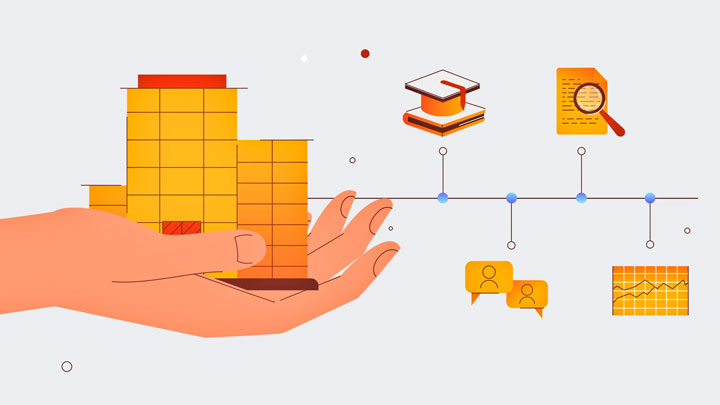
In strong nonprofit video marketing, each video speaks to one audience, asks for one action and has one result someone checks.
If you are planning your next video, start with the person you want to reach and the one thing you want them to do. Then choose the story, the format and the cut that make that action easy.

Larry is the Founder and Producer at Mammothic Films, with more than 15 years of production experience. He leads a team that creates story-driven videos for businesses and brands. A marketer, designer, and animator, Larry has overseen the production of more than 1,500 videos for Fujitsu, Logitech, Warner Brothers, NFL, Blockdaemon, Astronomer, Canonical, and 370+ other companies in Canada, the United States, and around the world.
Larry is a devout Christian who believes in placing God first, and that everything else is a blessing that comes from serving Him. When he’s not working, he’s hanging out with his wife and three kids, playing the piano, or sightseeing.
We use cookies to improve your experience on our site.
Manage your cookie preferences below:
Essential cookies enable basic functions and are necessary for the proper function of the website.