Get an estimate for your video project in less than a minute.

Get an estimate for your video project in less than a minute.
A storyboard turns a script into pictures before you shoot or animate. At Creamy Animation, it is how we plan our animated videos. In this guide I walk through how to storyboard a video using real panels from a 2D animation we made for the City of Overland Park. It covers what goes in a panel, the shot types and camera moves we mark, a free template, and the finished video.
| How do you storyboard a video? To storyboard a video, break the script into shots and sketch each one as a frame. On each panel, note the action, the dialogue or voiceover, and the shot type and camera move. Keep the drawings rough. Number and refine the frames, then time them to audio as an animatic to test the pacing. |
A storyboard is a sequence of drawings that shows a video shot by shot before it is made. I think of it as the visual version of the script. Each frame is one shot. It has a rough sketch of what is on screen plus notes on the action, the sound, and how the camera behaves. Put the frames in order and you can see how the finished video will look and flow.
The storyboard sits between the script and production. The script says what happens and what is said. The storyboard shows how it will look. It is a planning tool, not artwork, so the drawings can be simple. A stick figure in the right shot with a clear note is worth more than a beautiful frame that took an hour.
| Document | What it is | When you use it |
|---|---|---|
| Script | The words and the on-screen action | First, before anything visual |
| Storyboard | Frame-by-frame drawings of each shot | After the script, to plan the visuals |
| Shot list | A checklist of every shot to capture | On set, so nothing is missed |
| Animatic | The storyboard frames timed to audio | After the storyboard, to test pacing |
A storyboard artist draws that shot-by-shot plan during pre-production. They read the script, work with the director to understand the vision, and turn each scene into frames that the crew or the animators can build from. The job is part drawing and part visual problem-solving, since they are deciding how each moment is framed and how one shot cuts to the next.
The role calls for solid figure drawing, a working knowledge of cinematography and camera work, and clear communication with the rest of the team. Storyboard artists work in film and television, animation studios, video games, music videos, and advertising, often as freelancers hired per project. In animation, the same role is sometimes called a storyboard animator. When a director wants to change a scene, the storyboard artist is the one who sketches the new version fast so everyone can see it before money is spent shooting it.
A storyboard is the cheapest place to solve visual problems. Moving a shot on paper takes a pencil. Moving it on a shoot day costs crew hours. Moving it in animation costs days of rebuilt work. That is why we board the video first at Creamy Animation. We catch the problems while they are still free to fix.
It also gets everyone looking at the same video before it exists. A client can approve the look and the flow from the boards. Our animators can see the action laid out in order. On a live-action shoot, the crew can see exactly which shots to get. That shared picture keeps a shoot on schedule and an animation on budget.
Here’s an example of how we create storyboards. These 12 frames come from the opening of a 2D animated video we made for the City of Overland Park and the Deanna Rose Children’s Farmstead.
The video follows a tiny nutrient from a cow’s meal all the way to the glass of milk you drink. Each frame is one shot. Under each sketch, the Script field holds the voiceover and the Action field says what happens on screen. Read the frames in order and you can follow the start of the story before anything is animated.
That is the point of a storyboard. Everyone sees the video while it is still cheap to change.
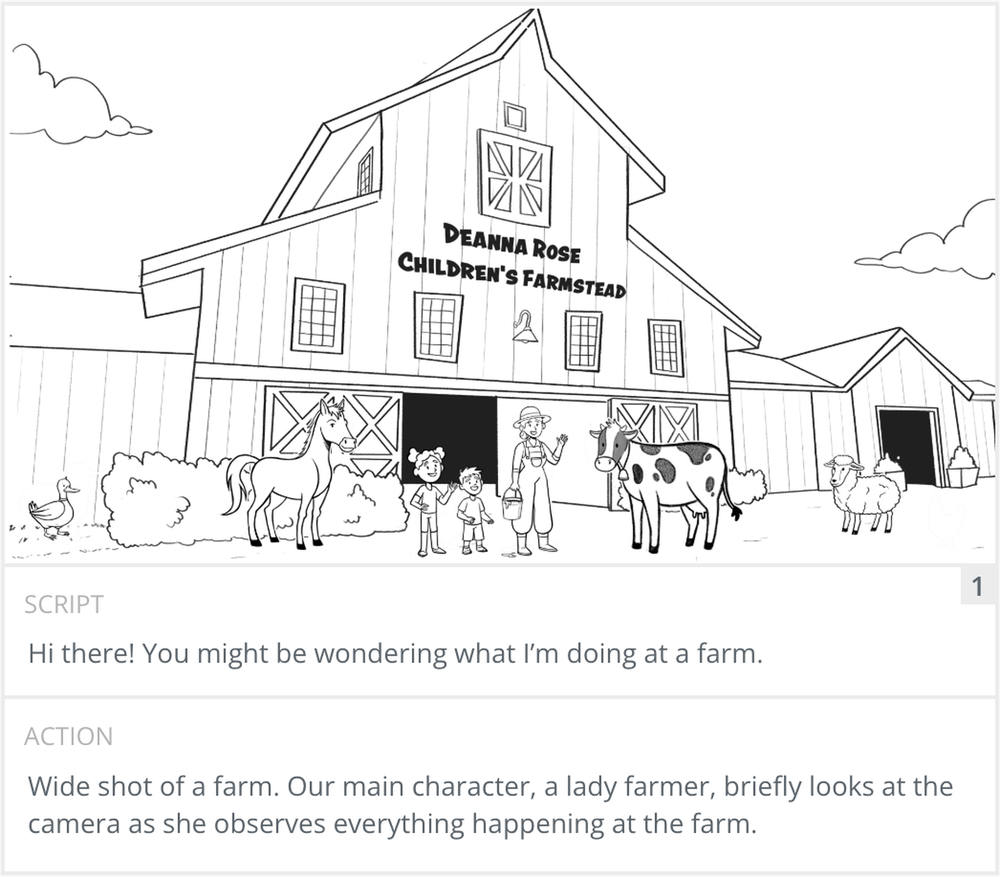
Each panel is one shot, and a good one carries more than a drawing. Here is panel 1 from a 2D animation we made for the City of Overland Park. The sketch shows the framing and the main action: a wide shot of the Deanna Rose Children’s Farmstead. Under it are the two fields our boards use. Script holds the voiceover for that moment. Action describes what happens on screen and how the shot is framed. The panel number sits in the corner so everyone can refer to it in feedback.
Some boards add the shot type, the camera move and a duration as separate fields. On this project we wrote the shot type straight into the Action note, like “Wide shot of a farm” or “Cut to a close-up of farmer.” Arrows on the frame show movement, either of a subject or of the camera. What matters most is that the composition reads clearly: where the subject sits in the frame, what is in the foreground and background, and where the eye should land.
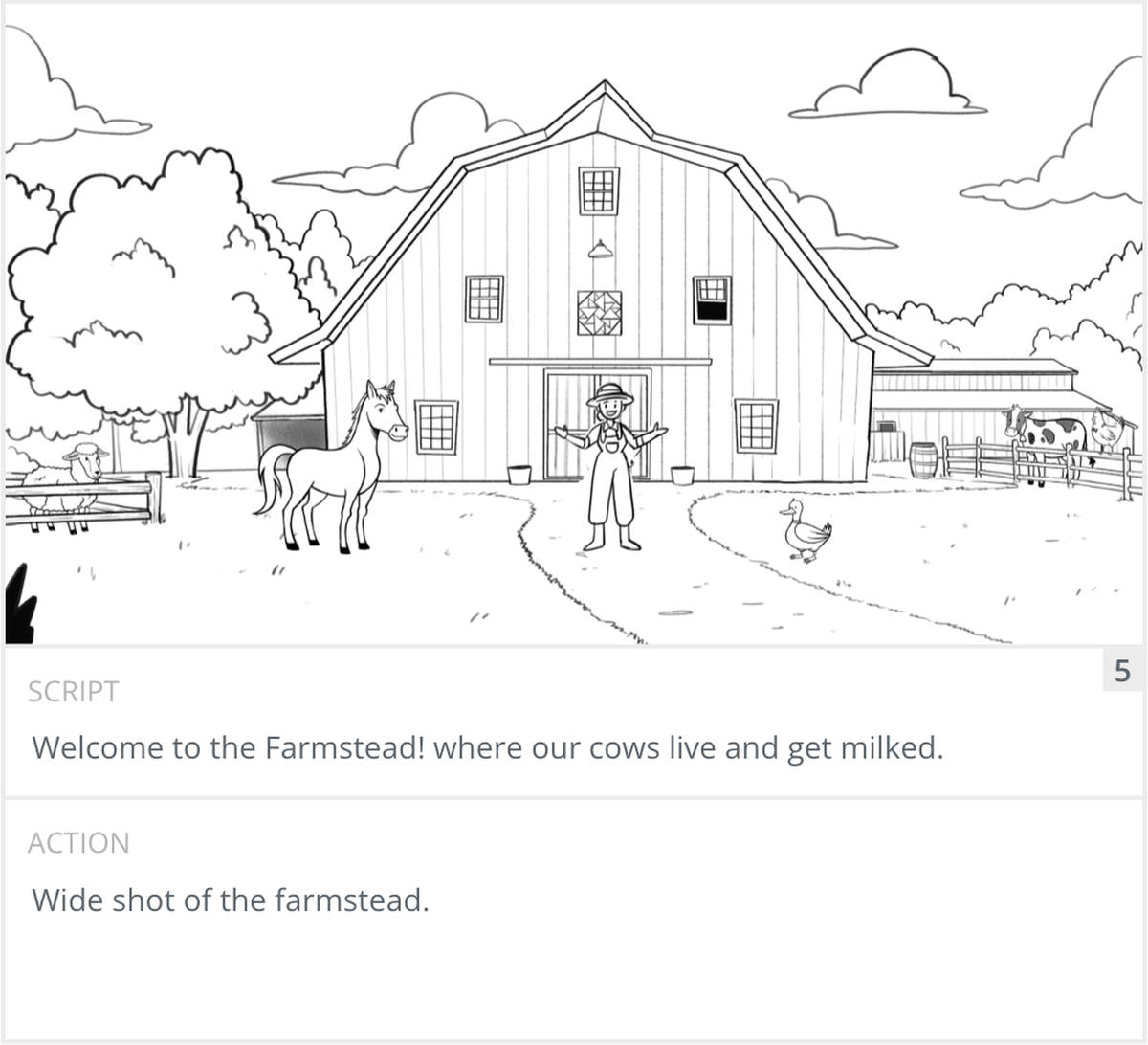
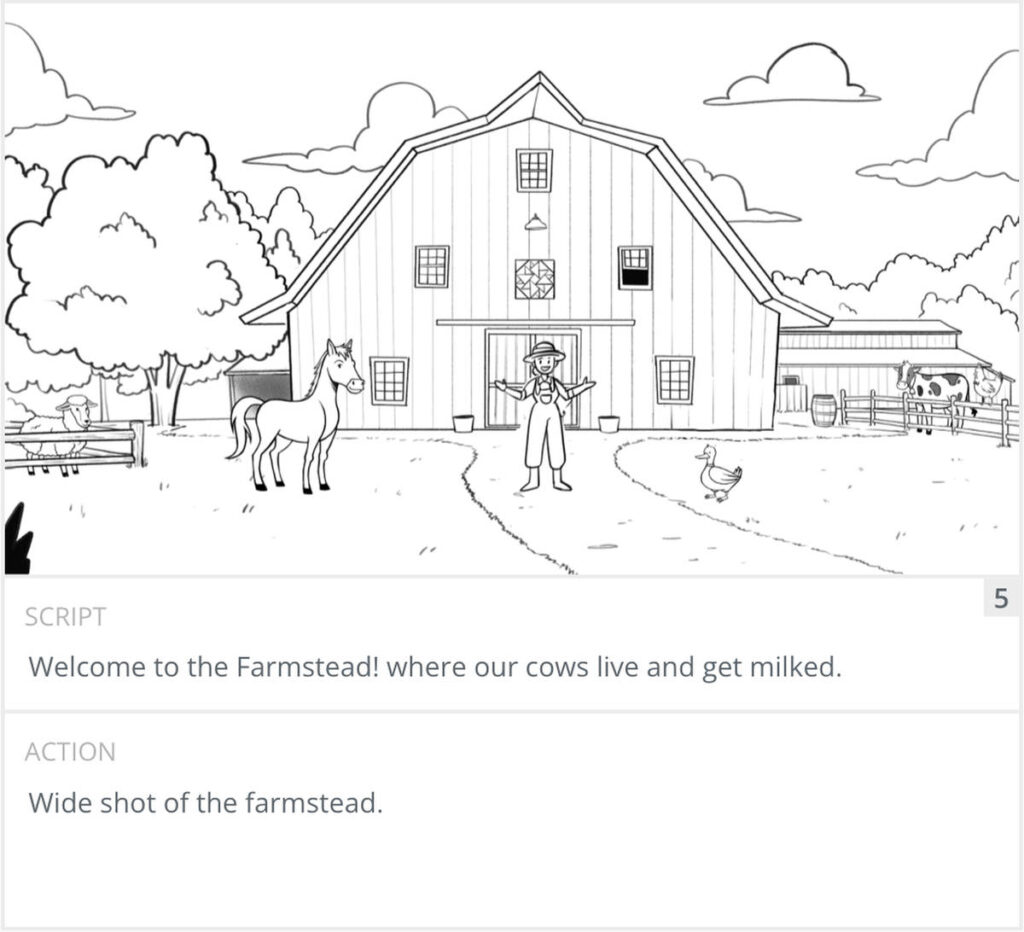
Storyboards use a shared visual language. Knowing it makes your boards readable to any crew or animator. The two things to mark on almost every panel are the shot type and the camera move. The shot type is how much of the scene the frame shows. The camera move is what the camera does during the shot. Mixing shot sizes gives a video rhythm, so vary them rather than staying at one distance. Panel 5 of our dairy board is a wide shot. It shows the whole farmstead and tells the viewer where the story takes place.
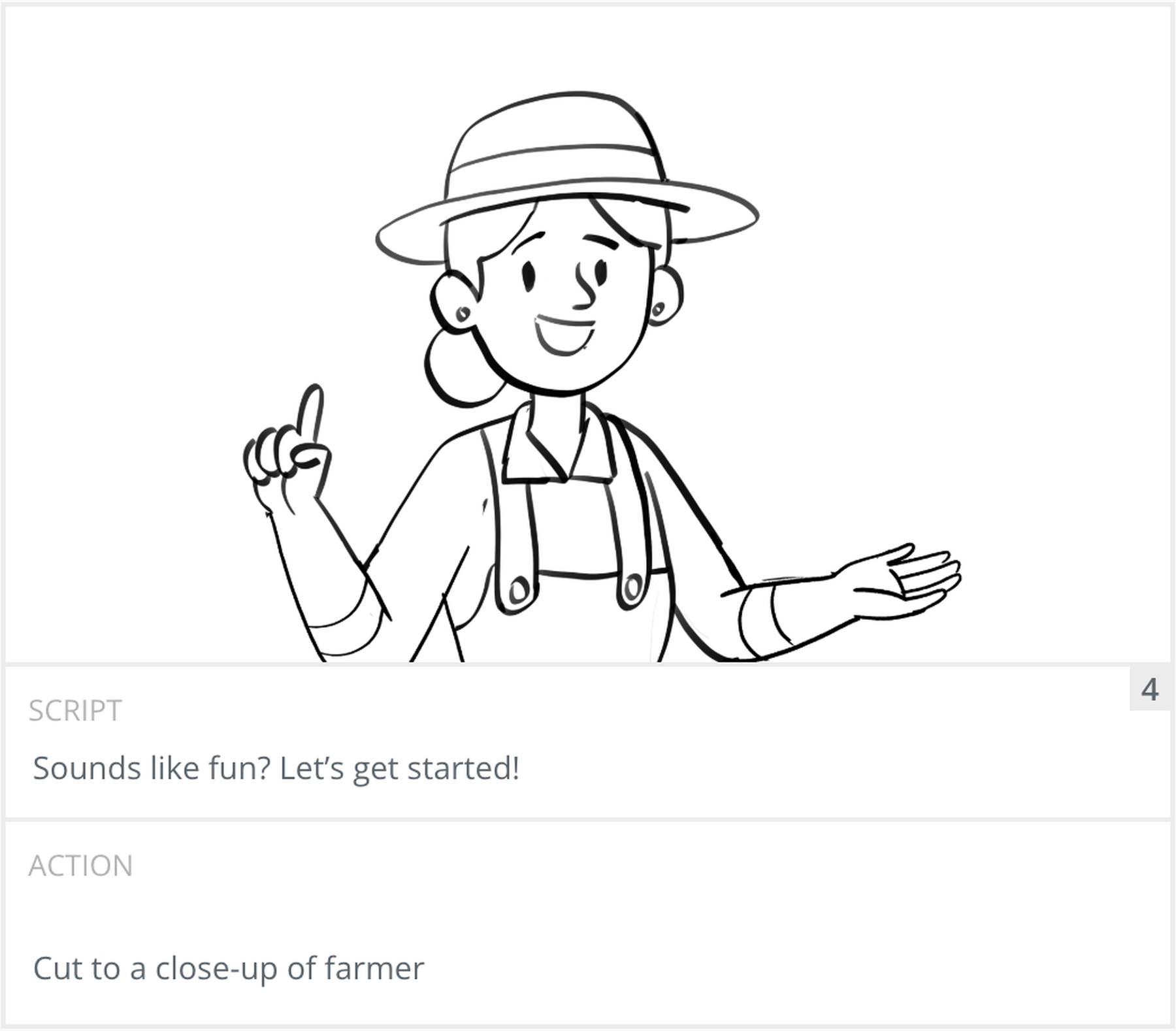
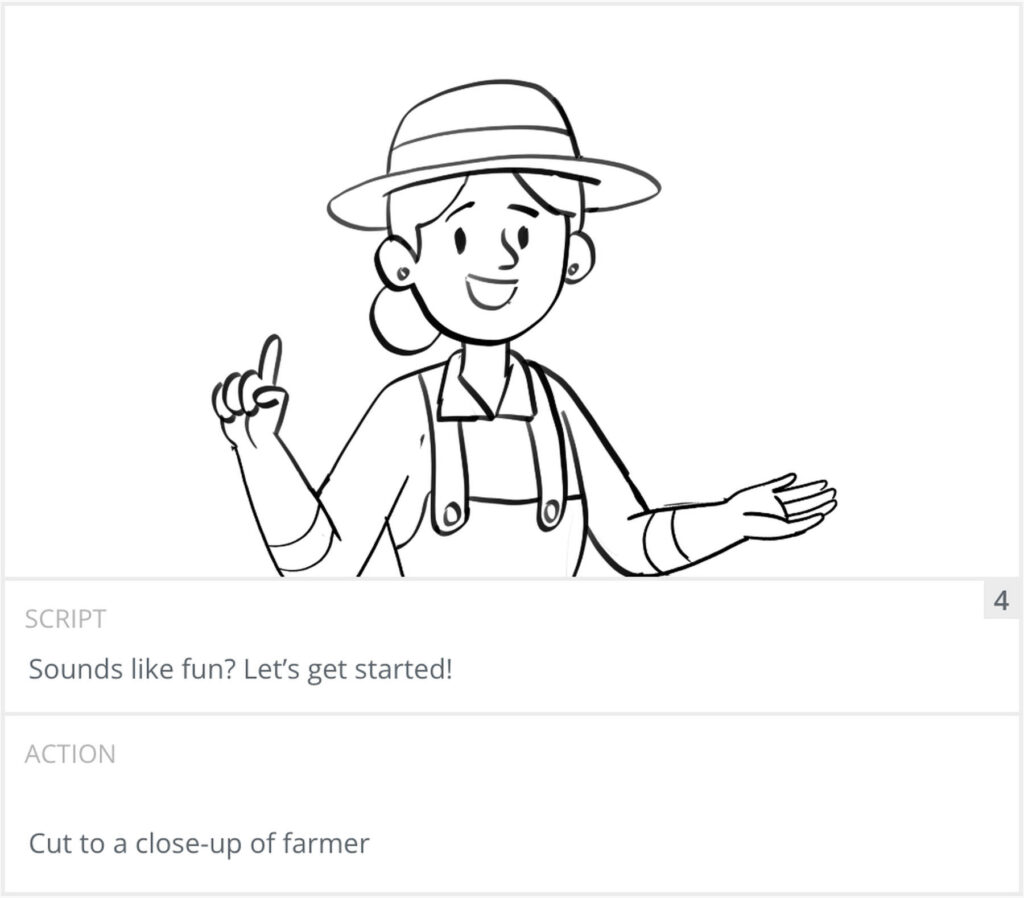
A few panels earlier, panel 4 cuts in close on the farmer as she says “Sounds like fun? Let’s get started!” The close-up puts the focus on her face and her gesture, right as she invites the viewer in.
| Shot | What it shows | Use it for |
|---|---|---|
| Wide / establishing | The whole scene and where it takes place | Opening a scene, setting context |
| Medium | A subject from roughly the waist up | Dialogue and general action |
| Close-up | A face or a single detail | Emotion, reactions, product detail |
| Extreme close-up | One small detail filling the frame | Emphasis on a key feature |
| Over-the-shoulder | A subject framed past another person | Conversations between two people |
| Point of view | What a character sees | Putting the viewer inside the scene |
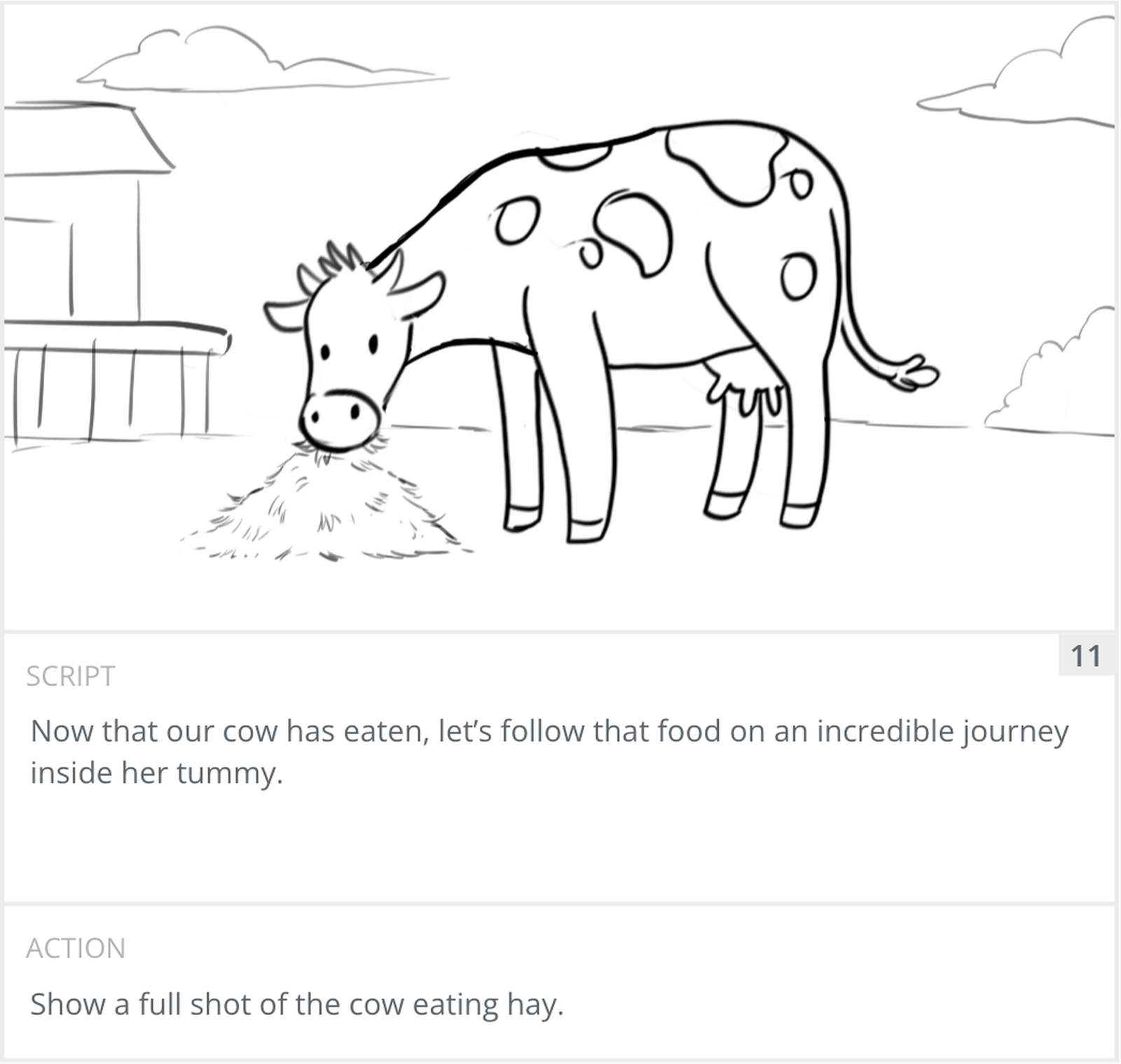
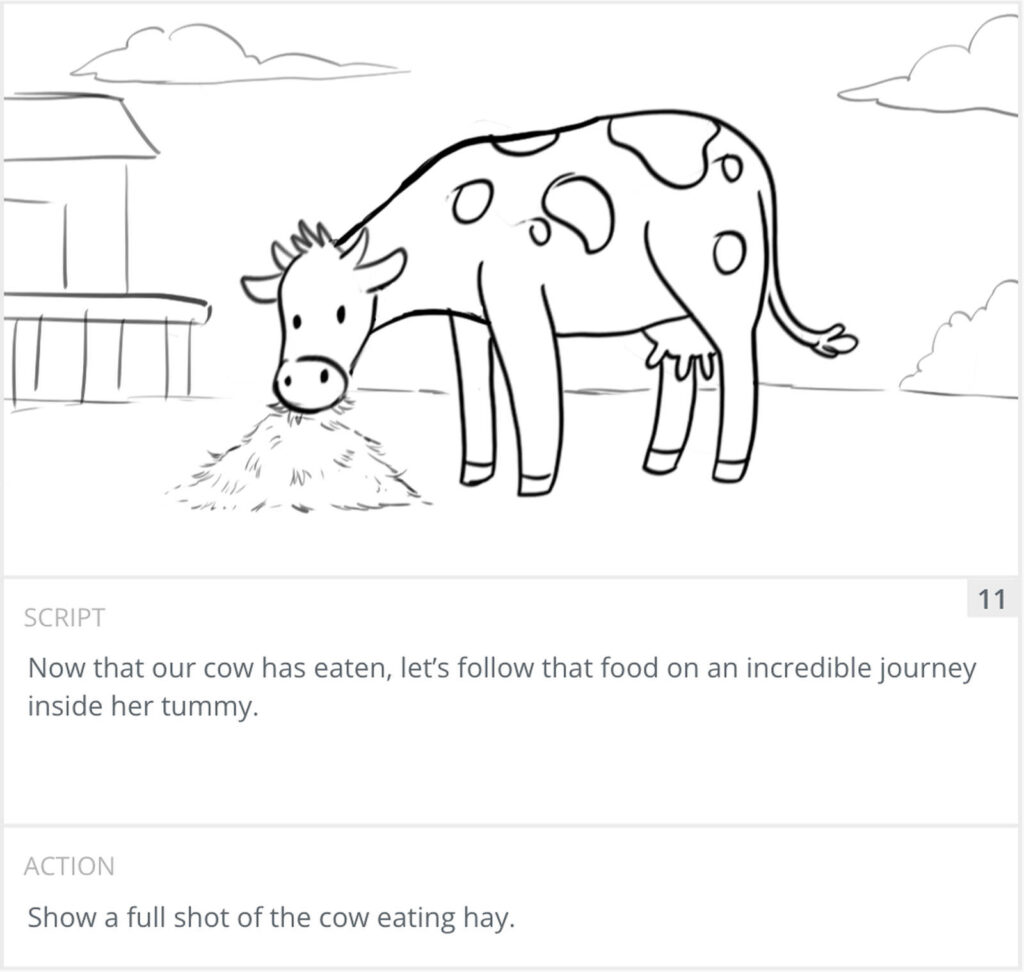
Panel 11 sits between the two. It is a full shot of the cow eating hay. It is wide enough to show the whole animal and close enough to keep her the clear subject.
Then note how the camera moves, if it moves at all. A held, static frame is a valid choice and often the right one. When the camera does move, mark which move it is so the crew or the animator knows the intent.
| Camera move | What the camera does |
|---|---|
| Pan | Turns left or right from a fixed point |
| Tilt | Turns up or down from a fixed point |
| Zoom | Changes the lens to move closer or wider |
| Dolly | Moves toward or away from the subject |
| Truck | Moves left or right alongside the subject |
| Pedestal | Moves straight up or down |
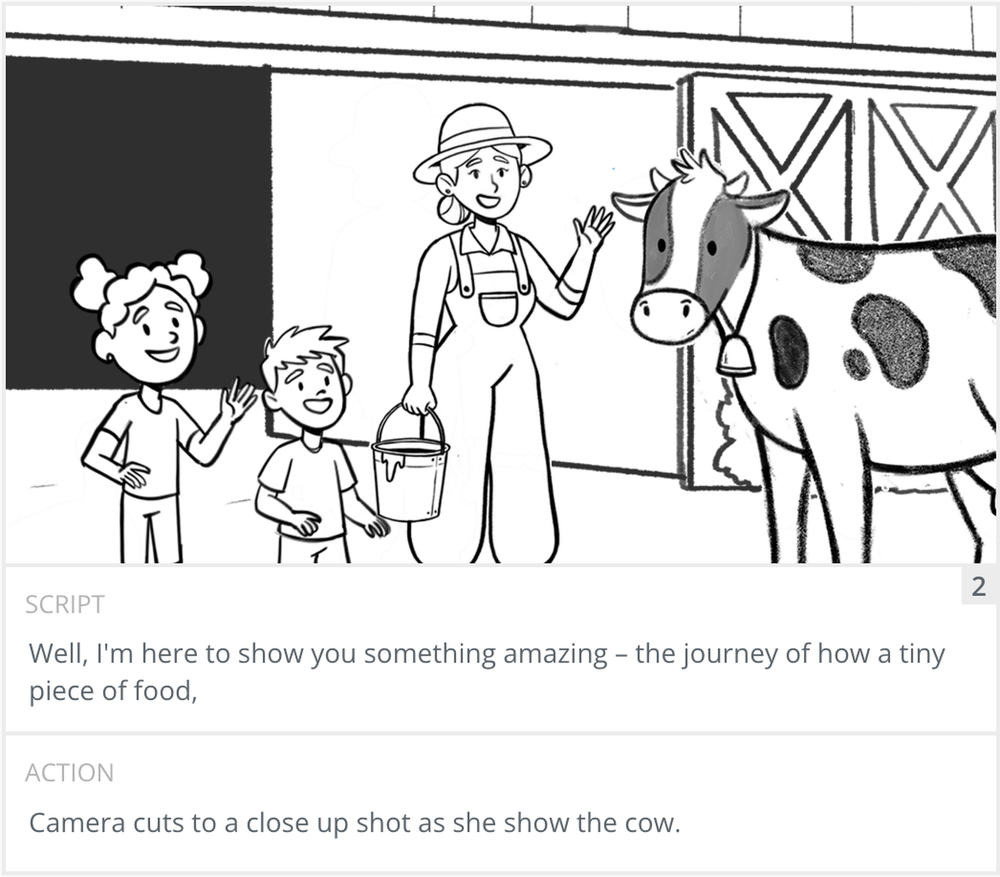
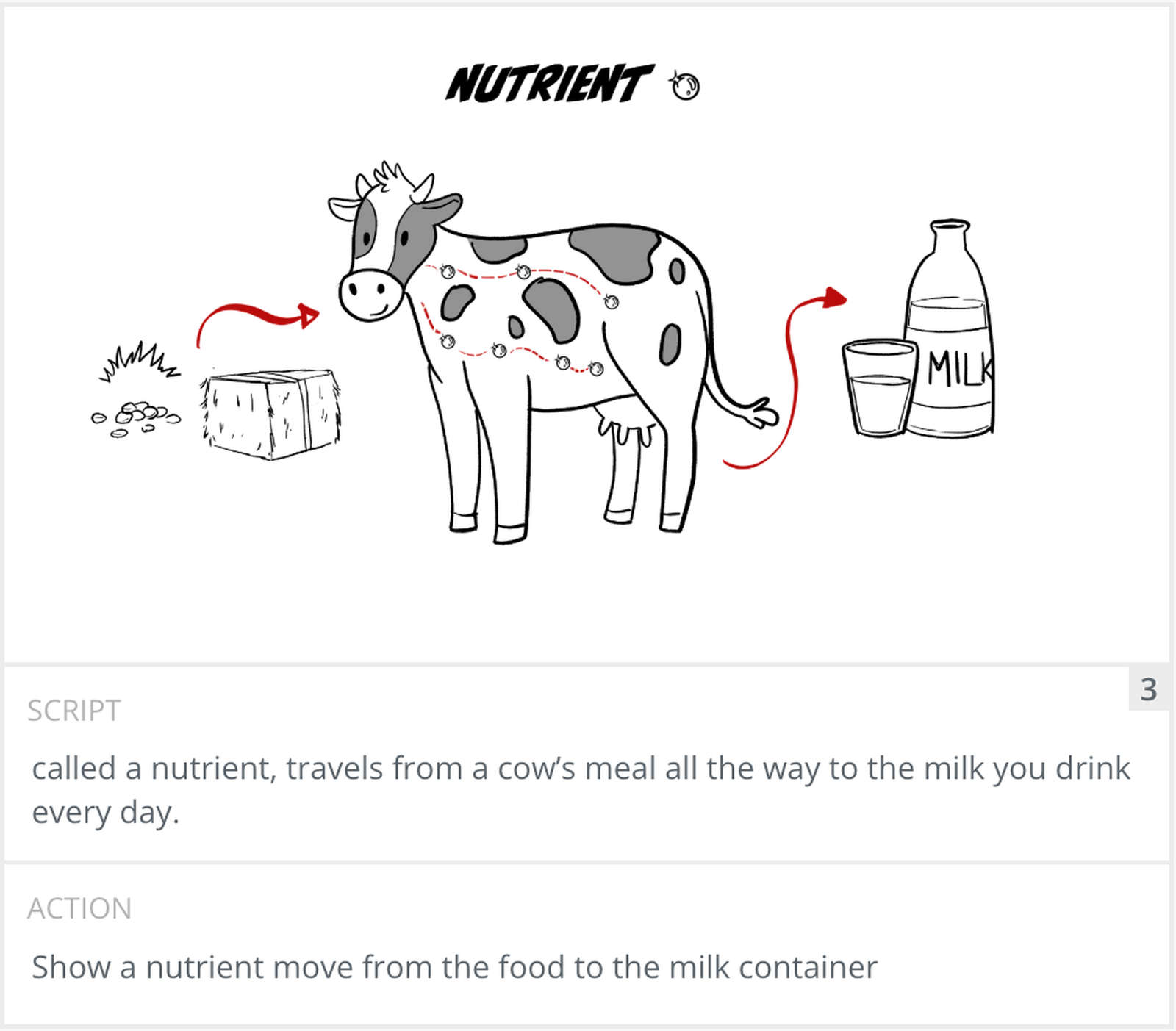
We start from the locked script and go through it beat by beat, marking where each new shot begins. One line of narration might need three shots. A long action might be one. In the dairy video, the farmer’s second line runs across two panels. Panel 2 carries the start of it on a close-up of the farmer showing the cow. Panel 3 finishes the sentence with a cut to a diagram, right where the script introduces the idea of a nutrient.
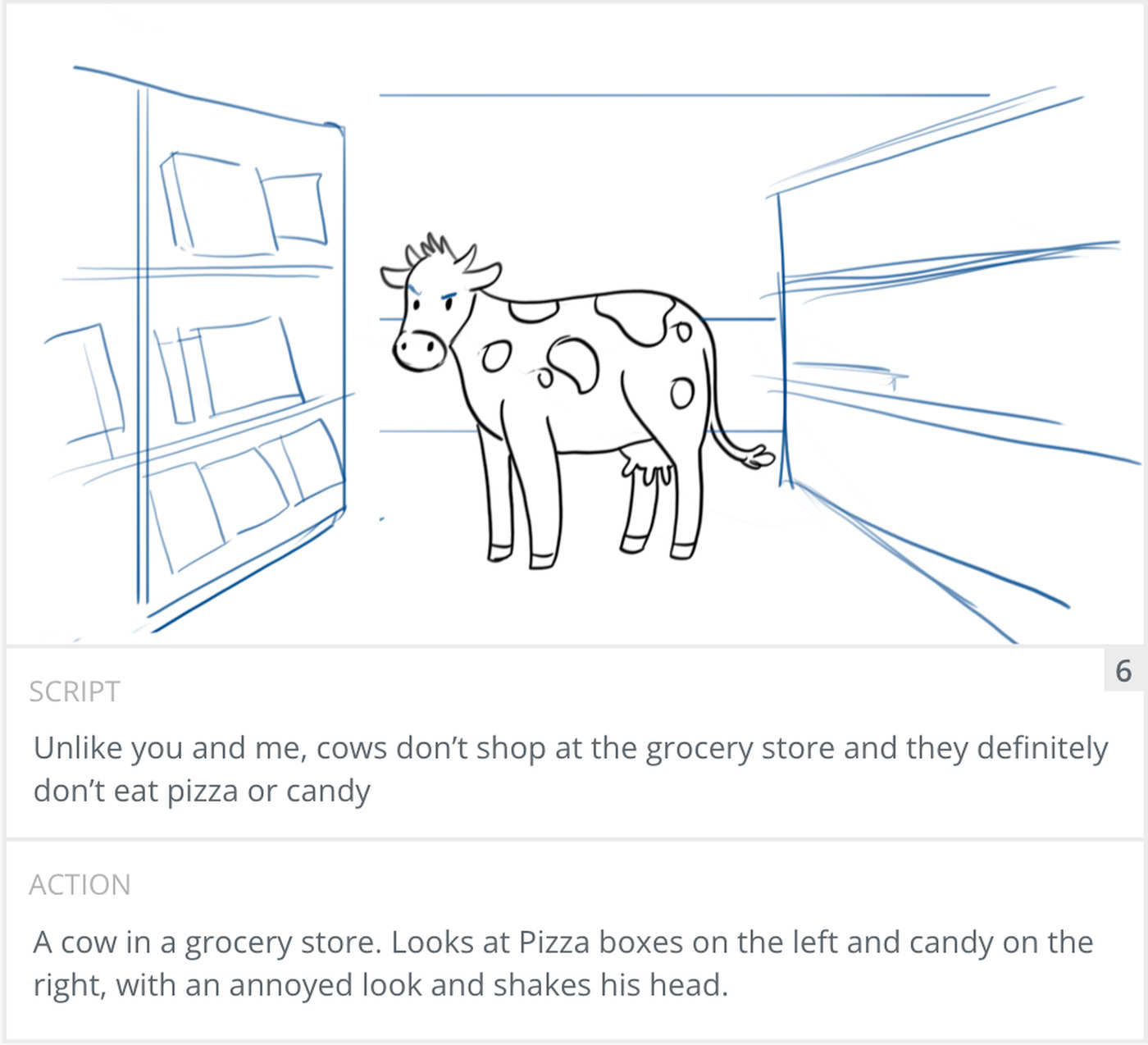
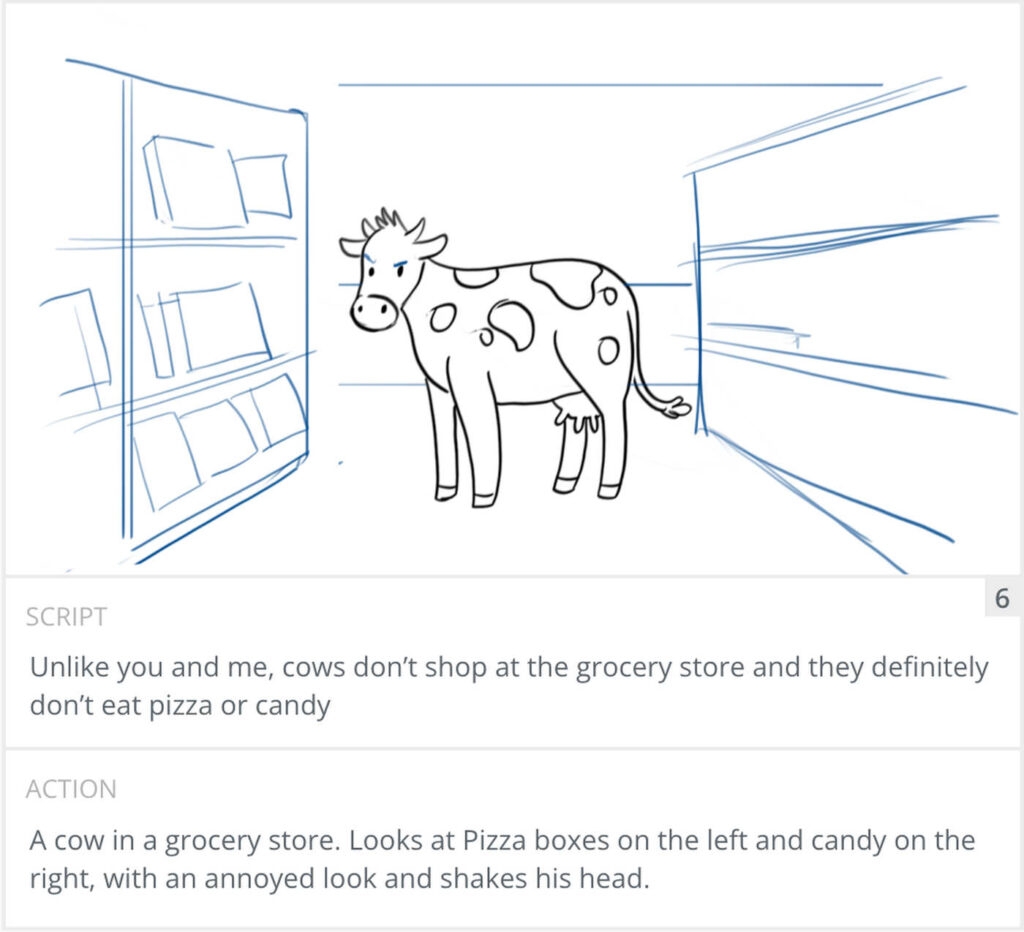
Next, sketch each shot fast. These are scamps, so the quality of the drawing does not matter. Get the composition down: where the subject is, what fills the frame, and roughly what angle you are on. Panel 6 shows how loose a frame can be. It is a quick sketch of a cow in a grocery store aisle, with the shelves drawn as a few blue lines. It still reads clearly.
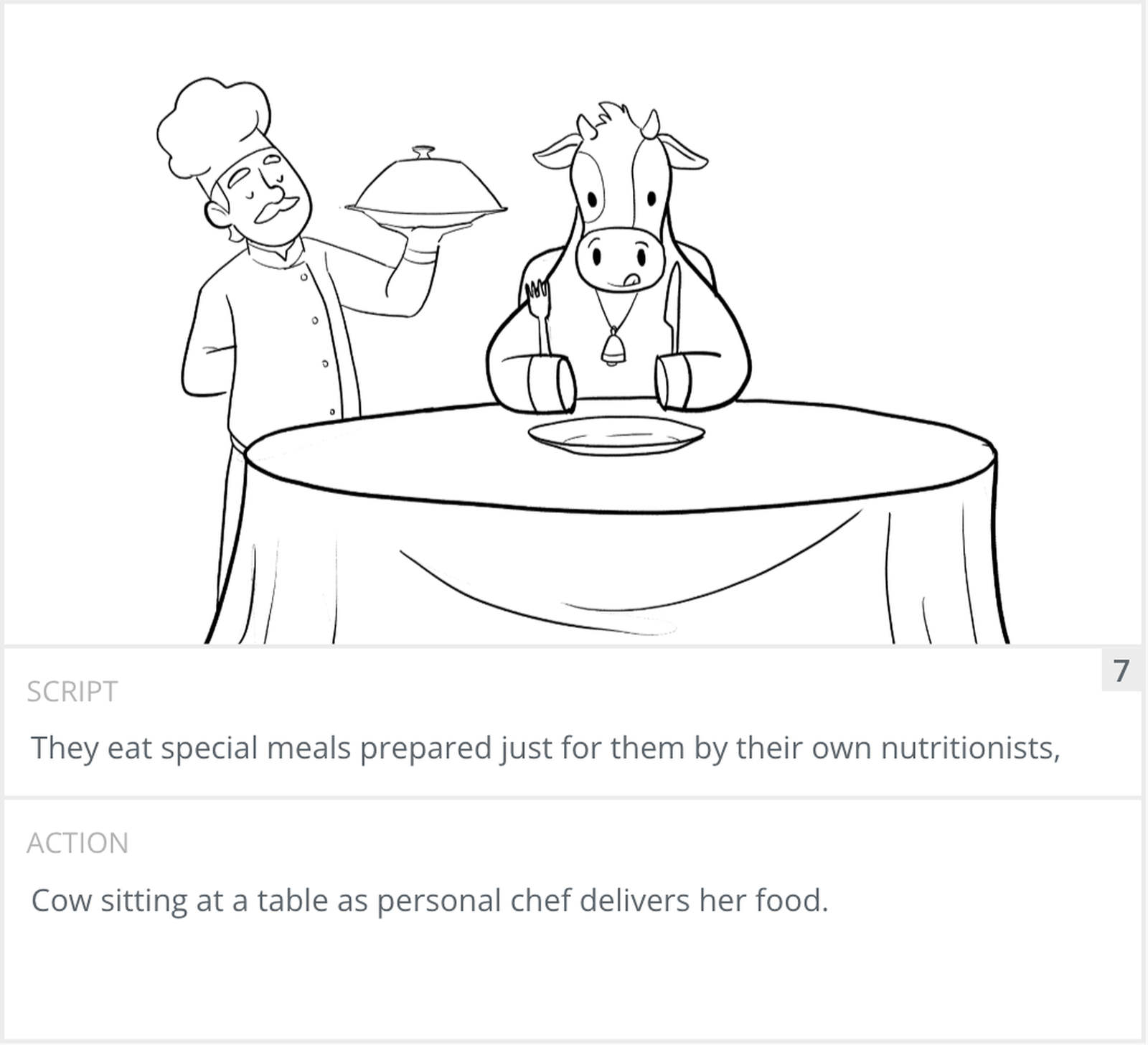
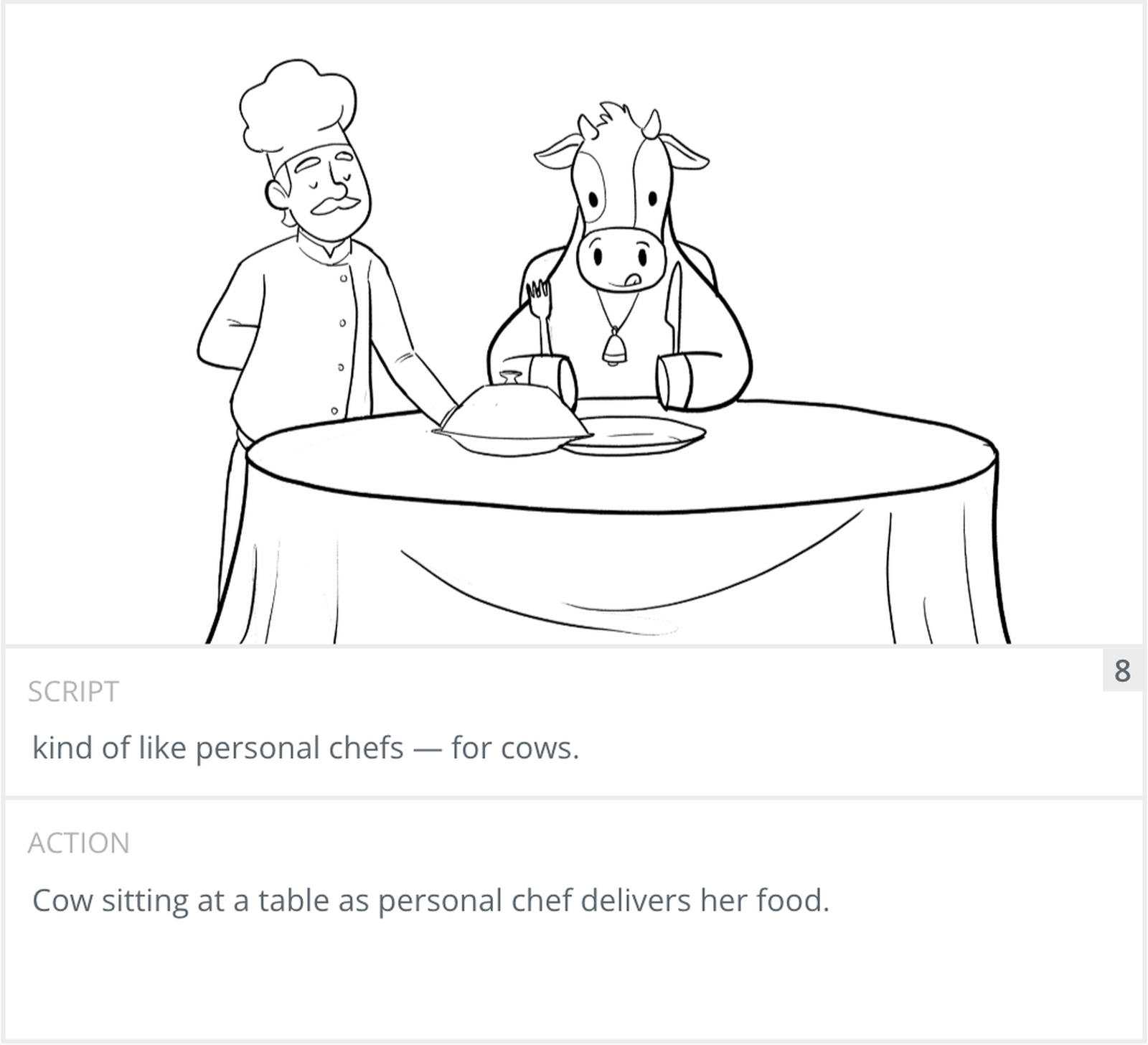
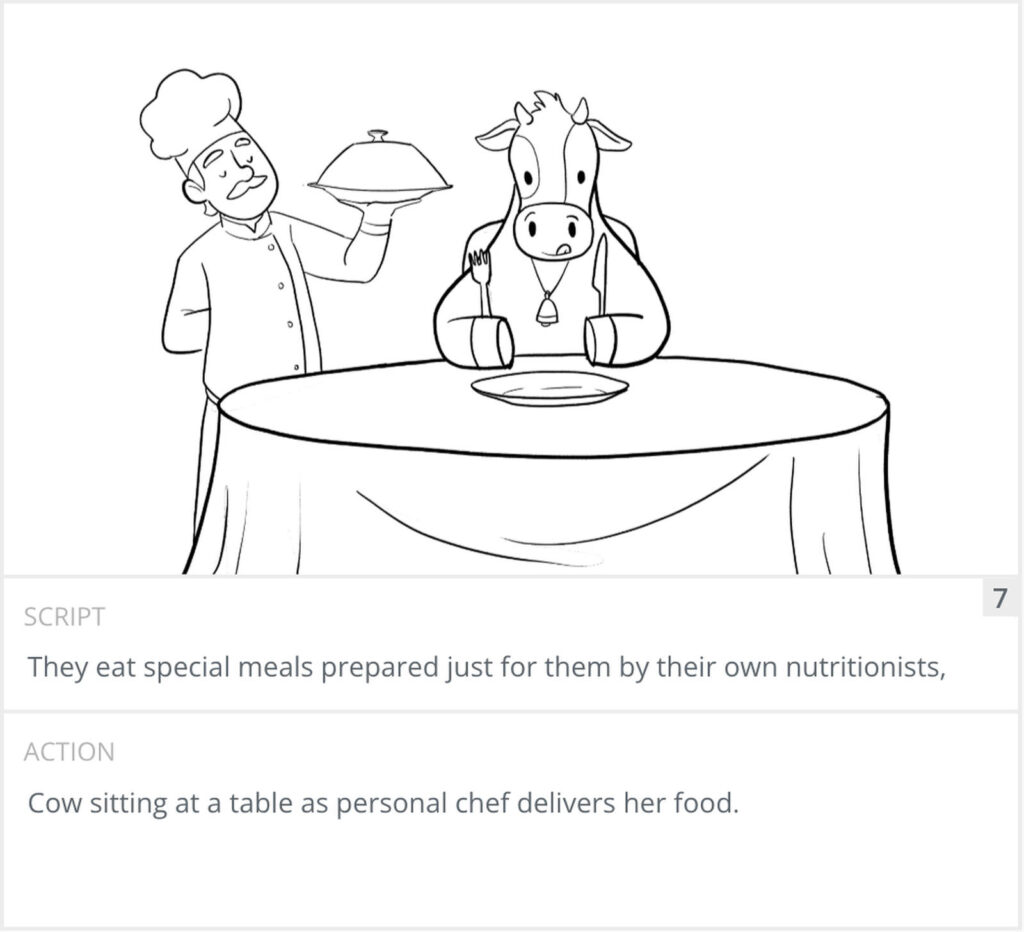
Under each frame, write what happens in the shot and what the viewer hears, whether that is a line of dialogue, a voiceover, or a sound effect. On our boards that is the Script field and the Action field. This is what connects the picture back to the script. Panel 7 pairs the line “They eat special meals prepared just for them by their own nutritionists” with the action “Cow sitting at a table as personal chef delivers her food.”
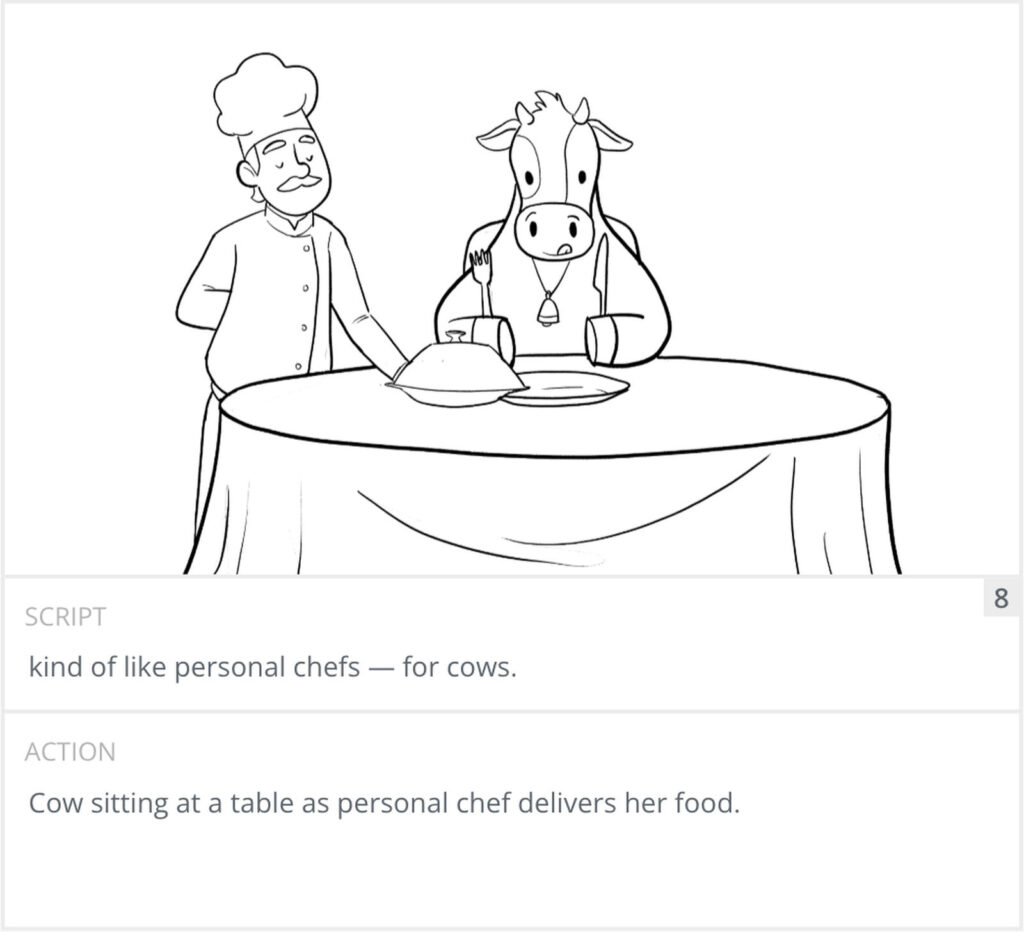
Panel 8 keeps the same setup and the same action note while the voiceover finishes the joke: “kind of like personal chefs for cows.” The only change in the drawing is the chef setting the covered plate on the table. When one line needs a beat of action, a second panel shows it.
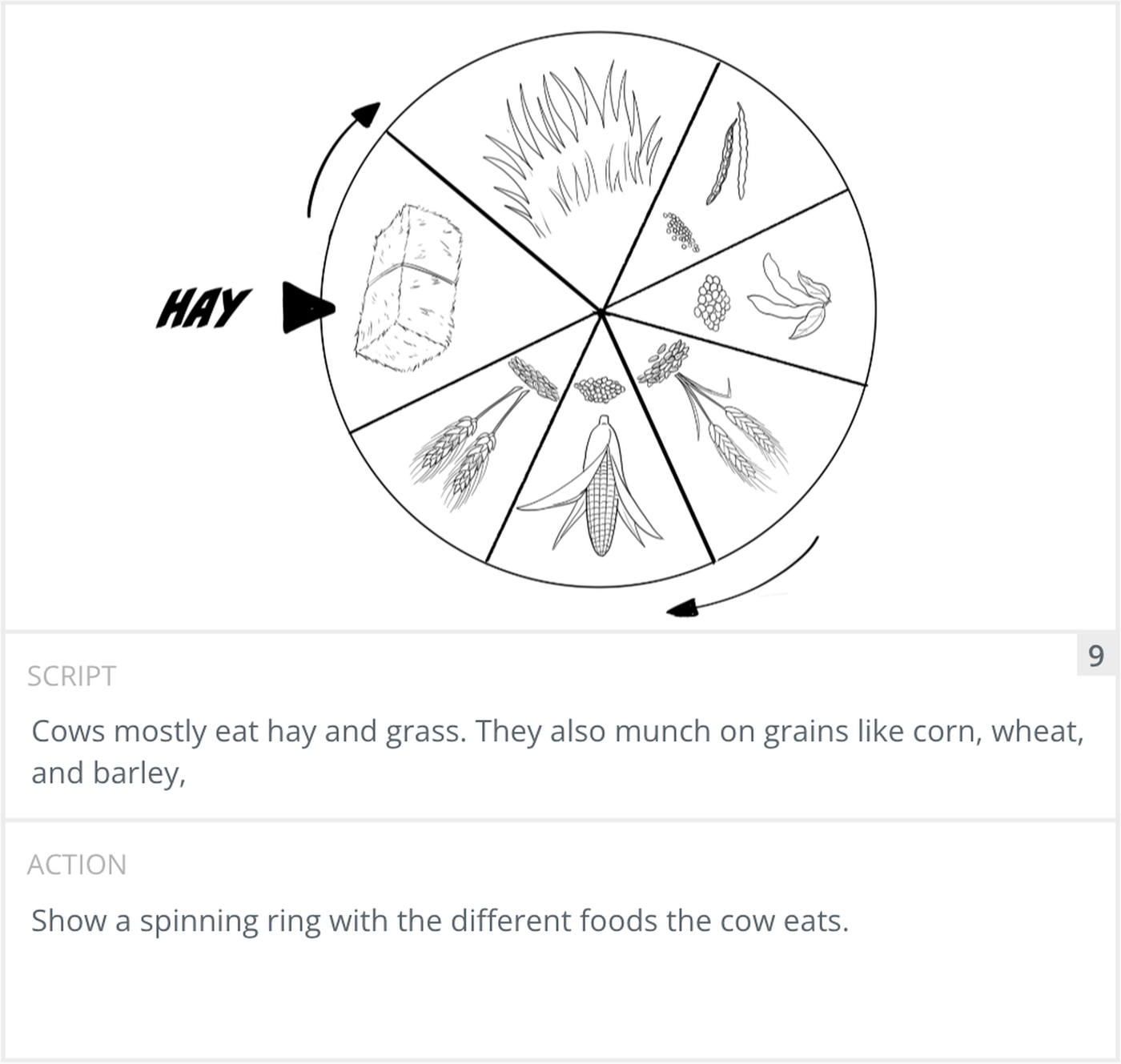
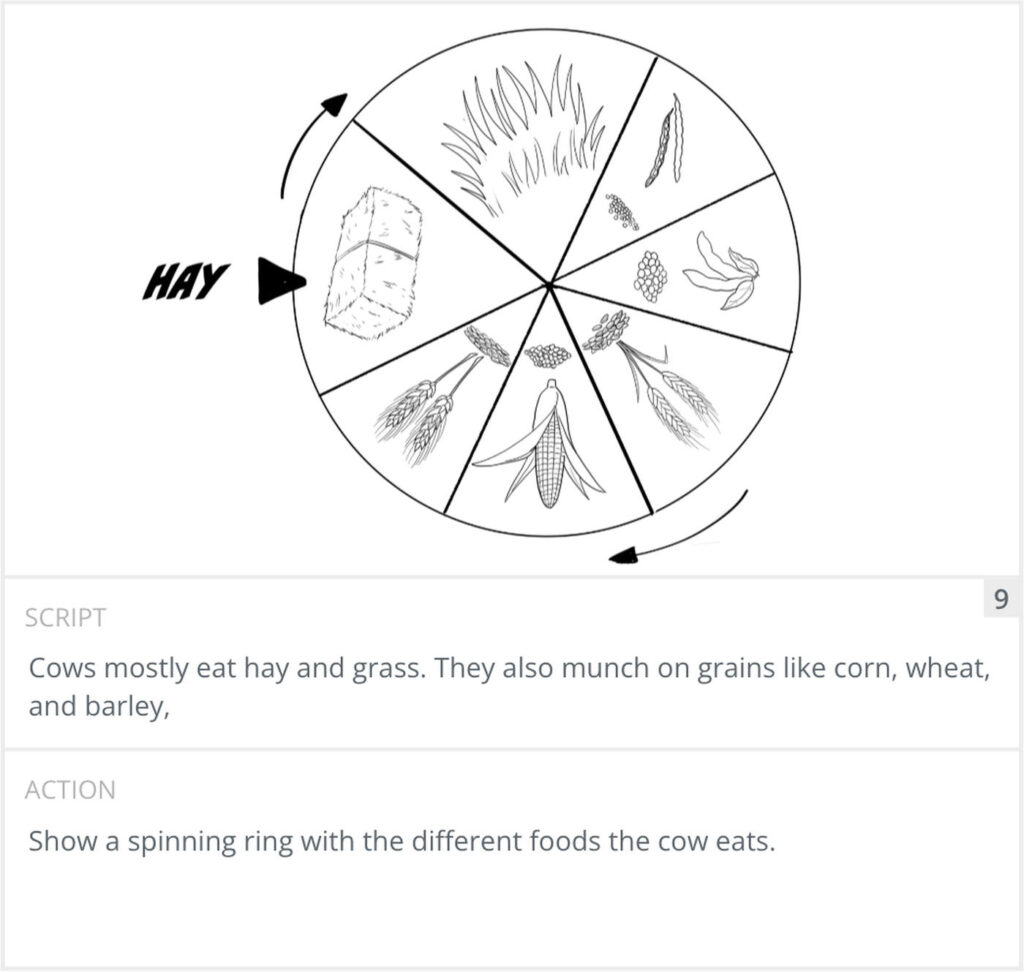
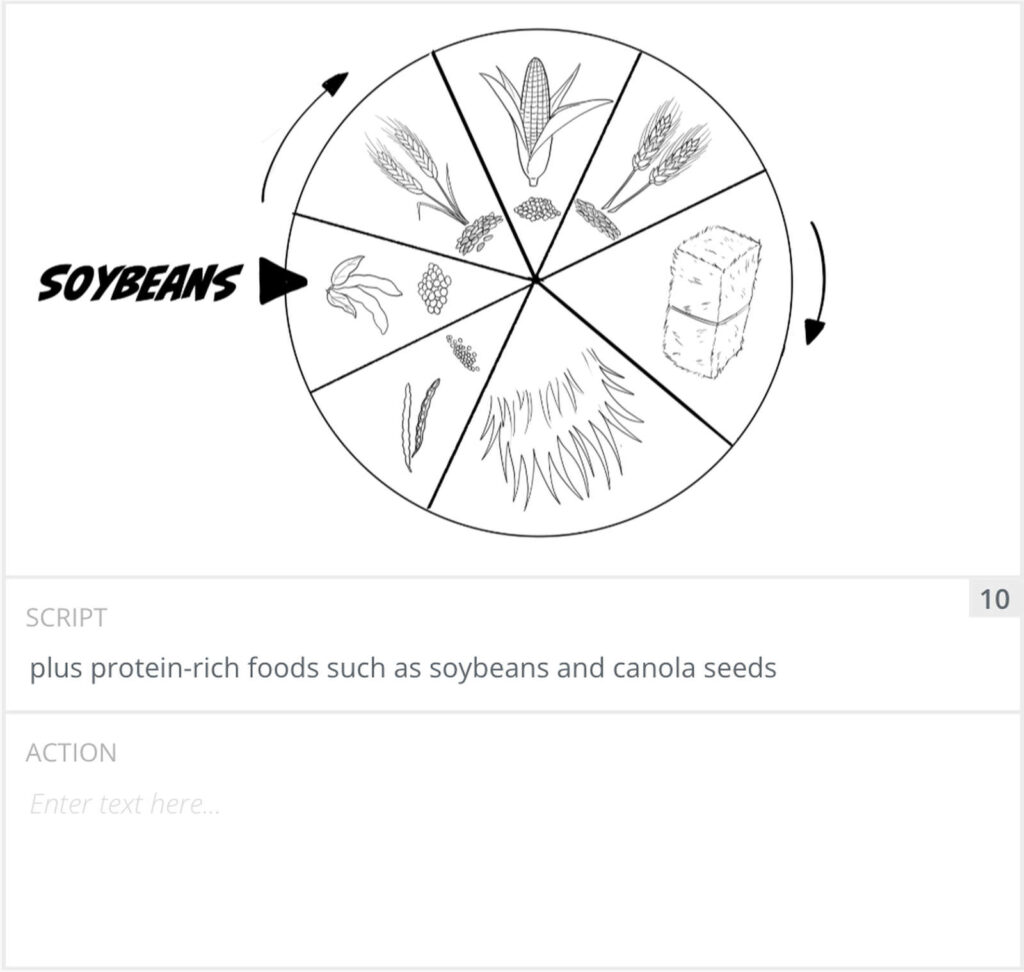
Label each panel with its shot size and any camera move. Add arrows on the frame to show a subject or the camera moving. Now the panel tells the crew or the animator both what to show and how it moves. Panel 9 asks for “a spinning ring with the different foods the cow eats.” The curved arrows show the direction of the spin. The label points to the food the voiceover names.
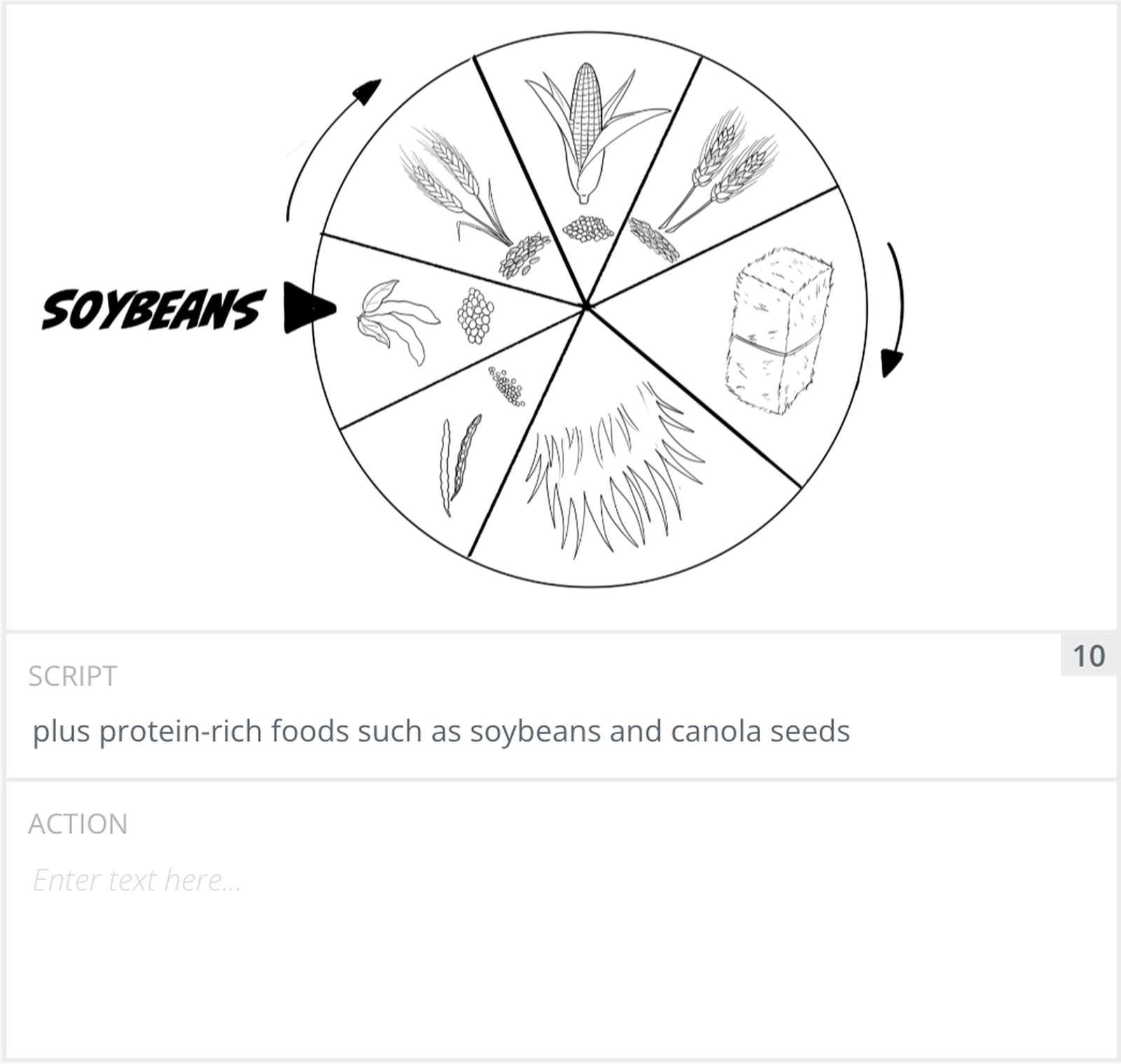
Panel 10 is the same ring after it turns, with soybeans now at the pointer. Its Action field was left blank. The arrows and the label already say what happens, so the drawing does the job.
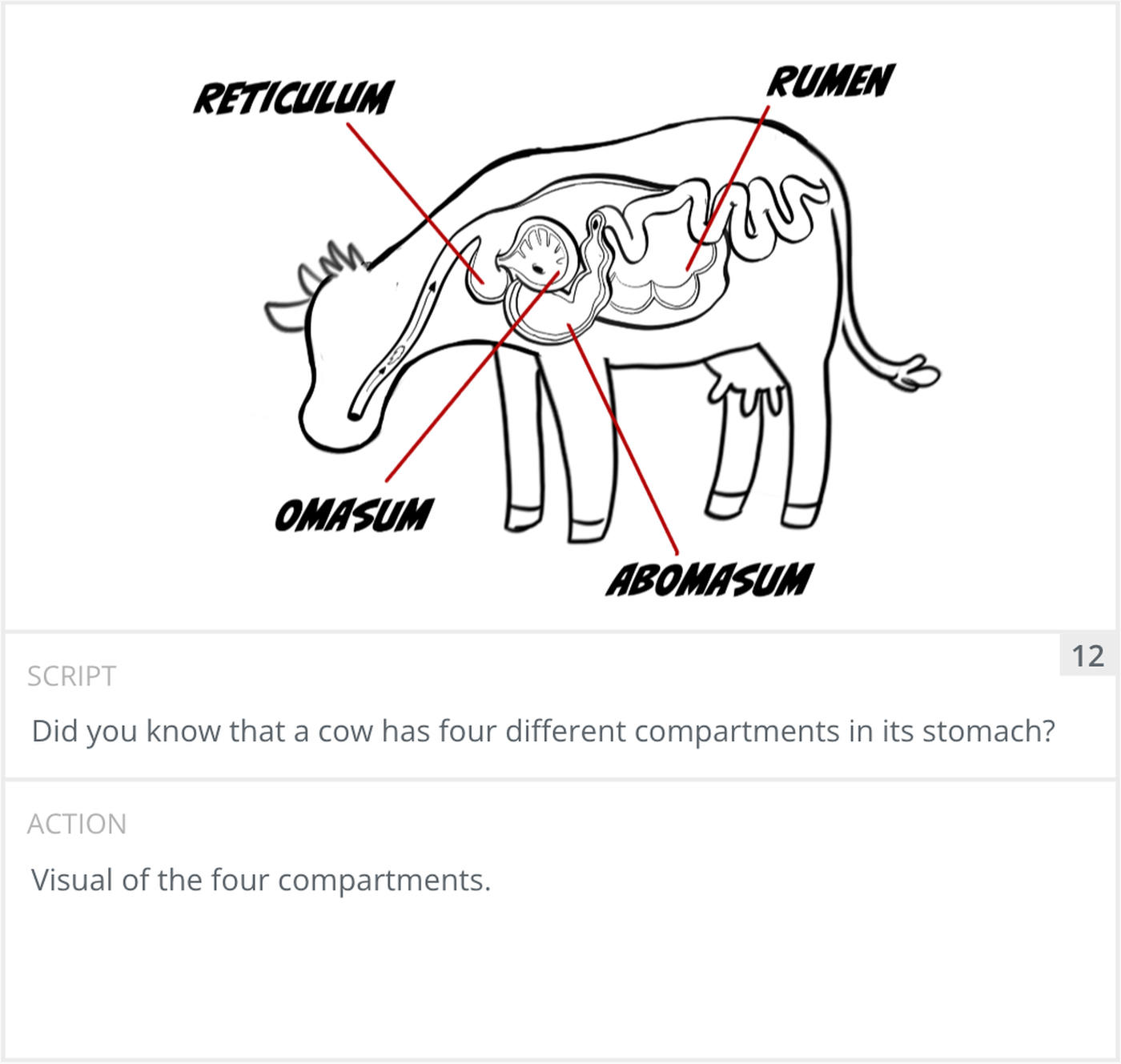
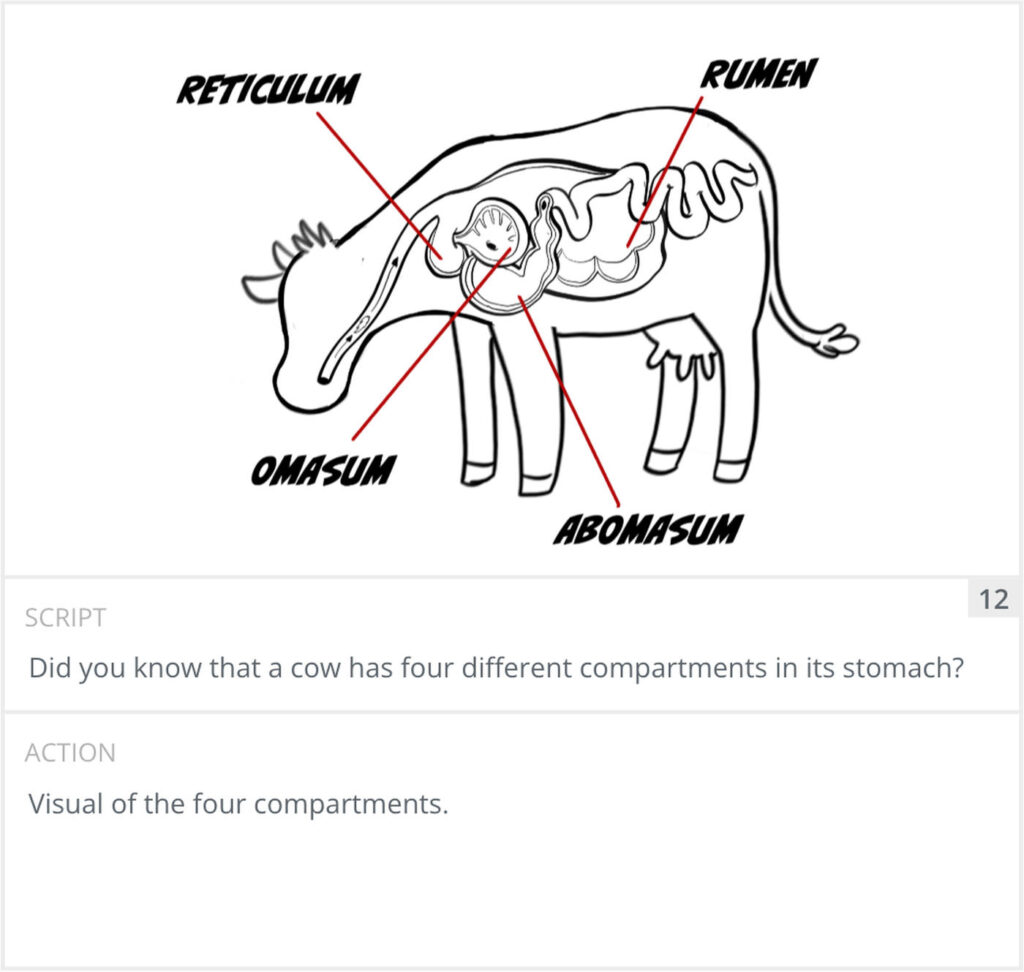
Number the panels in order and tidy anything that does not read clearly. Add labels and notes where they matter. Panel 12 is a cleaner diagram of the cow’s four stomach compartments, with each one labelled. When a frame carries on-screen text, the board is the place to get the spelling and placement right.
Then we walk the boards with the people who need to sign off. For anything where timing matters, drop the frames into a sequence and set them to the audio to make an animatic storyboard. That is the moment you find out the pacing is off, while it is still cheap to change.
Live-action boards and animation storyboards work differently. On a live-action shoot the board plans coverage. It tells the crew what to point the camera at and reminds everyone which shots have to be captured on the day. You will not draw every second, just the key shots. In animation storyboarding the board carries far more weight, because nothing exists until it is built. Every shot on the board becomes work for an animator, so the boards effectively drive the whole production. Both start from a locked video script, and on live-action the board feeds the shot list and the shoot that our guide to videography walks through.
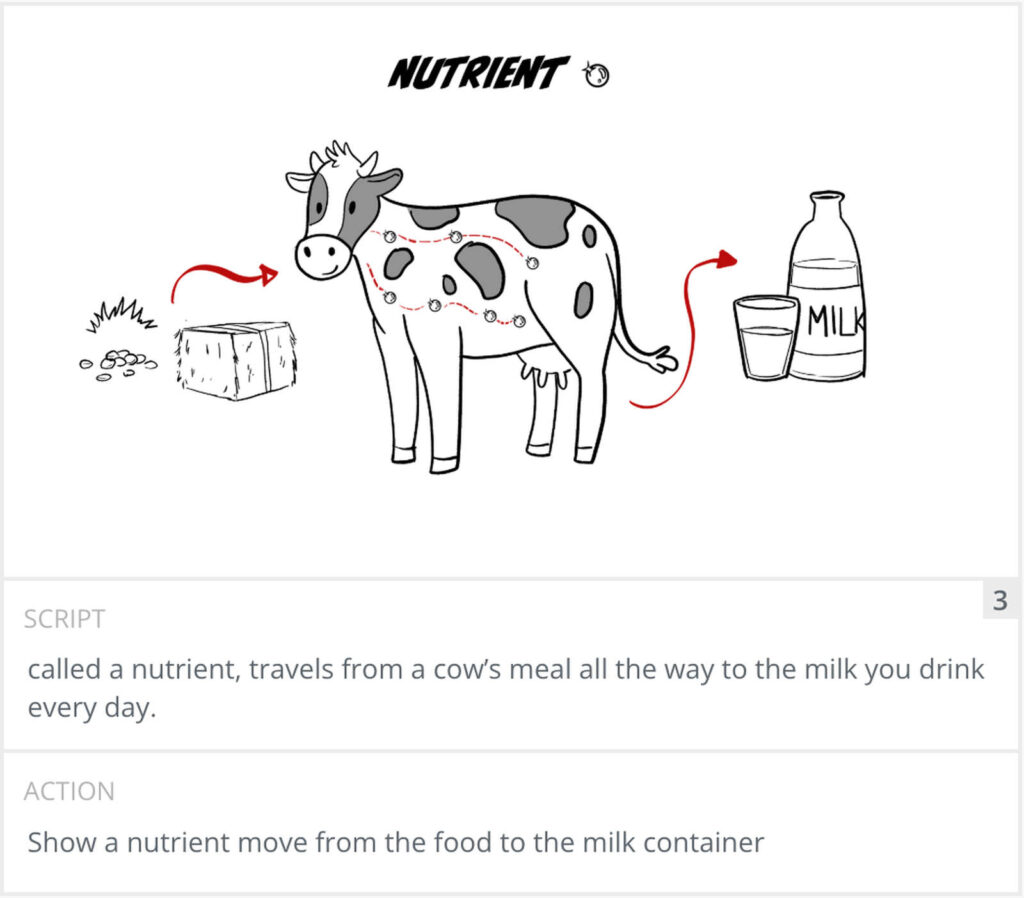
The level of detail differs too. A live-action board can stay loose, because a real location and real actors fill in the texture. A storyboard for animation has to be more specific, since a vague frame leaves an animator guessing at action that costs real time to build. Panel 3 of our dairy board is a good example. It shows a nutrient travelling from hay and grain, through the cow, into a glass of milk. A camera can’t film that. The board has to spell out exactly what moves and where it goes.
These three get mixed up, and they do different jobs. The storyboard is the drawings. The shot list is a plain checklist of every shot the crew needs to capture, used on set to make sure nothing is missed. The animatic is the next step after the boards: the frames placed in order and timed to the audio, so you can watch a rough version of the video and judge the pacing before you commit.
This is the 2D animation we made for the City of Overland Park and the Deanna Rose Children’s Farmstead. It follows a tiny nutrient from a cow’s meal all the way to the milk you drink. Here is the finished video.
Below are the first 12 panels of its storyboard, written out as a table. Each row is one of the drawn frames shown earlier in this guide. Copy the structure and sketch your own.
| Panel | Script | Action |
|---|---|---|
| 1 | Hi there! You might be wondering what I’m doing at a farm. | Wide shot of a farm. Our main character, a lady farmer, briefly looks at the camera as she observes everything happening at the farm. |
| 2 | Well, I’m here to show you something amazing, the journey of how a tiny piece of food, | Camera cuts to a close-up shot as she shows the cow. |
| 3 | called a nutrient, travels from a cow’s meal all the way to the milk you drink every day. | Show a nutrient move from the food to the milk container. |
| 4 | Sounds like fun? Let’s get started! | Cut to a close-up of farmer. |
| 5 | Welcome to the Farmstead, where our cows live and get milked. | Wide shot of the farmstead. |
| 6 | Unlike you and me, cows don’t shop at the grocery store and they definitely don’t eat pizza or candy. | A cow in a grocery store looks at pizza boxes on the left and candy on the right. She looks annoyed and shakes her head. |
| 7 | They eat special meals prepared just for them by their own nutritionists, | Cow sitting at a table as personal chef delivers her food. |
| 8 | kind of like personal chefs for cows. | Cow sitting at a table as personal chef delivers her food. |
| 9 | Cows mostly eat hay and grass. They also munch on grains like corn, wheat, and barley, | Show a spinning ring with the different foods the cow eats. |
| 10 | plus protein-rich foods such as soybeans and canola seeds. | (Left blank. The arrows and label carry it.) |
| 11 | Now that our cow has eaten, let’s follow that food on an incredible journey inside her tummy. | Show a full shot of the cow eating hay. |
| 12 | Did you know that a cow has four different compartments in its stomach? | Visual of the four compartments. |
Use this template for any board. It also works as an animation storyboard template. Each row is one panel. On paper, leave a box above each row for the sketch and fill in the details below. For a simpler layout, use the two fields from our dairy board: Script and Action.
| Panel | Shot type | Camera | Action (in frame) | Audio (VO, dialogue, SFX) | Duration |
|---|---|---|---|---|---|
| 1 | [Wide, medium, close-up…] | [Static, pan, push in…] | [What is in the frame] | [What we hear] | [e.g. 3s] |
| 2 | [ ] | [ ] | [ ] | [ ] | [ ] |
| 3 | [ ] | [ ] | [ ] | [ ] | [ ] |
| 4 | [ ] | [ ] | [ ] | [ ] | [ ] |
You do not need special software to storyboard. Paper and a pencil work for most projects, and many directors still prefer them for the first pass. If you want something digital, dedicated tools like Boords and the free Storyboarder app are built for this, and general tools like Canva or Milanote can do the job for simple boards. Pick whatever lets you get frames down fast, because speed matters more than features at the planning stage.
A storyboard is a sequence of drawings that shows a video shot by shot before it is filmed or animated. Each frame is one shot with notes on the action, the audio, the shot type, and any camera move. It is the visual plan that sits between the script and the shoot.
Break the locked script into shots, sketch each one as a rough frame, then add the action and audio notes, the shot type, and the camera move. Number the panels, review them with your team, and for timing-sensitive work turn them into an animatic set to the audio.
No. Storyboards are planning tools, not artwork. Stick figures and simple boxes work as long as the framing and the action read clearly. Professional storyboard artists draw well, but for planning your own video, clear beats pretty.
A storyboard artist reads the script, works with the director, and draws the video shot by shot during pre-production. They plan the framing and camera angles and sketch changes fast when the director wants to try something new. They work in film, television, animation, games, and advertising.
A storyboard is the set of drawings. An animatic is those drawings placed in order and timed to the audio, so you can watch a rough version of the video and judge the pacing. Animatics come after the storyboard.
Almost always. Because every shot in animation has to be built from scratch, the storyboard is what the whole production works from. Skipping it usually means rebuilding shots later, which is far more expensive than boarding them first.
A rough sketch of the shot, a note on the action, the dialogue or voiceover, the shot type, the camera move, and usually a panel number and a rough duration. Arrows show any movement of the subject or the camera.
Many still start on paper. Common digital options include dedicated tools such as Boords and the free Storyboarder app, and general tools like Photoshop, Procreate, Canva, or Milanote. The best tool is the one that lets you lay out frames quickly.
After the script is locked and before the shoot or the animation begins. The storyboard turns the finished script into a visual plan, and on live-action it then feeds the shot list used on set.
A storyboard is just the script drawn out, shot by shot, so everyone can see the video before it is made. Break the script into shots, sketch each one rough, and note the action, the audio, the shot type, and the camera move. Keep it fast and clear rather than polished. That is how we work at Creamy Animation. It lets us catch problems on paper, where they are cheap to fix, instead of halfway through an animation.


Larry is the Founder and Producer at Mammothic Films, with more than 15 years of production experience. He leads a team that creates story-driven videos for businesses and brands. A marketer, designer, and animator, Larry has overseen the production of more than 1,500 videos for Fujitsu, Logitech, Warner Brothers, NFL, Blockdaemon, Astronomer, Canonical, and 370+ other companies in Canada, the United States, and around the world.
Larry is a devout Christian who believes in placing God first, and that everything else is a blessing that comes from serving Him. When he’s not working, he’s hanging out with his wife and three kids, playing the piano, or sightseeing.
We use cookies to improve your experience on our site.
Manage your cookie preferences below:
Essential cookies enable basic functions and are necessary for the proper function of the website.
