
Get an estimate for your project in less than a minute. GET STARTED →
Motion graphics are a form of animation, often called motion design, that bring graphic elements like text, icons, shapes, and data to life through movement. This complete guide explains what motion graphics are, the main types, real examples, the software and the process behind them, and how to use motion graphics for your business. Whether you are exploring motion graphics services, comparing motion graphics companies, or learning how to make your own, you will find it all here.
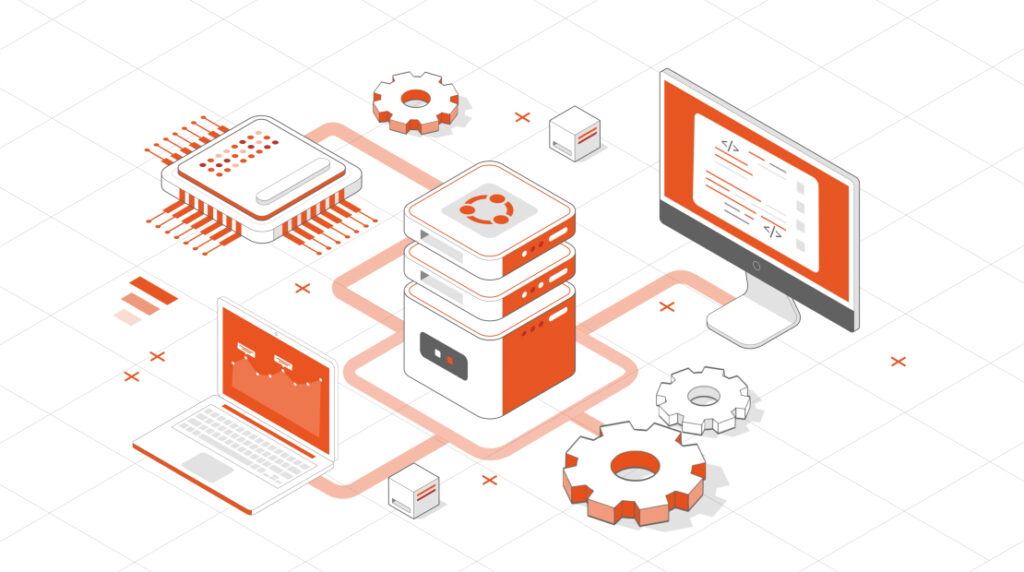
Quick Answer: Motion graphics are animated graphic elements such as text, icons, shapes, logos, and data, brought to life through movement to explain ideas, present information, and support visual communication.
Motion graphics are commonly used in social ads, TV commercials, movie title sequences, websites, apps, and marketing videos. Unlike character-driven 2D animation, motion graphics usually focus on graphic elements such as shapes, text, icons, logos, and data, although illustrations and characters can also be part of the design.
Motion graphics work well when you need to:
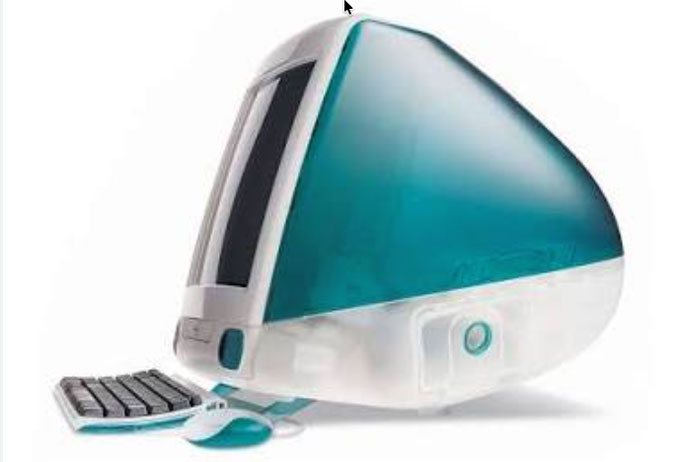
Quick Side Note: I began my career as a motion graphics designer while studying at Brookhaven College in Dallas around 2004. At the time, we were using iMac G3s (see photo) with Macromedia Flash. If you wanted to create more advanced animations, you had to learn ActionScript. I also got my first introduction to After Effects, which was version 6 then.
Back then, motion graphics had a pretty steep learning curve. The software wasn’t as intuitive, and the tools were far more limited. And there was no YouTube, by the way. I remember working my way through this thick software manual just to really understand how everything worked.
People use “motion graphics,” “animation,” and “VFX” interchangeably, but they describe different disciplines. The short version: motion graphics animate design elements such as text, icons, shapes, and data; animation is the broader craft of creating movement; and VFX add or alter digital elements within filmed footage. Here is how they compare.
| Motion Graphics | Animation | Visual Effects (VFX) | Graphic Design | |
|---|---|---|---|---|
| What it is | Graphic design set in motion | Character and story-driven movement | Digital elements composited into live-action film | Static visual communication |
| What moves | Text, logos, icons, shapes, data | Characters, environments, narratives | Explosions, creatures, set extensions, simulations | Nothing; it is still |
| Typical tools | After Effects, Cinema 4D | After Effects, Toon Boom, Maya, Blender | Nuke, Houdini, Maya | Illustrator, Photoshop, Figma |
| Best for | Explaining ideas, data, products, and brands | Character-led stories | Film, TV, and ads with integrated digital effects | Logos, layouts, print, web graphics |
The categories often overlap. Motion graphics are technically a type of animation, and a single video can use several techniques. They are sometimes referred to as motion graphics animation. A product video might open with an animated character, use motion graphics to visualize data, and add a VFX screen replacement to filmed footage. When a business asks for a motion graphics video, it usually means design and information communicated through movement rather than a fully character-driven animation.
2D vs 3D motion graphics. 2D motion graphics use flat elements such as animated icons, typography, charts, and interface graphics. 3D motion graphics add depth, lighting, texture, and camera movement, which can be useful for product visualization and technical demonstrations. Many projects combine both approaches rather than treating them as separate categories.
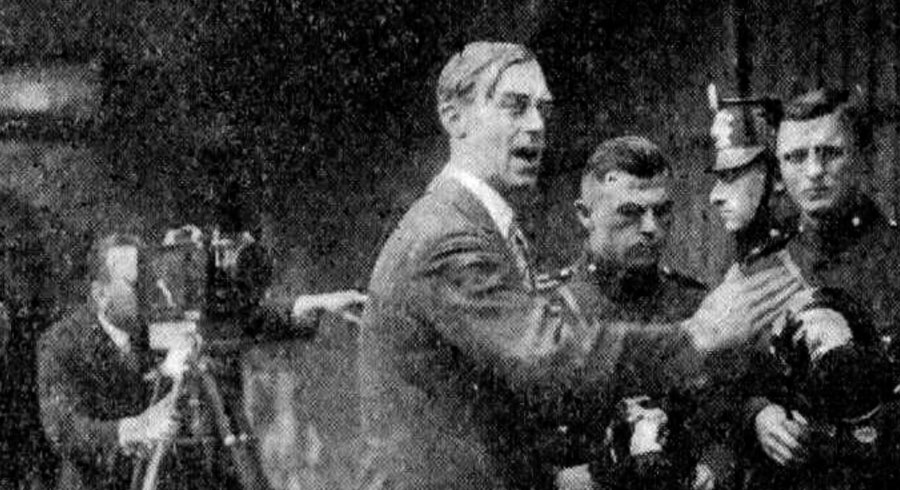
Early experimental filmmakers were exploring abstract movement long before digital animation. Walter Ruttmann used shapes, colour, and movement in films such as Lichtspiel Opus I (1921), one of the early works associated with abstract animation.
Credit: Wikipedia
In the 1950s, designer Saul Bass changed how we see opening titles. His bold, minimalist sequences for films like Vertigo and The Man with the Golden Arm showed that graphic design could tell a story through movement.
John Whitney was another important figure in the development of motion graphics. He experimented with mechanical and computer-assisted animation and collaborated with Saul Bass on the spiral imagery used in Alfred Hitchcock’s Vertigo.
By the 1990s, TV networks were using motion graphics to brand shows, segments, and news. Adobe After Effects changed the workflow by putting professional animation and compositing tools on designers’ desktops.
Today, motion graphics appear across apps, social advertising, SaaS product demos, websites, presentations, broadcast graphics, and marketing videos. The medium has expanded far beyond film title sequences into everyday digital communication.
Motion graphics can take many forms. For this guide, we have grouped them into six useful categories based on how they are commonly used in business and marketing.
Here is how these six motion graphics categories compare.
| Type | What it is | Best for |
|---|---|---|
| 2D motion graphics | Flat animated text, icons, shapes, illustrations, charts, and interface elements. | videos, SaaS, data, social content |
| 3D motion graphics | Three-dimensional objects, lighting, depth, texture, and camera movement. | Product visualization, technical demos, brand work |
| Kinetic typography | Animated text that uses timing, scale, rhythm, and movement to emphasize words. | Promos, announcements, social videos |
| Infographic animation | Charts, statistics, maps, timelines, and data revealed through movement. | Reports, presentations, case studies |
| Logo animation | A static logo brought to life through movement, transitions, and sound. | Intros, outros, brand recognition |
| Minimalist motion graphics | Simple compositions that rely on typography, space, timing, and controlled movement. | Technology, SaaS, corporate communication |
2D motion graphics use flat graphic elements such as text, icons, shapes, illustrations, charts, and interface graphics. The elements move across the horizontal and vertical dimensions without the depth, lighting, or camera movement you would normally see in 3D animation.
It is one of the most common motion graphics styles used in marketing because it can explain a lot without making the screen overly complicated. You can animate a software interface, build a chart one data point at a time, show how a process works, or combine typography and illustrations to explain a product.
2D motion graphics work particularly well for videos, SaaS products, corporate communications, educational videos, social content, and animated infographics.
The style can also vary considerably. It can be simple and minimalist or use detailed custom illustrations and more complex transitions. What matters is choosing a visual approach that fits the message and brand.
3D motion graphics add depth, lighting, and camera movement that flat 2D animation cannot match. They are used for product visualizations, abstract brand visuals, title sequences, and technical demos where showing a real object or environment matters. Most 3D motion graphics are built in Cinema 4D, Blender, or Maya, then composited and finished in After Effects. Because 3D takes longer to model, light, and render, a 3D motion graphics piece usually costs more and takes longer than a comparable 2D one, so it is best reserved for moments where the extra realism earns its keep.
Kinetic typography is text-based animation that uses timing, scale, rhythm, and movement to emphasize words or phrases. It works well when the language itself carries most of the message, such as in promos, announcements, quotes, statistics, and social content. Because it may require less illustration than other styles, it can also be efficient for short-form pieces.
Infographic animation uses movement to reveal charts, numbers, maps, timelines, and other data in sequence. This can make comparisons, trends, and step-by-step information easier to follow than presenting everything at once. It is commonly used in reports, presentations, case studies, annual reports, and data-driven marketing videos.
Plain infographics can come alive by integrating animated graphics in the content. You can create a diverse range of infographics using Adobe Illustrator or Photoshop.
Animated infographics are now common in reports, presentations, educational content, marketing videos, and social media because movement can reveal information in a controlled sequence.
Animated infographics can take many forms, including charts, comparisons, timelines, pyramids, maps, numbered sequences, and step-by-step diagrams. The format should match the type and amount of data being presented.
They can be used in educational, corporate, marketing, and awareness videos. Pacing matters: dense information usually needs more time on screen, while simpler data can move faster.
Logo animation brings a static logo into motion using timing, transitions, and sometimes sound. It can be used as an intro or outro, a website animation, a loading sequence, or a short brand element within a larger video. The movement should feel consistent with the identity rather than being added simply for effect.
Minimalist motion graphics use fewer visual elements and put more emphasis on typography, composition, colour, white space, and movement.
The idea is not simply to make the animation easier or cheaper. It is to remove anything that does not help communicate the message.
This approach works particularly well for technology companies, SaaS products, corporate videos, and brands with a clean visual identity. When the subject is already complicated, keeping the graphics simple can make it easier for viewers to concentrate on what is being explained.
Good minimalist animation still requires careful design. With fewer elements on screen, details such as spacing, timing, typography, and transitions become much more noticeable.

Motion graphics can be a useful way to explain complex ideas and extend a brand into video. They are widely used in marketing videos, product videos, training content, presentations, and social campaigns.
Here are a few practical reasons businesses use motion graphics:
Motion graphics can break a complicated topic into a sequence of smaller visual steps. If you need to show how software works, explain a service, or walk viewers through a process, animation can reveal the information in the order you want it understood.
Branded motion graphics can carry colours, typography, icons, illustration styles, and other visual elements from an existing identity into video. Using those elements consistently helps the animation feel like part of the same brand system.
Live-action production may require locations, actors, crew, equipment, travel, and scheduling. Motion graphics can remove some of those requirements, although custom design, illustration, 3D work, and detailed animation still require significant production time.
Motion graphics are especially useful when the audience needs to see something rather than just hear it explained.
They work well when you need to:
They are not necessarily the best choice for every project. If the main goal is to hear directly from a customer, introduce your team, or show a real experience, live action may be more effective.
You can also combine the two. A live-action video might use motion graphics to highlight statistics, explain a process, animate a product interface, or reinforce key points.
In my experience, the decision should come back to one question: does movement help the audience understand the message? If it does, motion graphics have a job to do beyond simply making the video look good.
Motion graphics started largely in film and television, but the same principles are now used throughout marketing, from videos and product videos to ads, presentations, and social content.
For marketers, their main value is flexibility. Graphic elements can be animated to clarify a concept, demonstrate a product, visualize information, or carry a campaign’s visual identity into video.
Motion graphics can support marketing in several practical ways, especially when the message is visual, technical, data-heavy, or needs to work across multiple channels.
People have more content competing for their attention than ever. Movement can help draw the eye, but the message still has to give viewers a reason to keep watching.
Motion graphics can help direct attention to the most important part of a message, especially in short-form content where you only have a few seconds to make the point clear.
For a technical product, animation can show the part of a process or product that matters while the narration explains it. That can be more useful than putting an expert on camera and asking them to describe something viewers cannot easily see.
Motion graphics can extend an existing brand system into video through colour, typography, icons, illustration, transitions, and other visual cues.
Because the visuals are designed rather than captured entirely on location, those brand elements can be applied consistently across scenes, formats, and campaign assets.
That consistency helps videos feel connected to the rest of the brand rather than like one-off pieces of content. The goal is not to make every video look identical, but to create a visual language that remains recognizable across different pieces of content.
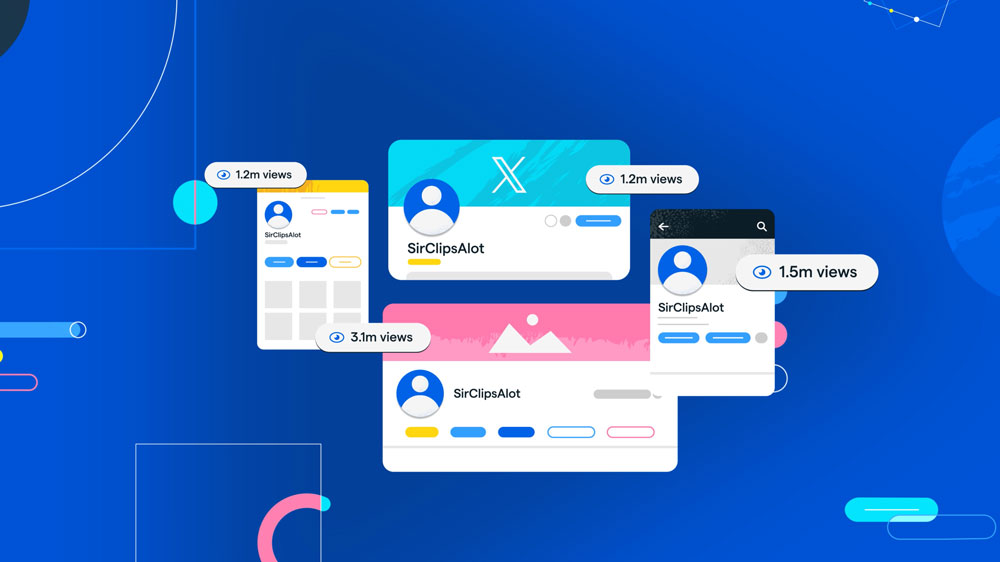
Motion graphics work well in short-form social content because the message can be designed around on-screen text, graphics, and movement from the start.
The same animation can also be adapted for vertical, square, and widescreen formats when those versions are planned early in production.
On-screen text and visual cues are also useful when viewers are watching without sound, although the message still needs to be clear and easy to follow. Longer videos can also be repurposed into shorter clips, giving marketers additional assets for social posts, ads, and campaign updates.
Motion graphics can avoid some of the logistics associated with live-action production, particularly when the subject can be communicated entirely through designed visuals.
A live-action shoot may require locations, crew, equipment, talent, travel, and scheduling, depending on the scope of the project. Animation replaces those requirements with design and animation labour. A simple 2D piece may be efficient to produce, while detailed custom illustration or 3D animation can cost as much as, or more than, some live-action productions.
The better choice depends on the message, the production requirements, and the audience rather than assuming one format is always more effective or less expensive.
Most available research looks at video marketing as a whole rather than motion graphics specifically. These statistics provide useful context for how audiences and businesses are using video.
Motion graphics work when movement helps communicate the message. They can make a process easier to follow, visualize information that would otherwise be difficult to show, and direct attention from one idea to the next.
The concept, script, design, pacing, and message still have to work. Motion graphics can also remove some live-action production requirements, but animation is not automatically the cheaper option for every project.
The best starting point is the message. If you need to explain a technical idea, visualize data, demonstrate software, or show something that would be difficult to film, motion graphics may be a good fit.
The style should follow the communication problem, not the other way around. Define what the audience needs to understand first, then decide whether the right approach is 2D, 3D, live action, or a combination of techniques.
Motion graphics are used differently depending on where the video will appear and who it is for. Here are some common applications by channel and industry.
By channel.
By industry.
Product videos can use motion graphics to frame a customer problem and show how a product addresses it step by step. They may combine script, custom visuals, interface animation, and voiceover to explain a complex product clearly. This approach is common in SaaS, technology, fintech, and healthcare, and can be used for launches, feature releases, onboarding, and sales presentations.
Social media motion graphics are short animations designed for feed-based platforms and can be produced in vertical, square, or widescreen formats. They often use on-screen text, bold graphic elements, and concise messaging so the idea remains understandable even without sound. Marketers use them for promos, announcements, paid ads, and cutdowns from longer videos.
Brand promos and campaign graphics use a consistent visual system across assets for a product release, event, sale, or larger campaign. They can appear as hero videos, social cutdowns, animated display ads, or digital signage, depending on where the campaign runs.
Motion graphics are also commonly combined with other animation styles and live-action footage. In the examples below, the motion design supports the broader visual storytelling rather than working as a separate layer.
Here are a few motion graphics examples we created for clients. Each uses a different visual approach based on the audience, message, and purpose of the video. You can find more examples on our YouTube channel and in our portfolio.
Clarity means your audience never has to guess what you’re trying to say. Avoid jargon, long sentences, and ideas that go off-topic.
Motion graphics can look completely different depending on the product, audience, and problem we are trying to solve. Here are three examples from projects we have produced and how motion design helped us communicate each company’s story.
Blockdaemon had a difficult communication problem. Blockchain infrastructure is highly technical, and the company needed to explain who they were, what they did, and what made their platform different.
Rather than putting everything into one long video, we developed three animated videos. The first gave viewers a high-level introduction to Blockdaemon. The other two focused more closely on its Security First approach and reliable infrastructure platform.
Motion graphics allowed us to take ideas that are not easy to physically show and turn them into a visual story. Instead of relying on lengthy technical explanations, graphics, movement, and visual transitions helped connect the different parts of the platform.
We handled the scripts, storyboards, custom graphics, voiceover, and animation across the series so the three videos worked together visually and carried the same brand language.
Why motion graphics worked: The product was technical and largely invisible. Animation gave us a way to visualize the infrastructure rather than simply describe it.
CoPilot AI uses LinkedIn automation to help sales professionals with prospecting and lead generation. Our challenge was to explain what the software does while keeping the video simple enough that the product remained easy to follow.
For the visual direction, we used faceless characters to represent people from different industries and followed CoPilot AI’s existing branding. We also used plenty of white space and kept unnecessary graphic elements off the screen.
The minimalist motion graphics style gave the information room to breathe. Rather than filling every scene with movement, the animation helped guide viewers from the problem to how the software works and what it could do for their sales process.
Why motion graphics worked: Software can become difficult to follow when too much information appears at once. Keeping the animation clean helped keep attention on the product and message.
Skyflow presented a different challenge. Data privacy is difficult to visualize because much of what the technology does happens behind the scenes.
We created a startup pitch video that gave Skyflow a visual way to explain its product and tell that story.
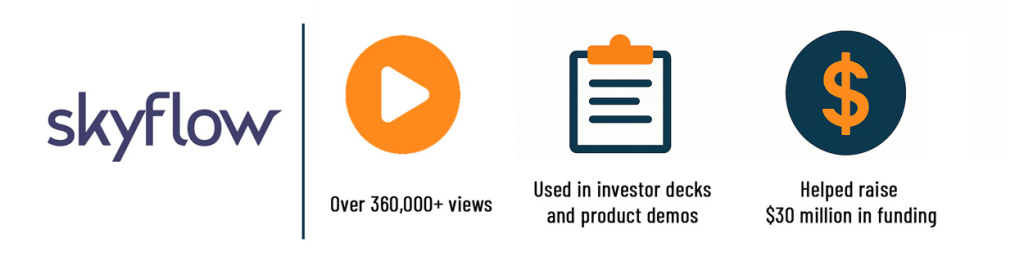
The video has since passed 360,000 views, and Skyflow continued using it after raising $30 million in Series B funding in 2024.
Motion graphics made it possible to turn an invisible technology into something viewers could see and follow. Instead of trying to physically demonstrate data privacy, the animation could visualize concepts, relationships, and processes while keeping the story focused on the value of the product.
Why motion graphics worked: The technology could not easily be demonstrated with a camera. Animation gave an abstract software product a visual language.

From simple presentation graphics to more complex storytelling videos, making a motion graphics video should follow a process. Here is how most professional studios create motion graphics from start to finish:
In the early stages, define the type of video you are making, who the target audience is, what the video needs to communicate, and how long it should be.
Once the concept is clear, write the script around the key message, audience, and desired action.
The storyboard maps out the video scene by scene, showing what viewers will see as the script progresses.
Style frames establish the visual direction, including colour, typography, illustration style, composition, and the overall look of the graphics.
This is where the design team creates the graphic elements: icons, characters, charts, UI screens, and any other artwork that appears on screen. The visuals should stay consistent with the approved style and brand.
Everything comes together in animation. Motion designers animate each scene using tools such as After Effects, Cinema 4D, or Blender, depending on the style and production requirements.
Voiceover, music, and sound effects are added where they support the message and pacing. Good sound design helps the animation feel cohesive rather than like separate visual elements.
Motion graphics pricing depends on length, complexity, whether the piece is 2D or 3D, the amount of custom illustration, and turnaround time.
A short social clip or animated logo sits at the low end, a full product video in the middle, and a custom 3D piece at the top. The most reliable way to budget is to define the length and style first, then get a quote against that scope.
Motion graphics are usually priced per finished minute, and the range is wide because a simple animated logo and a custom 3D sequence are not the same job. Across 2026 industry pricing guides, the typical ranges look like this:
| Type | Typical range | What you get |
|---|---|---|
| Short social clip or logo animation (10 to 30 sec) | $1,000 to $5,000 | Templated or freelance work at the low end; a custom branded loop from a studio at the higher end. |
| Standard motion graphics video (60 to 90 sec) | $7,000 to $18,000 per finished minute | Custom design, data visualization, and SaaS-style videos. One 2026 pricing study of 61 usable quotes reported a $9,680 median for a 60-second custom animated video. |
| Premium or 3D motion graphics | $15,000 to $40,000+ per minute | 3D modelling, texturing, and rendering, or broadcast-grade campaign work. |
Most professional projects take six to nine weeks from brief to final delivery. Price is driven by length, animation complexity (2D vs 3D), the amount of custom design and illustration, and how many versions and aspect ratios you need.
A motion graphics designer, often called a motion designer, turns static design into movement. The role combines graphic design and animation: where a graphic designer decides how something looks, a motion designer also decides how it moves, changes, and transitions over time.
What a motion designer actually does. On a typical project they may develop style frames, animate text, icons, and graphics, sync movement to voiceover or music, build data visualizations, and prepare final files for the required formats and aspect ratios. On larger projects, one designer may focus on the visual style and asset design while another animator focuses on movement and compositing.
The skills behind good motion design. Motion designers combine design fundamentals such as layout, colour, and typography with animation principles such as easing, weight, anticipation, and timing. They also need software fluency, commonly in After Effects for 2D and compositing, and Cinema 4D or Blender for 3D. Story and pacing matter as much as technical execution because the movement has to support the message.
Hiring a motion designer: freelance vs studio. A freelance motion designer can be a good fit for a self-contained asset when the concept and art direction are already defined. A studio is more useful when the project also requires strategy, scripting, design, project management, sound, or multiple deliverables. In either case, evaluate the work for clarity, range, and whether the finished files match the formats your campaign needs.
Motion graphics projects often use several programs rather than one piece of software. The right tools depend on whether the work involves 2D design, 3D animation, compositing, illustration, editing, or a combination of those tasks.
Professional workflows often combine specialist tools, with artwork created in one program, animation handled in another, and the final piece edited or composited elsewhere.
Adobe After Effects is one of the main professional tools used for motion graphics. You can use it to turn a static logo into branded animation for intros, outros, or presentations, as well as create more complex 2D motion design and compositing work.
After Effects is one of our go-to tools for the motion graphics work shown in our portfolio.
Most professional 2D and 3D animation software has a learning curve. Simpler tools can be useful for basic content, but the software is only part of the equation; design, timing, and animation skill determine the quality of the finished work.
Here is how the main motion graphics tools compare, and what each is best suited to.
| Software | Best for | Level |
|---|---|---|
| Adobe After Effects | 2D motion graphics and compositing; widely used in professional workflows | Intermediate to pro |
| Cinema 4D | 3D motion graphics and product renders | Advanced |
| Blender | 3D animation and motion design; free and open-source | Intermediate to advanced |
| Adobe Premiere Pro | Video editing with light motion graphics and titles | Beginner to intermediate |
| Canva / CapCut | Quick templated animations and social clips | Beginner |
Adobe After Effects is widely used for professional 2D motion graphics and compositing. A typical workflow imports artwork from Illustrator, animates properties such as position, scale, opacity, and rotation with keyframes and easing, then adds effects, transitions, and sound.
I have been using After Effects for over 18 years, and it remains one of our go-to tools for motion design. Newer tools can make simple animation faster, but After Effects still gives professional motion designers much more control over timing, compositing, effects, and custom animation.
Expressions can automate repetitive movement, while plugins and scripts extend what the software can do. After Effects also works alongside Cinema 4D or Blender when a project needs 3D elements.
One motion graphics project rarely produces one file. A single animation is usually delivered in several aspect ratios, resolutions, and formats so it works everywhere it needs to. A website hero, an Instagram Reel, a LinkedIn feed post, and an app interface can all come from the same source project. Here is what to ask for, and why it matters.
Aspect ratios: one animation, cut for every channel.
| Ratio | Shape | Where it is used |
|---|---|---|
| 16:9 | Widescreen | Website heroes, YouTube, presentations, TV |
| 9:16 | Vertical | Instagram and TikTok Reels, Stories, Shorts |
| 1:1 | Square | Feed posts (Instagram, LinkedIn, Facebook) |
| 4:5 | Portrait | Feed posts that take up more vertical space |
Resolution and frame rate. 1080p (1920×1080) is a common web delivery size, while 4K (3840×2160) may be appropriate for large displays, future reuse, or projects that need additional resolution. Frame rate depends on the project and destination; 24, 30, and 60fps are all common in different workflows.
File formats, and when to use each.
| Format | Best for | Notes |
|---|---|---|
| MP4 (H.264) | Almost everything | Universal, small file size, plays anywhere. The default deliverable. |
| MOV with alpha (ProRes 4444) | Overlays and transitions | Keeps a transparent background so graphics can sit on top of other footage. |
| Animated GIF | Short looping graphics in email or web | No audio, larger files, limited colour. Best for very short loops. |
| Lottie (JSON) | Website and app animations | JSON-based and often lightweight. Can scale cleanly when the artwork and effects are compatible with Lottie. |
Why Lottie matters for websites and apps. Lottie uses a JSON-based animation format that can be lightweight and scale cleanly when the artwork and effects are compatible with the format. It is useful for interface animations, icon micro-interactions, and looping web graphics where loading performance matters.
The right studio depends less on who has the flashiest reel and more on the fit for your project. A few things worth weighing before you commit:
Motion design changes as software, platforms, and visual tastes evolve. These are some of the approaches appearing frequently in current work.
Retro, minimalist, and bold-gradient styles also continue to appear in current work. Trends can influence the look of a project, but the visual direction still needs to fit the brand, audience, and message.
At its best, motion design uses movement to support the story rather than decorate it. The animation should help the viewer understand what matters and how one idea connects to the next.
A quick reference for the terms you will hear on a motion graphics project.
Motion graphics are animated graphic elements such as text, icons, shapes, logos, and data that use movement to explain ideas, present information, or support visual communication. They are widely used in marketing videos, advertising, presentations, product communication, websites, and social media.
Animation is the broader craft of creating movement, while motion graphics are a subset focused on moving design, typography, data, and other graphic elements rather than primarily character-driven stories.
Most motion graphics follow five steps: concept and script, style frames and storyboard, design and illustration, animation, and sound design. Software such as After Effects and Blender is used to animate each scene.
A motion graphics company handles the full process, from concept and design to animation and sound design. If you are comparing providers, browse these motion graphics companies for inspiration.
Cost depends on length, complexity, 2D versus 3D, and turnaround time. A short social clip can cost far less than a fully custom 3D product video. See our motion graphics services page for a full breakdown and to request a quote.
Adobe After Effects is widely used for 2D motion graphics and compositing, while Cinema 4D and Blender are common choices for 3D work. Illustrator and Premiere Pro are also used in many production workflows.
Ready to put motion graphics to work for your brand? A motion graphics studio can take a project from concept and design through animation and final delivery. Get in touch if you want to discuss an upcoming project.
Now that you understand what motion graphics are and how they are used, the next step is deciding which approach best fits the message. If you need a professionally produced motion graphics video, take a look at our portfolio or contact us to discuss your project.

Larry is the Founder and Producer at Mammothic Films, with more than 15 years of production experience. He leads a team that creates story-driven videos for businesses and brands. A marketer, designer, and animator, Larry has overseen the production of more than 1,500 videos for Fujitsu, Logitech, Warner Brothers, NFL, Blockdaemon, Astronomer, Canonical, and 370+ other companies in Canada, the United States, and around the world.
Larry is a devout Christian who believes in placing God first, and that everything else is a blessing that comes from serving Him. When he’s not working, he’s hanging out with his wife and three kids, playing the piano, or sightseeing.
We use cookies to improve your experience on our site.
Manage your cookie preferences below:
Essential cookies enable basic functions and are necessary for the proper function of the website.