
SaaS products are hard to explain because most of what makes the software valuable happens behind the interface. This guide walks through how we plan, script and produce SaaS videos at Mammothic Films, with real production decisions from our work with software companies.
 By
Larry Mutenda
By
Larry Mutenda
SaaS products can be difficult to explain because much of what makes the software valuable happens behind the interface. Features, integrations, workflows, automation, security and technical infrastructure can make perfect sense to the product team and still be hard for a new customer to understand.
That is where video helps.
But producing a good SaaS video starts before storyboarding or animation. You first need to decide who the video is for, what that person needs to understand, what type of video will do the job and what you want the viewer to do next.
This guide is written for SaaS founders, marketing leads and in-house creative teams. I walk through how we approach SaaS video production at Mammothic Films, including how to choose the right format, plan the message, structure the script, set the runtime, produce the video, repurpose it for different channels and measure whether it worked. I also use our work for Blockdaemon to show how those decisions translate into an actual production.
A SaaS video generally moves through five production stages: discovery and strategy, then scriptwriting, then storyboard and creative direction, then design, then animation, sound and delivery.
For a typical 60 to 90 second production we normally plan on roughly four to six weeks from discovery and script development through final delivery. Once the script is approved, storyboard, design, animation, sound and delivery usually take around three to four weeks.
The most important work happens before animation begins. If the audience, message and objective are unclear, better animation will not fix the problem.
| Question | Planning starting point |
|---|---|
| What should you decide first? | Audience, business goal, placement and CTA |
| Best format for explaining the overall product | SaaS video or product overview |
| Best format for showing how the software works | Product demo, UI animation or screen recording |
| Good starting runtime for a homepage video | About 60 to 90 seconds |
| Typical Mammothic production timeline | Around 4 to 6 weeks |
| Most important production stage | Strategy and script |
| Common mistake | Trying to explain too many features |
| Best way to get more from the production | Plan multiple versions and placements before production begins |
These are planning points rather than fixed rules. The right format and runtime depend on what the viewer needs to understand and where the video will be used.
SaaS video production is the process of turning a software product, workflow or value proposition into video content that customers can understand quickly.
Depending on the objective, that video might introduce the entire platform, demonstrate a workflow, launch a feature, help a salesperson explain the product, onboard a new customer or support a paid campaign.
That makes SaaS video production broader than simply recording the interface. A screen recording teaches someone where to click. A SaaS video tells them why the product matters. A product demo proves how a specific workflow works. A SaaS onboarding video helps an existing user succeed with the software.
So the first production decision is not animation style. It is what job the video needs to perform.
You do not need every type of SaaS video. Start with the problem you need the video to solve.
A homepage video and an onboarding tutorial may both show the same software, but they have completely different jobs. The video has to persuade someone that the product is worth investigating. The onboarding video is speaking to someone who has already bought in and now needs help accomplishing something. Trying to make one video do both jobs usually makes it weaker at either.
| Video type | Best used for | Typical viewer | Common placements |
|---|---|---|---|
| SaaS video | Explaining the product and value proposition | New prospects | Homepage, landing page, presentation |
| Product demo | Showing an important workflow | Interested prospects | Product page, sales follow-up, demo page |
| Feature video | Introducing a new capability | Prospects or customers | Product page, email, social |
| Sales video | Supporting a particular sales conversation | Active prospects | Outreach, presentations, follow-up |
| Onboarding video | Helping users get started | New customers | App, email, help centre |
| Tutorial | Teaching a specific task | Existing users | Knowledge base, LMS, YouTube |
| Customer story | Providing proof through a real customer | Buyers evaluating the product | Website, sales process, social |
| Product launch video | Introducing a product or significant release | Prospects, customers and market | Launch page, event, social, email |
| Paid or social video | Earning attention and generating action | Cold or retargeted audiences | LinkedIn, YouTube and paid media |
Before writing a script, define what success looks like. The KPI determines what the video needs to accomplish.
‘We need a product video’ is a production request. ‘We need prospects to understand why our platform replaces three separate tools before they book a demo’ is a strategy. The second gives you something useful to write around.
| If the goal is… | The video should… | Useful metrics may include… |
|---|---|---|
| Increase demo requests | Make the value proposition easier to understand | CTA clicks, demo conversions |
| Improve trial activation | Show the first important workflow | Activation or task completion |
| Support a product launch | Explain what changed and why it matters | Views, traffic, sign-ups or adoption |
| Help the sales team | Address a buyer question or objection | Engagement, meetings, deal progression |
| Improve onboarding | Help customers complete an important task | Completion, activation, support demand |
| Explain a technical product | Make the concept understandable without removing important detail | Watch completion, subsequent action |
| Support paid acquisition | Earn attention quickly and communicate one compelling idea | CTR, conversions, CPA |
One of the most important SaaS production decisions is how much of the real product to show. There is no single correct approach.
Use screen capture when the actual workflow is what you need to explain. It works particularly well for tutorials, onboarding, support content and detailed product demonstrations where viewers need to see exactly where to click. The limitation is that real interfaces are not always designed for video. Small text, dense dashboards, changing product interfaces and unnecessary information can make the footage difficult to follow.
Animated or recreated interface sequences let you simplify the product experience. You can enlarge the important elements, remove distractions, control timing and guide the viewer eye toward the part of the interface that matters. This works well when you want the product to feel authentic without asking the audience to absorb an entire dashboard at once.
Some SaaS products do their most important work behind the interface. APIs, cybersecurity, blockchain infrastructure, data movement, automation, cloud services and integrations are difficult to demonstrate with screen recordings alone. Motion graphics and animation let you visualize those processes instead of simply describing them.
Live action makes sense when the people using, buying or building the product are an important part of the story. Customer stories, founder videos, thought leadership, brand films and sales content can benefit from having an actual person on screen.
There is no reason the production has to choose only one technique. A video might begin with live action, move into motion graphics to explain the problem, show animated UI to demonstrate the software and finish with a customer or founder. Choose the visual approach based on what communicates the idea most clearly rather than selecting a style before defining the message.
The hard part of SaaS video production is rarely making things move. It is deciding what the viewer needs to understand and what can be left out.
Product teams naturally want to show everything they have built. A short video cannot give every feature equal weight. For a focused video we usually identify the main problem the product solves and use only the features needed to prove that point. The remaining functionality can be covered elsewhere through demos, tutorials, feature videos and sales material.
A SaaS buying group can include end users, executives, department heads, technical evaluators and procurement. An engineer may care about architecture and integrations. An executive may care about risk, cost or performance. An end user may simply want to know whether the software makes their job easier. Before scripting, decide who the primary viewer is. Secondary audiences still matter, but one video cannot speak to everyone with equal depth.
A feature tells someone what the software does. The video also needs to make clear why that capability matters. If a platform automates a workflow, what does that change for the customer? Does it save time? Reduce manual work? Make data easier to access? Reduce risk? Improve visibility? The connection between the capability and its consequence is where the message becomes useful.
Sales, marketing, product and customer success teams often emphasize different aspects of the same software. That disagreement tends to surface during script review if it is not resolved beforehand. Discovery should establish three things before writing begins:
Once those are agreed on, the script becomes much easier to control.
Before we start writing, I want five questions answered.
Be more specific than ‘businesses’ or ‘SaaS buyers’. A CTO evaluating infrastructure has different concerns from a marketing manager evaluating campaign software.
A video for someone completely unfamiliar with the category may need to explain the problem. A sophisticated technical audience might find that introduction unnecessary and want to get directly to the differentiator.
Describe the problem from the customer perspective rather than the product team perspective.
If the viewer remembers only one idea after watching, what should it be? That becomes the spine of the script.
Book a demo? Start a trial? Visit a product page? Understand a feature? Complete a task? One clear next step is usually stronger than several competing calls to action.
There is no single script formula that works for every software product. A common video structure is: problem, then consequence, then solution, then how it works, then proof, then next step.
But that structure should change when the audience already understands the problem. For a sophisticated buyer, spending the first 20 seconds explaining something they already know wastes valuable time. Our work with Blockdaemon is a good example.
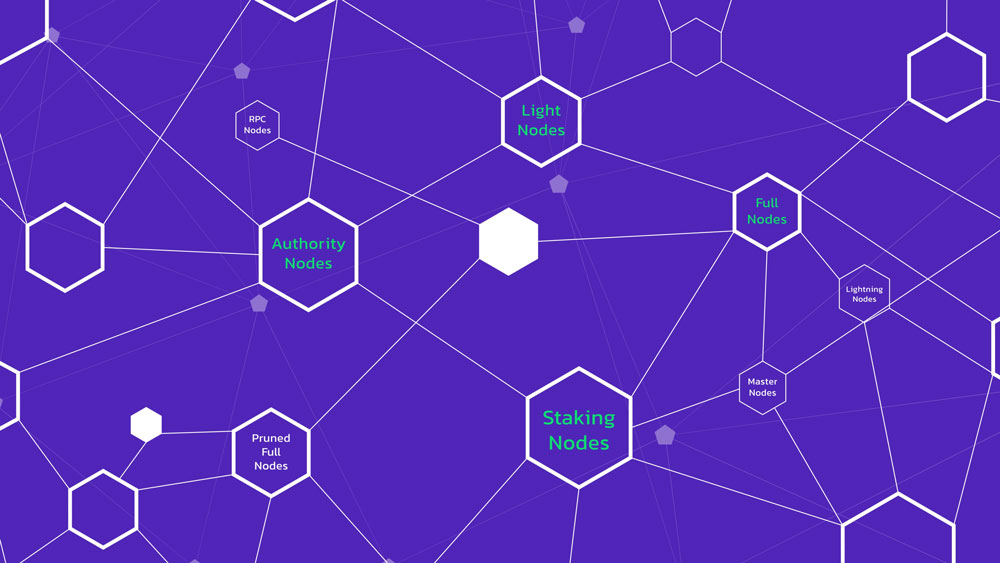
Blockdaemon provides blockchain infrastructure. We produced a three video series for audiences that included institutional and technical buyers. The product was highly technical, so the challenge was not simply explaining what blockchain infrastructure was. The video had to establish reliability and security without reducing the message to generic claims. Instead of beginning with a long problem statement, the script moved quickly into positioning and proof.
The intended audience already understood the category and its challenges. Explaining the problem again would have used valuable runtime without adding much value. Instead, the script moved directly into why Blockdaemon was relevant and then spent more time on the issues institutional buyers were likely to care about: infrastructure reliability, monitoring and risk.
That is an important SaaS scripting principle. Do not automatically reach for a formula. Structure the story around what your audience still needs to understand. Here is how that played out in the actual Blockdaemon script, beat by beat.
| Section | Script Excerpt | Why It Works |
|---|---|---|
| 1. Positioning (the Hook) | “Blockdaemon is the leading blockchain infrastructure platform.” | Opens with authority instead of a problem statement. This suits an audience that already understands the problem and needs a reason to trust this particular company. |
| 2. Mission / Value Proposition | “Our mission is to simplify deploying nodes with institutional-grade security and monitoring.” | One sentence does two jobs: it identifies the outcome and qualifies the audience. Everything that follows supports this core promise. |
| 3. Capability Proof | “Blockdaemon supports over forty protocols, delivering high availability, load-balanced and performant nodes, and easy access to blockchain data via our multi-protocol API suite, Ubiquity.” | Presents features as outcomes, such as high availability and easy access to data, rather than relying on a technical specification list. The level of detail matches the technical evaluators in the buying group. |
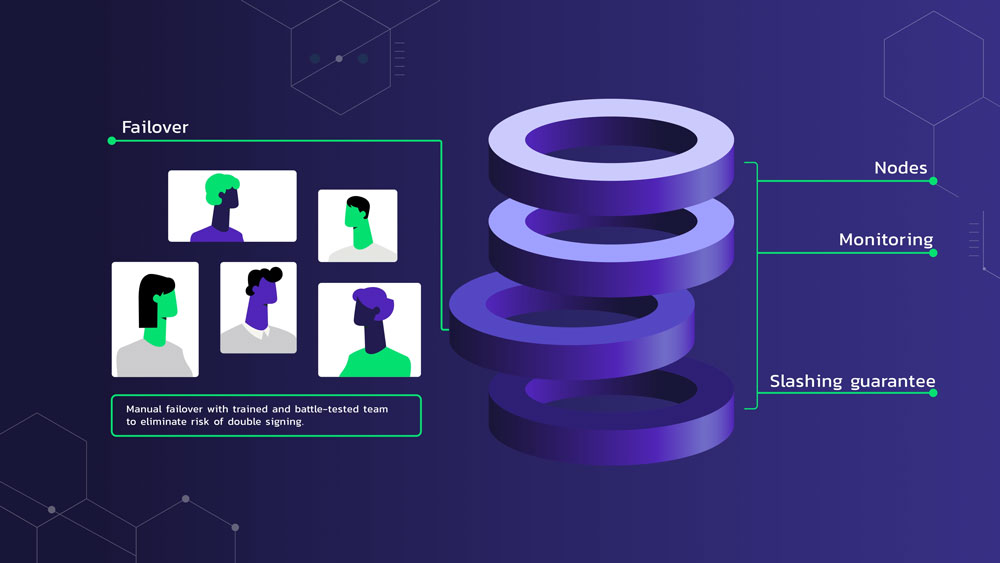
| 4. Objection Handling | “Our multiple layers of risk mitigation include regional and data centre diversity, 24/7 human and automated monitoring, manual failover with a battle-tested team of engineers to eliminate the risk of double signing. We also provide slashing and double-signing insurance.” | This is the longest section because institutional buyers are less concerned with whether the platform works than with what happens when something fails. Each clause identifies a specific risk and explains how Blockdaemon addresses it. |
| 5. Social Proof | “Leading exchanges, custodians, developers, and large financial institutions are built with Blockdaemon.” | Social proof appears after the capabilities and risk controls have established trust. Placing it immediately before the call to action makes the validation more persuasive. |
| 6. Call to Action | “Looking for a complete blockchain infrastructure? Sign up now with Blockdaemon.” | Frames the call to action as a question the viewer may already be asking and answers it directly. It gives the viewer one clear next step without competing requests. |
| Why the Structure Works | The script moves from positioning to value, capability proof, risk mitigation, social proof, and a call to action. | It compresses the solution, evidence, trust-building, and call to action into a tight structure by skipping the problem statement. This is effective for a sophisticated, self-selecting audience that does not need the problem explained again. |
Once the strategy and message are clear, production becomes much more straightforward.
Before writing anything, we review the product, audience and objective. That can include the website, product documentation, sales decks, existing marketing material, competitor positioning and brand guidelines. We also identify where the video will be used. A homepage video, sales presentation and paid LinkedIn video have different viewing conditions, even when they discuss the same product. For Blockdaemon, discovery helped establish reliability and security as two of the most important ideas the intended audience needed to understand.
What gets approved: the audience, objective, central message and call to action.
The script turns the strategy into a sequence the viewer can follow. This is where we decide what earns screen time and what does not. A good SaaS script should:
The objective is not to fit the website into a voiceover. It is to decide what the video can explain better than the website.
What gets approved: the complete voiceover script before storyboarding begins.
Once the script is approved, we map it into scenes. The storyboard establishes what the viewer will see while each part of the narration is delivered. This is where we solve questions such as:
Resolving those decisions at storyboard stage is much more efficient than changing finished animation.
What gets approved: the visual concept and scene-by-scene storyboard.
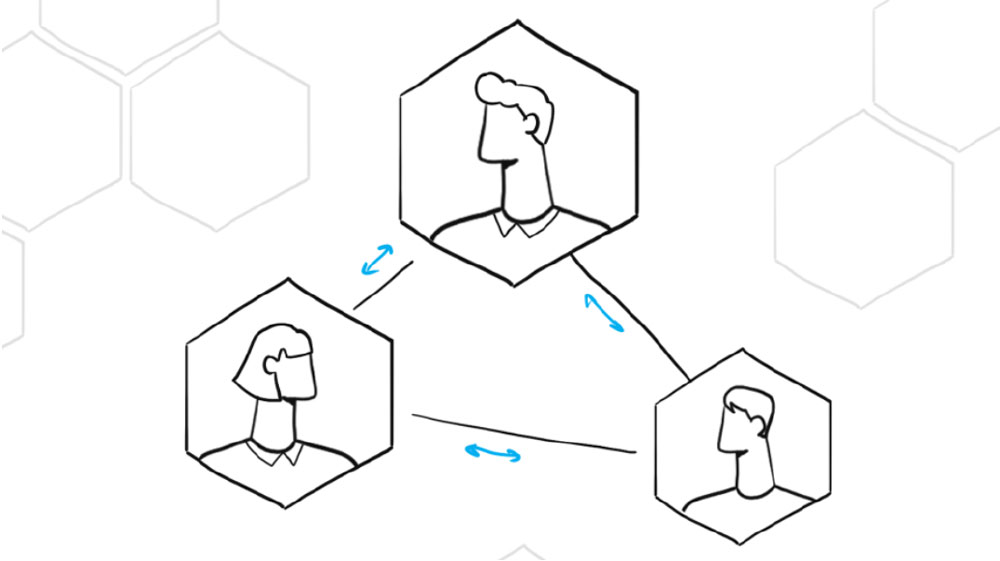
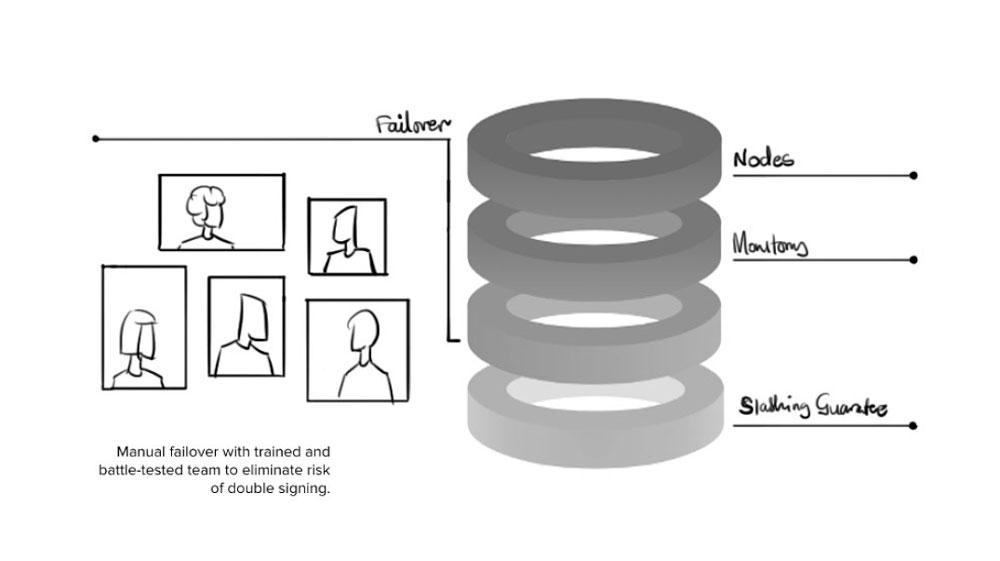
A storyboard panel from the Blockdaemon SaaS video, sketching out how the script opening maps to on-screen scenes.
After the storyboard is approved, we develop the final visual frames. Depending on the project, that might include interface recreations, dashboards, icons, diagrams, characters, environments, typography and other brand elements. For software products, accuracy matters. If UI-inspired visuals are being used, they should feel connected to the actual product rather than looking like a generic software dashboard.
What gets approved: representative style frames and final scene designs before animation begins.
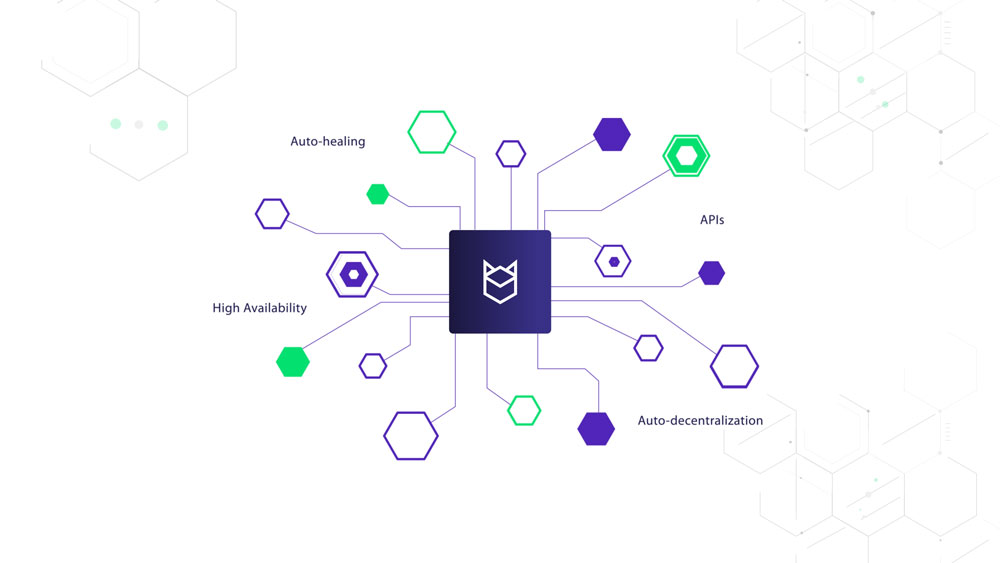
The finished illustrated frame of the same scene from the Blockdaemon video.
Once the visual direction is approved, the scenes move into animation. Voiceover, music and sound design are added and mixed with the final edit. The delivery plan should already have been established before this point. If a campaign needs a 16:9 website video, vertical social cuts and shorter paid-media versions, it is much easier to account for those requirements during production than to retrofit them after the master has been completed.
What gets approved: animation, voiceover, music, sound mix and final delivery files.
There is no single ideal length for every SaaS video. Runtime should follow purpose, viewer intent, complexity and placement. These are useful planning ranges rather than hard rules.
| Video | Useful planning range |
|---|---|
| Paid or social ad | 6 to 30 seconds |
| Feature teaser | 15 to 60 seconds |
| Homepage or product video | 60 to 90 seconds |
| Product overview | 60 to 120 seconds |
| Focused product demo | 1 to 3 minutes |
| Customer story | 1 to 3 minutes |
| Onboarding or tutorial | As long as the task requires |
A viewer who has actively opened a tutorial has very different patience from someone scrolling through LinkedIn. That is why trying to set runtime before deciding placement can lead to the wrong production decision. For a short video we generally prefer to remove secondary features rather than race through more information.
For a typical 60 to 90 second project, we generally plan on approximately four to six weeks from discovery and script development through final delivery. Once the script is approved, storyboard, design, animation, sound and delivery typically take approximately three to four weeks.
The schedule depends on:
One of the easiest ways to keep production moving is to establish who is responsible for final feedback before the project begins. Five people sending conflicting comments at different times can slow a project more than the animation itself.
There is no single standard price for a SaaS video because two 60 second videos can require completely different amounts of work. The main cost factors include the following.
More screen time generally means more scripting, storyboarding, design, animation, editing and sound work.
Simple graphic animation and typography require a different production scope from detailed character animation, 3D work or complex technical visualization.
Showing the software can range from inserting screen recordings to rebuilding and animating large portions of the interface. The amount of interface work can materially affect the production scope.
Some clients arrive with an approved script. Others need help working out the positioning, message hierarchy and story from the beginning. Those are different scopes of work.
A single 16:9 master is different from producing a complete campaign package with vertical versions, square versions, cutdowns, captions and multiple CTAs.
Voice talent, language versions, music requirements and custom sound design can also affect production.
A structured review process helps keep a project predictable. Major strategic changes after design or animation has been approved require more work than revisions made during script and storyboard development.
The useful question is not simply, ‘What does a 60 second video cost?’. It is: what production scope gives us the video and supporting assets we actually need?
Distribution should be discussed before production starts. A SaaS video can support several points in the customer journey.
Use an video or product overview where new visitors need to understand the product quickly.
Use demos, interface animation and feature videos where visitors want more detail.
Sales teams can use focused videos before meetings, during presentations or as follow-up material. Instead of asking one general video to answer every objection, individual videos can address particular capabilities, industries or customer problems.
Paid campaigns usually need a faster opening and shorter versions than the main website video.
Product launches, feature announcements, educational clips and shortened demonstrations can extend the useful life of the original production.
Once someone becomes a customer, video can move from persuasion to education. Tutorials and onboarding content can help users understand workflows without turning the main marketing video into a product manual.
Videos can help establish context before a presentation, demonstrate a product without relying on live software, or provide short visual explanations during sales and conference presentations.
One video does not necessarily mean one deliverable. A main production can potentially support:
Which of those make sense depends on the campaign. The important part is deciding before storyboarding. For example, a scene designed only for a wide 16:9 frame may not crop cleanly into a vertical ad. If vertical content matters, we can design important action closer to the centre or create scenes specifically for that format. Repurposing is much easier when it is part of the production plan rather than an afterthought.
A video should be evaluated against the job it was produced to do. A high view count does not necessarily make a video successful. If a product demo was created to help qualified prospects move toward a sales call, a smaller number of highly relevant views may matter more than broad reach.
Useful metrics depend on the objective.
| Purpose | Metrics to consider |
|---|---|
| Awareness | Views, watch time, completion |
| Website explanation | Engagement, CTA clicks, conversion |
| Paid acquisition | CTR, conversion, CPA |
| Sales enablement | Engagement, meetings, opportunity progression |
| Product launch | Traffic, sign-ups, adoption |
| Onboarding | Completion, activation, support demand |
| Tutorial | Task completion, repeat viewing, support demand |
Measurement becomes easier when the objective is defined before production. That brings us back to the first question in this guide. What do we need the viewer to do after watching?
The more features you squeeze into a short video, the less attention each one receives. Build the video around one primary outcome and use other content to go deeper.
‘Let us make it 3D’ is not a strategy. Decide what needs to be communicated first and choose the production technique that explains it best.
Video is linear. The viewer cannot scan backward and forward the way they can on a webpage. Each idea needs to lead naturally into the next.
A cursor moving around a full dashboard is not automatically a product demonstration. Enlarge important areas, remove visual noise and make it obvious where the viewer should look.
A technical or category-aware audience may not need a long problem statement. Spend the runtime on the questions they still need answered.
An awareness ad, homepage video, sales demo and onboarding tutorial should not have identical messaging. They speak to people with different levels of knowledge and intent.
Aspect ratios, cutdowns, captions and channel requirements can affect creative decisions. Plan them before animation begins.
Before approaching a production company or starting the project internally, prepare answers to these questions.
| Brief item | Question to answer |
|---|---|
| Product | What does the product do? |
| Audience | Who specifically needs to watch the video? |
| Problem | What is that audience trying to solve? |
| Objective | What business result should the video support? |
| Main message | What is the single most important thing the viewer should remember? |
| Proof | What features, workflows, results or evidence support that message? |
| Placement | Where will the video appear? |
| CTA | What should viewers do next? |
| Visual requirements | Does the real UI need to appear? |
| Brand | What guidelines or existing creative material should production follow? |
| Deliverables | Which runtimes, aspect ratios and versions will be required? |
| Stakeholders | Who gives final approval? |
A good brief does not need to contain the finished creative solution. That is what development and production are for. It simply needs to make the business problem clear.
Here are SaaS videos we have produced for software and technology companies. You can see more examples on our work page.
We have spent more than 15 years turning complicated products, services and ideas into videos people can understand.
Our work with SaaS and technology companies includes projects for Canonical, Logitech, Skyflow, Astronomer and Blockdaemon.
We handle the production process from strategy and scripting through storyboarding, design, animation, sound and final delivery. But production is not where we start. First we work out what the audience needs to understand and what the video needs to accomplish. That gives the script a purpose, gives the visuals something meaningful to explain and keeps the production focused on the customer business goal rather than simply making something that looks good.
Across our broader production work we have produced more than 1,500 videos for over 370 organizations.

Yes, if it’s planned that way from the start. A single core video can be cut into shorter versions for paid social, email, and sales presentations, as long as the production plan accounts for those formats up front rather than trying to retrofit them afterward.
A clear sense of your product, target audience, primary goal for the video, brand guidelines, and where the finished video will be used. That context shapes the script, visual direction, and production plan from day one.
Here is how to make a SaaS product video in five stages: discovery and strategy, scriptwriting, storyboard, design, and animation with sound. Most SaaS product videos run 60 to 120 seconds, so the real work is deciding what to leave out. Lock the message first, then build the visuals around it.
The best SaaS product demo videos show a real workflow instead of a full feature tour. Pick the two or three moments where the product proves its value and show those clearly. Keep the pace tight and narrate the outcome rather than the button being clicked. A demo that tries to cover everything usually convinces no one.
Full SaaS video production services cover strategy, scripting, voiceover, illustration, animation, sound design, and delivery in the formats you need. Some teams want only scripting or only animation, so the services can be scoped to the stage where you need help. Ask any SaaS video production company what is included before you compare quotes.
Yes. A short, well made SaaS video still does the one job a feature list cannot: it makes the product click for a first time viewer in under two minutes. A SaaS video can be reused across a homepage, sales presentation, launch or onboarding when the script and deliverables are planned for those placements from the start.
Usually, the product should appear when seeing it helps prove the message. That does not mean every video needs a full screen recording. Depending on the interface and objective, we may use screen capture, recreated UI, simplified UI animation, motion graphics or a combination of techniques.
Look beyond the animation reel. A good SaaS video production company should understand your product, ask useful questions about the buyer, help develop or improve the message, show relevant software or technical work, explain its production process and define what is included in the scope. For SaaS specifically, look closely at how a studio handles product interfaces and complex information. That matters more than how polished the final animation looks.
Ideally, one person should collect feedback from product, marketing, sales and any legal or compliance reviewers. Consolidated feedback prevents contradictory revisions and makes it easier to keep the project on schedule.
Interface changes can sometimes be updated without rebuilding the full video, but that depends on how the original scenes were designed and animated. If the product changes frequently, plan the UI scenes so individual screens can be replaced more easily.
A good SaaS video does not need to explain everything your product can do. It needs to explain the right thing to the right person at the right point in their decision.
Start by defining the audience, goal and placement. Then decide what the viewer needs to understand, choose the video format that can communicate it most clearly and build the script around one primary message. The animation, interface work, live action and sound all come after that.
If you are planning a SaaS video and are not sure what type of video you need or how to structure the message, talk to us before you start production. We can help you work out the strategy, message and production approach first, then build the video around it.


Larry is the Founder and Producer at Mammothic Films, founded in 2009. He leads a team that creates story-driven videos for businesses and brands. A marketer, designer, and animator, Larry has overseen the production of more than 1,500 videos for Fujitsu, Logitech, Warner Brothers, NFL, Blockdaemon, Astronomer, Canonical, and 370+ other companies in Canada, the United States, and around the world.
Larry is a devout Christian who believes in placing God first, and that everything else is a blessing that comes from serving Him. When he’s not working, he’s hanging out with his wife and three kids, playing the piano, or sightseeing.
We use cookies to improve your experience on our site.
Manage your cookie preferences below:
Essential cookies enable basic functions and are necessary for the proper function of the website.