Get an estimate for your video project in less than a minute.

Get an estimate for your video project in less than a minute.
What are the 3 stages in video scripts? A video script starts as words on a page. Those words guide what gets recorded, what appears on screen and how the finished video is assembled. Understanding that connection helps you approve the right decisions before work moves forward.
| What are the 3 stages in video scripts? When referring to the production workflow, the three stages are pre-production, production and post-production. The script is written and approved in pre-production. It guides recording and animation in production. In post-production, the edit is timed and checked against the script. |
After writing hundreds of scripts, I’ve learned that scriptwriting has no hard and fast rules. You’ve probably heard that you need to know the rules before you can break them, and that’s true.
Breaking a rule because you don’t know it is one thing. Breaking it because it helps you tell a better story is another. Follow these three stages, add a touch of creativity, and you’ll have a strong video script.

Pre-production is the planning stage. We establish the audience, message and intended action, then develop the script and visual plan.
Production creates the material the script requires. That can mean recording narration, filming interviews or animating scenes.
Post-production brings those pieces together. We refine timing, sound, graphics and captions, then check the finished video against the approved message.
The script carries through all three production stages. We will follow one real example from Mammothic Films: the ACS Security video.
We made a 64-second animated marketing video for ACS Security Group. It explains continuous surveillance monitoring, or CSM, and introduces the company’s Project Green Light program.
The script below comes from the video’s captions. It is a useful teaching example because it stays focused on one offer and pairs its spoken message with specific visuals.
| Time | Script line |
|---|---|
| 0:00 to 0:04 | “Billions of dollars are lost every year due to theft and property damage.” |
| 0:04 to 0:09 | “Most companies will hire security guards or install basic security cameras.” |
| 0:09 to 0:11 | “But security guards can be expensive.” |
| 0:11 to 0:15 | “Criminals are getting smarter and humans are just humans.” |
| 0:15 to 0:20 | “ACS Security Group is solving that with continuous surveillance monitoring.” |
| 0:20 to 0:26 | “Our system uses AI powered security cameras to automatically track human and vehicle traffic on your premises.” |
| 0:26 to 0:36 | “Our CSM agents can remotely zoom into spaces to investigate any suspicious movement, giving you the confidence knowing someone is actively watching your property.” |
| 0:36 to 0:42 | “If criminal activity is detected, law enforcement and mobile security patrols are immediately notified.” |
| 0:47 to 1:00 | “But with continuous surveillance monitoring, you get optional features like facial recognition, project green light alarms, fall alert, or fire detection for just a fraction of the cost of having real boots on the ground.” |
| 1:00 to 1:04 | “Visit our website for more on our CSM and Project Greenlight program.” |
The ACS script has three broad sections. The first establishes the problem: “Billions of dollars are lost every year due to theft and property damage.” It introduces familiar responses before raising their limitations.
The second introduces the solution: “ACS Security Group is solving that with continuous surveillance monitoring.” The following lines explain tracking, investigation and notification in sequence.
The final section supplies a cost comparison and optional features before closing: “Visit our website for more on our CSM and Project Greenlight program.” The comparison functions as the script’s supporting argument.
For your own script, write those three sections in plain language before adding detail. Check that the middle delivers what the opening promises.
Start with three decisions: who needs this video, what they need to understand and what they should do next. A video aimed at property managers will need different examples from one aimed at security technicians.
Write those decisions above the draft. Use them to resolve disagreements about which facts belong in the video.
When we write a video script, each sentence needs a purpose. Introduce the problem, explain the relevant solution and give the viewer a practical next step.
Read the draft aloud with a timer. Shorten sentences that are difficult to say. Remove details that repeat a point the visuals can already communicate.
Use a two-column layout with narration on one side and visual directions on the other. Then develop a storyboard to plan the scene sequence.
Check whether each visual explains something. A camera tracking a person communicates more than a generic camera icon when the narration describes surveillance tracking.
Resolve the message, claims, pronunciation and call to action before recording or animation starts. Identify who gives final approval and label the approved version clearly.
A script lock establishes the version everyone should use. Later changes remain possible, but they should include a check of affected recordings, scenes and delivery dates.
Larry Mutenda, our founder, wrote the ACS script. It establishes theft and property damage immediately. Its opening can be pictured as a concrete incident rather than an abstract description of security.

The argument moves from a problem to monitoring, then to the comparison “for just a fraction of the cost of having real boots on the ground.”
Record the approved wording and check names, abbreviations and pauses. Listen for a delivery that leaves room to understand the visuals.
If a line only fits when rushed, revisit its length. Record an alternative take where emphasis changes the meaning or the transition between scenes.
Work through the approved scene plan. Track the material completed against the script so missing shots or animation assets are visible before the next stage.
The aim is usable material for every essential point. Extra footage does not compensate for a missing demonstration of the main benefit.
For live action, production includes filming presenters, interviews, demonstrations and supporting B-roll. Sound, lighting, framing and continuity need attention during the shoot.
For animation, the work includes preparing visual assets, recording narration and animating scenes. Design may begin in pre-production. Stage boundaries can overlap depending on the workflow.
The ACS video turns the monitoring service into a visible sequence. Agents watch screens, cameras track activity and an agent contacts patrols.
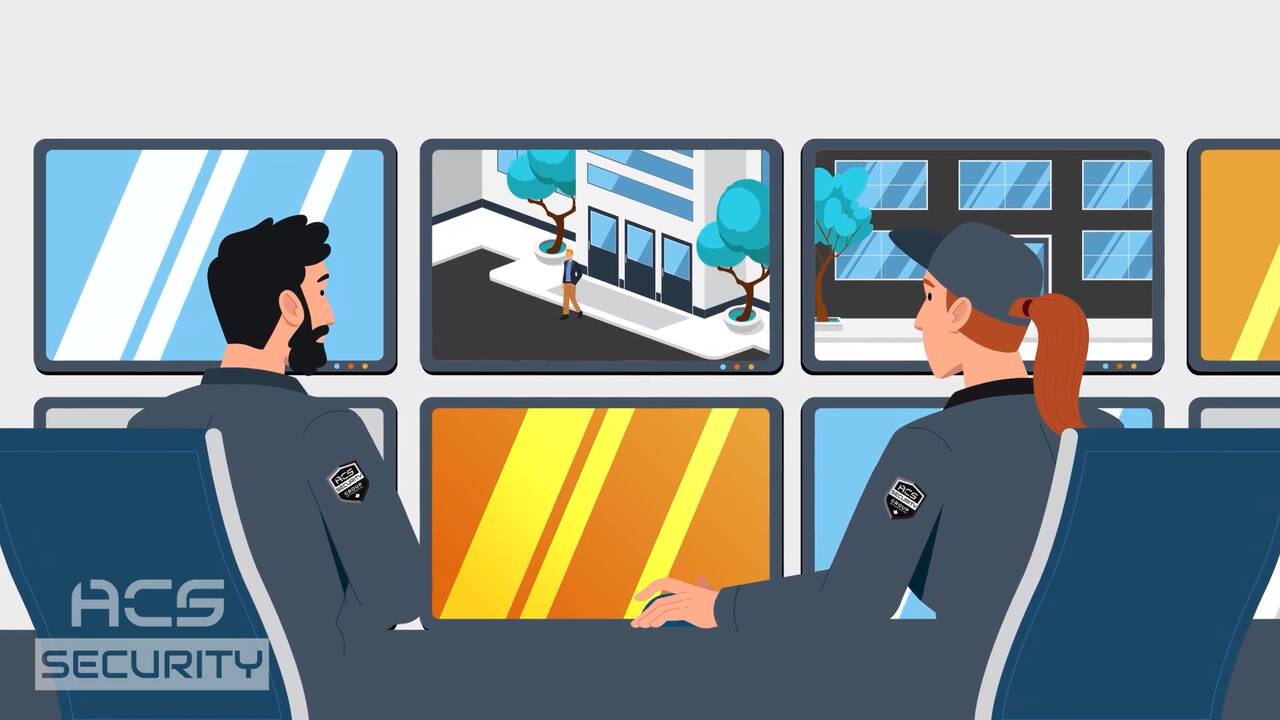
The following scenes show how spoken information becomes screen action.
| Frame time | Script line or exact excerpt | What appears on screen |
|---|---|---|
| 0:01 | “Billions of dollars are lost every year due to theft and property damage.” | A masked thief with a crowbar at an orange car. |
| 0:06 | “Most companies will hire security guards or install basic security cameras.” | A security guard sitting in a car, looking at his phone. |
| 0:10 | “But security guards can be expensive.” | A line chart rising. |
| 0:12 | “Criminals are getting smarter and humans are just humans.” | A chart panel beside a hooded figure looking up at a wall camera. |
| 0:16 | “ACS Security Group is solving that with continuous surveillance monitoring.” | Two agents watching surveillance screens. |
| 0:20 | “Our system uses AI powered security cameras” | A dome camera with a green light sweeping a wall. |
| 0:24 | “to automatically track human and vehicle traffic on your premises.” | An overhead view of cars in a parking lot. |
| 0:29 | “Our CSM agents can remotely zoom into spaces” | A person outside a building inside tracking corners. |
| 0:33 | “to investigate any suspicious movement” | The same person peering into a window. |
| 0:39 | “law enforcement and mobile security patrols are immediately notified.” | An agent speaking into a radio. |
| 0:53 | “optional features like facial recognition, project green light alarms, fall alert, or fire detection” | Labelled feature icons, including facial recognition, lights, sound and a flame. |
| 1:02 | “Visit our website for more on our CSM and Project Greenlight program.” | An end card with Project Green Light, ACS Security Group and the web address. |
The tracking scene continues into a closer view of the same person. That continuity helps explain investigation without introducing a new situation.
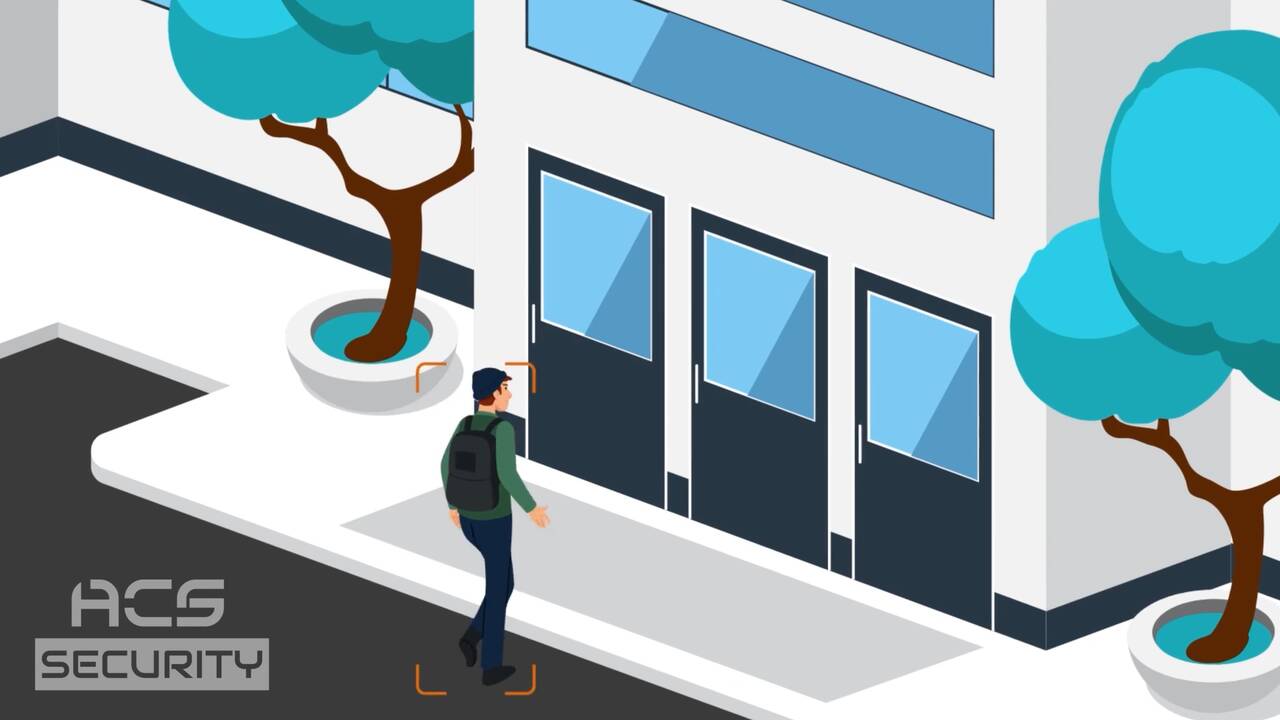
Arrange the material so viewers can follow the explanation. Check scene changes against sentence breaks and allow enough time to read important text.
Watch for competing demands. A dense graphic and a new spoken explanation may need separate moments.
Check that speech remains clear throughout. If music or sound effects are used, balance them around the narration.
Graphics should clarify details that are hard to retain from speech alone. Verify every number, label and abbreviation against approved copy.
Check captions against the actual recording. A script is a useful starting point, but any approved recording changes must also reach the captions.
Make the final action visible. Confirm that the website address or other destination matches the spoken instruction and remains readable.
Review meaning, accuracy, pacing and accessibility before approving delivery. Collect feedback in one place and identify the final decision-maker.
Check the required aspect ratios and caption files. Watch each exported version because a crop or text change can affect readability.
The feature sequence uses labelled icons. Some labels abbreviate the narration: “PGL Lights” and “PGL Sound” accompany the phrase “project green light alarms.”
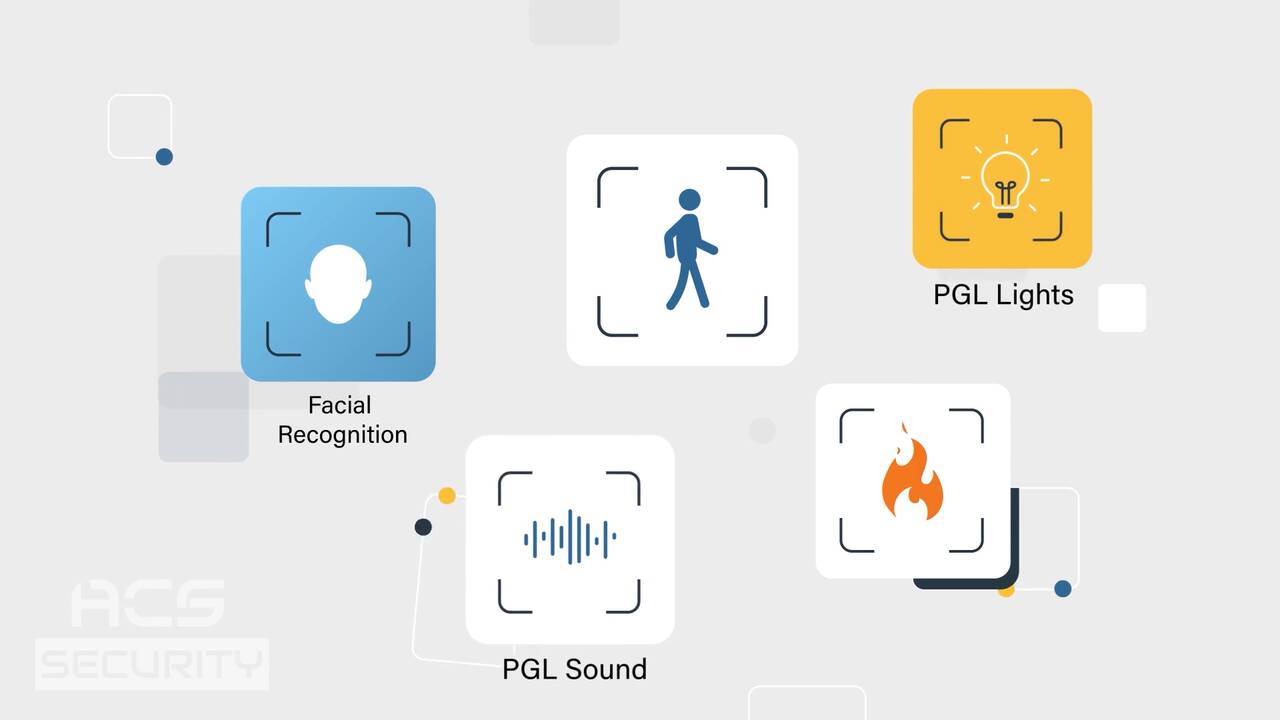
The closing card supplies the website destination requested in the final spoken line. It includes Project Green Light and ACS Security Group branding.
The finished video is a 16:9 HD file at 1920 by 1080, with an English captions file.
| Stage | Script document | Who uses it | ACS Security example |
|---|---|---|---|
| Pre-production | Draft, then locked script with visual notes | Writer, producer, client and visual team | Problem, monitoring explanation, comparison and final action. |
| Production | Locked script as the recording and animation guide | Voice talent, director and animators | Tracking, investigation and notification receive corresponding scenes. |
| Post-production | Checklist for the edit, captions and on-screen text | Editor, sound team, captioner and reviewer | Feature icons and the end card reinforce spoken information. |
Typical planning ranges for a straightforward short business video are days to a few weeks for pre-production, one to several shoot days for live-action production, and several weeks for animation production. Post-production can take days to several weeks.
These broad ranges are planning guidance, not Mammothic quotes or a guaranteed schedule. Scene complexity, access to people and locations, stakeholder feedback and version requirements all affect timing. Ask for a schedule that includes approvals rather than counting only active production days.
The ACS reference contains 168 words across 64 seconds, approximately 158 words per minute. Use that as one example of pacing. A technical explanation or demonstration may need fewer words and longer pauses.
Pre-production, production and post-production. They cover planning, creating the footage or animation, and assembling the finished video.
The core production workflow is commonly grouped into pre-production, production and post-production. A broader filmmaking lifecycle can also include development and distribution.
In a video context, the phrase usually refers to pre-production, production and post-production. Production itself is the stage when footage or animation is created.
Categories describe types of work, while stages describe the workflow. Corporate videos, commercials and event videos are examples of categories. There is no single universal set of three categories.
The script is generally developed and approved during pre-production. Later changes should be checked against recordings, visuals, captions and the delivery schedule.
Most 60-second scripts fall between 130 and 160 spoken words. A fast-paced promotional video can run near the top of that range. The ACS script fits 168 words into 64 seconds, about 158 words per minute. Time a natural read and leave room for pauses, demonstrations and on-screen text.
Both can specify narration, dialogue, visuals and on-screen text. Animation scripts guide designed scenes and movement. Live-action scripts must also account for what can be filmed with the available people, locations and equipment.
Yes. Check the effect on meaning, voiceover, graphics, scene timing and captions before approving a change. Replacing a single sentence can require several connected updates.
Pre-production, production and post-production describe how a script becomes a finished video. Decide the message first, create the material it needs and review the result against that message. The ACS Security example shows how words connect to specific scenes and a visible next step.


Larry is the Founder and Producer at Mammothic Films, with more than 15 years of production experience. He leads a team that creates story-driven videos for businesses and brands. A marketer, designer, and animator, Larry has overseen the production of more than 1,500 videos for Fujitsu, Logitech, Warner Brothers, NFL, Blockdaemon, Astronomer, Canonical, and 370+ other companies in Canada, the United States, and around the world.
Larry is a devout Christian who believes in placing God first, and that everything else is a blessing that comes from serving Him. When he’s not working, he’s hanging out with his wife and three kids, playing the piano, or sightseeing.
We use cookies to improve your experience on our site.
Manage your cookie preferences below:
Essential cookies enable basic functions and are necessary for the proper function of the website.
